Home » Cloud Computing » Microsoft Dynamics 365 Business Central Course in Jayanagar

Microsoft Dynamics 365 Business Central Course in Jayanagar

(4.9) 10562 Ratings
  • Enroll in the Microsoft Dynamics 365 Business Central Course in Jayanagar to develop expertise in business management.
  • Learn essential Microsoft Dynamics 365 Business Central concepts including finance, and operations management.
  • Gain hands-on experience through real-time Business Central projects and practical ERP implementation activities.
  • Ideal for aspiring ERP Consultants, Functional Consultants, Business Analysts, Finance Professionals, and Job Seekers.
  • Choose from Flexible Batch Timings: Weekday, Weekend, or Fast-Track Learning Schedules.
  • Benefit from Placement Assistance, Interview Preparation, and Microsoft Dynamics 365 Business Central Certification.

Course Duration

55+ Hrs

Live Project

3 Project

Certification Pass

Guaranteed

Training Format

Live Online (Expert Trainers)
Quality Training With Affordable Fee

⭐ Fees Starts From

INR 38,000
INR 18,500

11258+

Professionals Trained

10+

Batches every month

3674+

Placed Students

295+

Corporate Served

What You'll Learn

Microsoft Dynamics 365 Business Central Course in Jayanagar introduces financial operations, sales, purchasing, inventory tracking, and warehousing.

Learn to manage general ledger entries, payable and receivable accounts, customer orders, and essential transaction processing within Business Central.

Build practical expertise in ERP setup, financial transactions, operational reporting, automated approvals, and efficient business process management.

Practice through Business Central assignments, implementation scenarios, system configuration exercises, and financial reporting tasks.

Explore manufacturing operations, workflow adjustments, and integration capabilities to understand advanced Business Central functionality.

Strengthen job-ready ERP capabilities through industry-oriented learning and prepare for roles such as Business Central Consultant and ERP Analyst.

Comprehensive Overview of MS Dynamics 365 Business Central Course

The Microsoft Dynamics 365 Business Central Course in Jayanagar offers a comprehensive learning experience focused on ERP functionality, financial management, inventory tracking, purchasing operations, sales administration, and workflow automation. Learners explore how integrated business applications support daily operations, improve data accuracy, and streamline organizational processes. Practical exercises and project-oriented assignments introduce application configuration, transaction handling, financial reporting, supply chain coordination, and system administration. The training also develops an understanding of ERP implementation, business process optimization, and operational reporting, helping participants build relevant technical skills for careers in ERP consulting, finance operations, and business analysis.

Additional Info

Future Trends in Microsoft Dynamics 365 Business Central Course Internship in Jayanagar

  • AI-Driven Business Operations: Artificial intelligence is enhancing Microsoft Dynamics 365 Business Central through automated transactions, intelligent forecasting, and contextual recommendations. Businesses can simplify financial operations, improve inventory planning, and accelerate routine decisions. Future developments will bring smarter assistants, predictive insights, and adaptive workflows, helping organizations reduce manual effort, improve accuracy, and respond efficiently to changing operational demands.
  • Next-Generation Cloud ERP: Cloud-based ERP technology enables Microsoft Dynamics 365 Business Central to support flexible business operations, remote access, and scalable resource planning. Organizations increasingly prefer connected cloud environments for easier collaboration and system maintenance. Future advancements will emphasize stronger security, streamlined upgrades, improved availability, and multi-location coordination, allowing businesses to modernize operations while controlling infrastructure expenses.
  • Real-Time Business Intelligence: Microsoft Dynamics 365 Business Central supports informed decisions through connected reporting, performance indicators, and financial analytics. Teams can examine sales trends, operational costs, inventory movements, and profitability using organized business data. Future capabilities will strengthen predictive reporting and intelligent recommendations, helping managers identify emerging risks, recognize growth opportunities, and develop strategies using timely operational insights.
  • Connected Enterprise Applications: Integration is becoming increasingly important for Microsoft Dynamics 365 Business Central as organizations connect finance, sales, procurement, and customer management systems. Compatibility with Microsoft 365, Power Platform, Azure, and external applications improves information sharing. Future integration methods will simplify data synchronization, automate cross-department activities, and create connected workflows that reduce duplication and improve organizational productivity.
  • Intelligent Process Automation: Automation capabilities in Microsoft Dynamics 365 Business Central help organizations manage approvals, purchase orders, invoicing, and inventory updates with fewer manual steps. Connected workflows improve consistency and reduce delays across departments. Future enhancements will combine artificial intelligence, low-code tools, and robotic automation to streamline complex tasks, minimize processing errors, and help employees concentrate on higher-value business responsibilities.
  • Predictive Finance Management: Financial planning in Microsoft Dynamics 365 Business Central is becoming more data-driven through forecasting, budgeting, and cash-flow analysis. Organizations can evaluate historical transactions and current performance to estimate future financial requirements. Emerging capabilities will strengthen scenario modelling, expense predictions, and financial risk monitoring, helping finance teams allocate resources effectively and make informed decisions about profitability and business growth.
  • Smart Supply Chain Planning: Microsoft Dynamics 365 Business Central helps businesses coordinate purchasing, stock availability, vendor information, and warehouse activities. Better visibility enables teams to respond to demand changes and avoid unnecessary inventory costs. Future developments will emphasize predictive replenishment, demand analysis, supplier evaluation, and connected logistics, helping organizations improve product availability, streamline procurement, and maintain dependable supply chain operations.
  • Low-Code Business Customization: Low-code development is expanding customization possibilities within the Microsoft Dynamics 365 Business Central ecosystem. Organizations can create applications, approval processes, dashboards, and connected workflows using accessible development tools. Future improvements will make business solutions faster to build and maintain, enabling teams to address changing requirements, reduce development effort, and support digital transformation without depending entirely on extensive custom programming.
  • Industry-Focused ERP Capabilities: Microsoft Dynamics 365 Business Central continues to support diverse industries, including manufacturing, retail, distribution, and professional services. Organizations can configure business processes around their operational requirements and reporting needs. Future developments will introduce more specialized workflows, industry-oriented integrations, and compliance capabilities, helping companies improve process consistency, manage sector-specific challenges, and respond effectively to changing market expectations.
  • Enterprise Digital Modernization: Organizations are replacing disconnected legacy applications with integrated ERP platforms to improve visibility and operational control. Microsoft Dynamics 365 Business Central supports this transition through cloud services, workflow automation, analytics, and connected business functions. Future modernization initiatives will focus on intelligent operations, secure integrations, and data-driven planning, creating opportunities for professionals who understand ERP configuration and enterprise process improvement.

Essential Tools and Technologies Placement in Microsoft Dynamics 365 Business Central

  • Business Central ERP Platform: Microsoft Dynamics 365 Business Central provides integrated capabilities for financial management, purchasing, sales, inventory, projects, and operational planning. Professionals configure business settings, manage transactions, monitor performance, and coordinate departmental workflows through a centralized environment. The platform helps organizations maintain consistent information, simplify routine activities, and support business expansion while adapting ERP functionality to their operational requirements.
  • Power BI Reporting: Power BI helps Business Central users transform business records into interactive dashboards, visual reports, and performance indicators. Finance and operations teams can examine revenue, expenses, inventory movements, and sales performance through organized visualizations. Professionals use these insights to recognize trends, compare results, monitor targets, and communicate findings clearly, supporting informed planning and evidence-based decisions across different business functions.
  • Power Automate Integration: Power Automate connects Business Central with supported applications to simplify repetitive tasks and business approvals. Professionals can configure notifications, document routing, purchase approvals, and data synchronization through automated workflows. These processes reduce routine manual work, improve information flow, and support consistent execution of business activities, helping organizations maintain productivity while coordinating operations across connected Microsoft services and external systems.
  • Microsoft Azure Services: Microsoft Azure provides cloud services that complement Business Central through identity integration, application connectivity, monitoring, and supporting infrastructure capabilities. Organizations use Azure services to strengthen security, manage connected applications, and support enterprise data exchange. Understanding these technologies helps professionals work with cloud-based business environments, evaluate integration requirements, and contribute to reliable ERP operations within broader Microsoft technology ecosystems.
  • AL Programming Language: AL is the development language used to extend Microsoft Dynamics 365 Business Central with customized business functionality. Developers create extensions, reports, validation rules, and integrations that address specific operational requirements. They also troubleshoot application behavior, test changes, and maintain compatibility with platform updates. Learning AL helps technical professionals adapt ERP features while supporting maintainable and upgrade-friendly business application development.
  • Visual Studio Code: Visual Studio Code serves as the development environment for building and managing AL extensions for Business Central. Developers use its editing tools, debugging capabilities, project organization, and language support to create customized ERP functionality. The environment assists with code validation, application testing, and extension publishing, helping technical teams develop solutions systematically and maintain clearer development workflows throughout customization projects.
  • SQL and Data Management: Database concepts help Business Central professionals understand structured business information, reporting requirements, and data relationships. SQL knowledge can support analysis of authorized data sources, integration planning, and troubleshooting across connected applications. Professionals must also understand the platform's supported data-access methods rather than assuming direct database access is available in every deployment, ensuring appropriate handling of business information and system architecture.
  • Microsoft Excel Connectivity: Excel supports Business Central activities involving data review, financial analysis, budgeting, and reporting. Users can work with supported export, editing, and publishing features to organize business records and examine operational results. This connectivity helps finance and inventory teams compare figures, prepare calculations, and share information efficiently. Understanding spreadsheet integration improves productivity while supporting accurate data handling and reporting processes.
  • API and Web Services: APIs and web services allow Business Central to exchange information with supported external applications, including CRM platforms, online stores, payment systems, and warehouse solutions. Professionals configure integrations, manage data exchange, and troubleshoot connectivity issues according to security requirements. These technologies help reduce duplicate entry, synchronize business records, and connect separate applications into coordinated workflows that support efficient enterprise operations.
  • Microsoft Power Apps: Power Apps enables organizations to build customized business applications that connect with supported Business Central data and services. Teams can develop forms, mobile tools, approval interfaces, and operational applications suited to specific workflows. Professionals use low-code capabilities to address departmental requirements, simplify information collection, and improve accessibility, helping businesses extend existing ERP processes without developing every supporting application from scratch.

Roles and Responsibilities in Microsoft Dynamics 365 Business Central

  • ERP Consultant: An ERP Consultant evaluates organizational requirements and recommends Microsoft Dynamics 365 Business Central configurations that support business objectives. Responsibilities include requirement gathering, process mapping, module setup, solution documentation, and user guidance. Consultants coordinate with technical teams during implementation, resolve functional gaps, and recommend improvements that help departments manage transactions efficiently while maintaining consistent and reliable business workflows.
  • Functional Consultant: A Functional Consultant configures Business Central modules according to finance, purchasing, sales, inventory, and operational requirements. The role involves understanding user needs, documenting processes, preparing functional specifications, and supporting testing activities. Consultants also guide users through system features, investigate functional issues, and recommend suitable configurations that improve transaction accuracy, process consistency, reporting quality, and alignment with organizational policies.
  • Technical Consultant: A Technical Consultant develops extensions, reports, integrations, and custom functionality for Microsoft Dynamics 365 Business Central. Using AL, APIs, and related Microsoft development tools, they adapt the platform to specific business requirements. Responsibilities include code development, debugging, testing, deployment, and technical documentation. They also troubleshoot application issues and maintain solutions that remain manageable as business processes and platform capabilities evolve.
  • ERP Administrator: An ERP Administrator oversees Business Central user access, permission assignments, environment settings, and routine operational support. The role includes monitoring application issues, coordinating updates, maintaining configuration records, and assisting employees with system-related questions. Administrators also work with relevant technical teams to address access problems and operational interruptions, helping maintain reliable application usage and appropriate protection of organizational information.
  • Business Analyst: A Business Analyst studies existing processes and identifies improvements that can be supported through Microsoft Dynamics 365 Business Central. Responsibilities include stakeholder discussions, workflow analysis, requirement documentation, and collaboration with implementation teams. Analysts help translate business challenges into functional needs, validate proposed solutions, and review outcomes to ensure that ERP changes improve reporting, reduce unnecessary work, and support measurable operational objectives.
  • Implementation Specialist: An Implementation Specialist coordinates the activities required to introduce Business Central into an organization. Tasks can include environment preparation, configuration, data migration, validation, user training, and go-live coordination. Specialists work with business stakeholders to identify implementation risks, investigate discrepancies, and confirm readiness before deployment. Their contribution helps organizations transition from existing systems to structured ERP processes with fewer operational disruptions.
  • Solution Architect: A Solution Architect defines the overall design of a Business Central solution according to business requirements, integration needs, and technical constraints. Responsibilities include architecture planning, extension strategy, data-flow design, security considerations, and platform integration decisions. Architects coordinate functional and technical teams, evaluate solution options, and establish scalable design principles that support reliable implementation, maintainability, and future organizational growth.
  • Support Engineer: A Support Engineer helps Business Central users resolve application errors, access issues, transaction problems, and integration failures. Responsibilities include investigating incidents, documenting resolutions, monitoring recurring problems, and coordinating escalations when specialized assistance is required. Engineers also guide users through supported system procedures and contribute to preventive improvements, helping maintain application reliability and minimize interruptions to finance and operational activities.
  • Finance Analyst: A Finance Analyst uses Business Central information to review financial transactions, prepare reports, monitor budgets, and evaluate business performance. Responsibilities may include examining general ledger entries, accounts payable, accounts receivable, cash flow, and financial variances. Analysts work with finance teams to improve reporting accuracy, identify cost patterns, and provide useful information that supports budgeting, resource allocation, and strategic financial decisions.
  • Project Manager: A Project Manager coordinates Business Central implementation or enhancement projects from planning through delivery. Responsibilities include defining scope, preparing schedules, allocating resources, tracking milestones, managing risks, and communicating with stakeholders. Project managers coordinate consultants, developers, and business users to address dependencies and resolve issues. Their oversight helps keep implementation activities organized and aligned with agreed objectives, budgets, and delivery expectations.

Top Companies Hiring Microsoft Dynamics 365 Business Central Professionals

  • Microsoft: Microsoft develops and supports the Dynamics 365 ecosystem, creating opportunities across product engineering, consulting, customer success, and technical support. Business Central professionals may contribute to ERP functionality, partner enablement, application integration, and cloud business solutions. Relevant responsibilities depend on the vacancy and can involve software development, solution guidance, platform support, or helping customers improve business processes through Microsoft technologies.
  • Accenture: Accenture delivers enterprise consulting and technology transformation services for organizations modernizing their business applications. Professionals with Business Central knowledge may support ERP implementation, functional configuration, integration, migration, and process improvement projects. Their responsibilities can involve understanding client requirements, coordinating solution delivery, testing business workflows, and helping customers connect finance, purchasing, inventory, and reporting processes within broader digital transformation initiatives.
  • Deloitte: Deloitte provides consulting and technology services that help organizations improve business operations and modernize enterprise systems. Business Central specialists may contribute to ERP advisory, functional analysis, implementation support, and application integration where relevant opportunities exist. Typical project activities include assessing business requirements, documenting workflows, supporting testing, and recommending system configurations that improve financial visibility, operational consistency, and enterprise process management.
  • Infosys: Infosys supports enterprise application services, digital transformation, and business process modernization for clients across multiple industries. Professionals with Microsoft Dynamics expertise may work on ERP configuration, application integration, reporting, data migration, and ongoing system support. Their responsibilities can include collaborating with business teams, validating solution requirements, resolving application issues, and helping organizations improve finance, inventory, procurement, and operational workflows.
  • TCS: TCS provides enterprise technology consulting, application services, and modernization solutions for organizations operating across global markets. Business Central professionals may explore relevant opportunities involving ERP implementation, functional support, integration, and business application maintenance. Depending on the project, they may assist with process analysis, data validation, user support, and application improvements that help clients streamline transactions and coordinate business information across departments.
  • Wipro: Wipro delivers technology consulting, cloud services, and enterprise application solutions for businesses seeking operational improvements. Professionals with Business Central skills may contribute to ERP configuration, integration projects, application maintenance, and business process optimization. Responsibilities can include gathering requirements, supporting testing, troubleshooting technical issues, and coordinating with client teams to improve system usability, reporting, and information flow across enterprise operations.
  • Capgemini: Capgemini provides consulting and technology services that support enterprise resource planning and digital business transformation. Business Central specialists may work on functional implementation, solution customization, system integration, and application support when suitable projects are available. Their work can involve analyzing operational needs, coordinating implementation tasks, validating business processes, and helping organizations improve financial management, procurement, inventory control, and reporting capabilities.
  • Cognizant: Cognizant supports organizations through enterprise application services, technology consulting, and business process modernization. Professionals familiar with Microsoft Dynamics 365 Business Central may contribute to application configuration, functional analysis, integration, testing, and support assignments. Depending on project needs, responsibilities may include documenting requirements, resolving user issues, coordinating data migration, and improving workflows across finance, sales, purchasing, and inventory management functions.
  • HCLTech: HCLTech delivers enterprise technology services, cloud solutions, and application modernization for organizations across industries. Business Central professionals may find relevant work in ERP implementation support, application development, system integration, and technical consulting. Project responsibilities can include configuring business functionality, investigating system issues, testing enhancements, and collaborating with stakeholders to maintain reliable applications that support organizational finance and operational requirements.
  • Tech Mahindra: Tech Mahindra provides digital transformation, enterprise technology, and application services for clients in various industries. Professionals with Business Central knowledge may contribute to ERP implementation, business process analysis, application integration, and support projects where relevant openings exist. Their work can involve reviewing client requirements, assisting with configuration, validating workflows, and helping organizations improve coordination between finance, procurement, sales, inventory, and other business functions.
View more

MS Dynamics 365 Business Central Course Objectives

Basic computer knowledge and an understanding of business operations are beneficial before starting MS Dynamics 365 Business Central training. Familiarity with accounting principles, inventory concepts, and Microsoft applications can help learners understand ERP workflows more effectively. However, the course is structured to support beginners as well as experienced professionals.
MS Dynamics 365 Business Central training equips learners with practical ERP implementation skills, financial management knowledge, inventory control expertise, and workflow automation capabilities. Through hands-on projects and real-world scenarios, students develop industry-relevant skills that prepare them for consulting, implementation, administration, and enterprise resource planning careers.
  • Growing ERP adoption
  • Cloud transformation demand
  • Microsoft ecosystem expansion
  • Global consulting opportunities
  • High salary potential
As organizations continue adopting cloud-based ERP solutions, professionals with Business Central expertise are increasingly valuable. This training prepares learners to manage enterprise operations, automate business processes, and support digital transformation initiatives, making them competitive candidates for numerous ERP implementation and consulting opportunities worldwide.
  • Financial Management
  • Inventory Management
  • Sales Management
  • Workflow Automation
  • Report Development
Yes. The training includes practical assignments, implementation exercises, live ERP scenarios, and project-based learning that simulate real business environments. Students gain valuable hands-on experience in configuring Business Central modules, managing workflows, generating reports, and solving business challenges encountered in enterprise ERP implementations.
  • Manufacturing Industry
  • Retail Industry
  • Healthcare Industry
  • Logistics Industry
  • Financial Services
The training provides practical ERP knowledge, real-world project experience, placement assistance, and interview preparation to improve employability. Developing strong technical skills, completing projects, and earning certification significantly increase your chances of securing rewarding ERP-related roles.
  • Practical ERP Skills
  • Industry Projects
  • Placement Support
  • Certification Preparation
  • Career Advancement
Students gain practical experience using MS Dynamics 365 Business Central along with Microsoft Power BI, Power Automate, Power Apps, Microsoft Excel, Visual Studio Code, AL development tools, Azure services, SQL Server, and API integration technologies. These tools enable learners to build, customize, automate, and manage enterprise ERP solutions effectively.
view More view Less

Microsoft Dynamics 365 CRM Course Benefits

Microsoft Dynamics 365 Business Central Course in Jayanagar offers industry-oriented learning in ERP solutions, financial operations, inventory management, purchasing, supply chain coordination, and automated business workflows. Through guided practical sessions, learners explore system configuration, transaction processing, financial analysis, and business process improvements using realistic organizational scenarios. The curriculum integrates Microsoft Dynamics 365 Business Central Projects to strengthen technical understanding and provide experience in solving common business challenges. Participants can also gain valuable exposure through the Microsoft Dynamics 365 Business Central Internship, subject to availability, while developing skills for ERP implementation, functional consulting, system administration, and enterprise application support.

  • Designation
  • Annual Salary
    Hiring Companies
  • 2.9L
    Min
  • 6.5L
    Average
  • 11.6L
    Max
  • 4.50L
    Min
  • 8.5L
    Average
  • 16.5L
    Max
  • 4.0L
    Min
  • 7.9L
    Average
  • 13.5L
    Max
  • 3.24L
    Min
  • 10.4L
    Average
  • 12.5L
    Max

About Microsoft Dynamics 365 Business Central Course

Microsoft Dynamics 365 Business Central Course in Jayanagar helps learners develop practical expertise in ERP solutions, financial operations, inventory administration, sales processing, purchasing, supply chain coordination, and business workflow automation. The training emphasizes hands-on learning through guided exercises involving transaction management, stock monitoring, order fulfillment, procurement activities, report generation, system customization, and process optimization. Participants can strengthen their understanding of integrated business applications while exploring real-world operational scenarios. The program also supports career development through Microsoft Dynamics 365 Business Central With Placement assistance and provides Microsoft Dynamics 365 Business Central Material to reinforce concepts, practise technical tasks, and revise important topics.

Top Skills You Will Gain
  • Financial Management
  • Inventory Control
  • Supply Planning
  • Sales Management
  • Purchase Management
  • Workflow Automation
  • Report Generation
  • Data Migration

12+ Microsoft Dynamics 365 Business Central Tools

Online Classroom Batches Preferred

Weekdays (Mon - Fri)
16 - Nov - 2026
08:00 AM (IST)
Weekdays (Mon - Fri)
18 - Nov - 2026
08:00 AM (IST)
Weekend (Sat)
21 - Nov - 2026
11:00 AM (IST)
Weekend (Sun)
22 - Nov - 2026
11:00 AM (IST)
Can't find a batch you were looking for?
₹38,000 ₹18,500 10% OFF Expires in

No Interest Financing start at ₹ 5000 / month

Corporate Training

  • Customized Learning
  • Enterprise Grade Learning Management System (LMS)
  • 24x7 Support
  • Enterprise Grade Reporting

Not Just Studying
We’re Doing Much More!

Empowering Learning Through Real Experiences and Innovation

Hiring
Hiring
Hiring
Hiring
Hiring
Hiring
Hiring
User
User
User
User
User
User

MS Dynamics 365 Business Central Course Curriculam

Trainers Profile

The Microsoft Dynamics 365 Business Central Course in Jayanagar offers industry-oriented learning guided by professionals experienced in ERP systems, financial operations, inventory management, procurement, and business workflow optimization. Participants explore essential concepts through structured study materials, hands-on exercises, practical business scenarios, and application-based projects. The training also covers system setup, module configuration, financial reporting, transaction processing, and automated workflows, enabling learners to understand how Business Central supports daily business operations and develop functional and technical capabilities for ERP-related career opportunities.

Syllabus for MS Dynamics 365 Business Central Course Download syllabus

  • Business Central Overview
  • ERP Fundamentals Introduction
  • Environment Configuration Setup
  • Navigation Menu Basics
  • Company Setup Process
  • User Role Management
  • General Ledger Setup
  • Accounts Payable Management
  • Accounts Receivable Processing
  • Bank Reconciliation Process
  • Budget Planning Techniques
  • Financial Report Generation
  • Customer Master Setup
  • Sales Order Processing
  • Quote Management Process
  • Invoice Generation Methods
  • Credit Memo Handling
  • Sales Performance Analysis
  • Vendor Master Creation
  • Purchase Order Processing
  • Procurement Workflow Configuration
  • Vendor Invoice Management
  • Payment Processing Methods
  • Purchasing Report Analysis
  • Item Master Configuration
  • Warehouse Inventory Management
  • Stock Transfer Process
  • Inventory Valuation Methods
  • Replenishment Planning Techniques
  • Inventory Reporting Tools
  • Supply Chain Planning
  • Demand Forecast Management
  • Warehouse Operations Management
  • Logistics Process Automation
  • Shipment Tracking Methods
  • Vendor Performance Monitoring
  • Workflow Configuration Process
  • Approval Workflow Setup
  • Document Management System
  • Notification Rule Configuration
  • Process Automation Techniques
  • Business Rule Management
  • Dashboard Creation Techniques
  • Financial Report Development
  • Power BI Integration
  • Business Data Analysis
  • Performance Metric Tracking
  • Decision Support Reporting
  • API Integration Basics
  • Microsoft Integration Services
  • Data Migration Process
  • Extension Development Concepts
  • AL Programming Basics
  • Cloud Service Integration
  • ERP Implementation Planning
  • Live Business Projects
  • System Performance Optimization
  • User Acceptance Testing
  • Certification Preparation Sessions
  • Placement Assistance Program
(15) view More view Less
Need customized curriculum?

REAL

start
STORIES SUCCESS INSPIRATION
CAREER
UPGRADE
sowmiya

sowmiya

CAREER
UPGRADE
Rajkumar

Rajkumar

CAREER
UPGRADE
Thon

Thon

CAREER
UPGRADE
lavanya

Lavanya

Industry Projects

Project 1
Financial Operations Management

Implement a financial management solution in Microsoft Dynamics 365 Business Central, accounts payable, and financial transactions efficiently.

Project 2
Smart Inventory Control System

Create an inventory control solution using Microsoft Dynamics 365 Business Central to manage stock levels, warehouse activities, purchase orders, and reports.

Project 3
Automated Sales Order Processing

Design a sales workflow in Microsoft Dynamics 365 Business Central covering customer details, quotations, order processing, invoicing, and shipment coordination.

Our Hiring Partner

Exam & Microsoft Dynamics 365 Business Central Certification

  • Fundamental Knowledge of ERP Systems and Organizational Workflows
  • Awareness of Basic Accounting, Financial Reporting, and Transaction Processing
  • Understanding of Sales Orders, Purchase Transactions, and Inventory Handling
  • Introductory Knowledge of Cloud Platforms and Microsoft Business Applications
  • Prior Experience with Microsoft Dynamics 365 Business Central Is Helpful but Not Essential
Earning a Microsoft Dynamics 365 Business Central certification can demonstrate your understanding of enterprise resource planning, accounting workflows, inventory operations, purchasing, sales, and financial reporting. It can enhance your professional profile and help you pursue opportunities involving ERP implementation, functional consulting, application support, and business process improvement.
A Microsoft Dynamics 365 Business Central certification can demonstrate your understanding of ERP functionality, but it does not automatically secure employment. Combining certification preparation with practical experience in system configuration, financial transactions, inventory management, reporting, and implementation exercises can improve your job readiness and help you demonstrate relevant skills to potential employers.
  • Microsoft Dynamics 365 Business Central Functional Consultant
  • ERP Implementation Consultant
  • Business Central Application Support Specialist
  • ERP Systems Administrator
  • Business Process Analyst
  • Microsoft Dynamics 365 Business Central Implementation Specialist
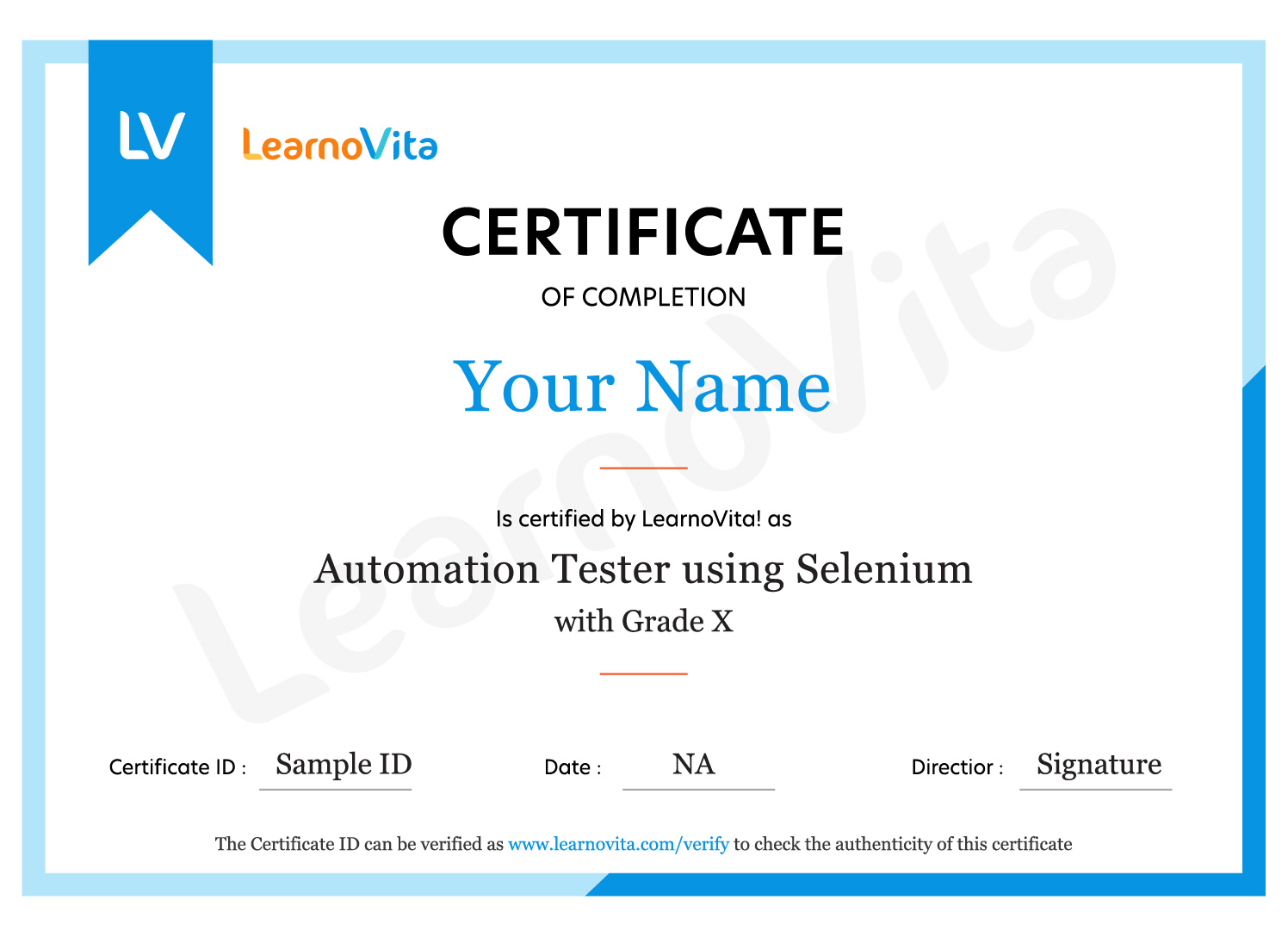
Microsoft Dynamics 365 Business Central certification preparation can deepen your knowledge of financial operations, inventory tracking, sales processing, purchasing workflows, reporting, and business application configuration. These capabilities are valuable for professionals seeking to contribute to ERP implementation projects, application administration, operational analysis, and process automation. Learners attending the Microsoft Dynamics 365 Business Central Course in Jayanagar can build a foundation for applying these concepts in practical business environments.

MNC Recognized course
complete certification
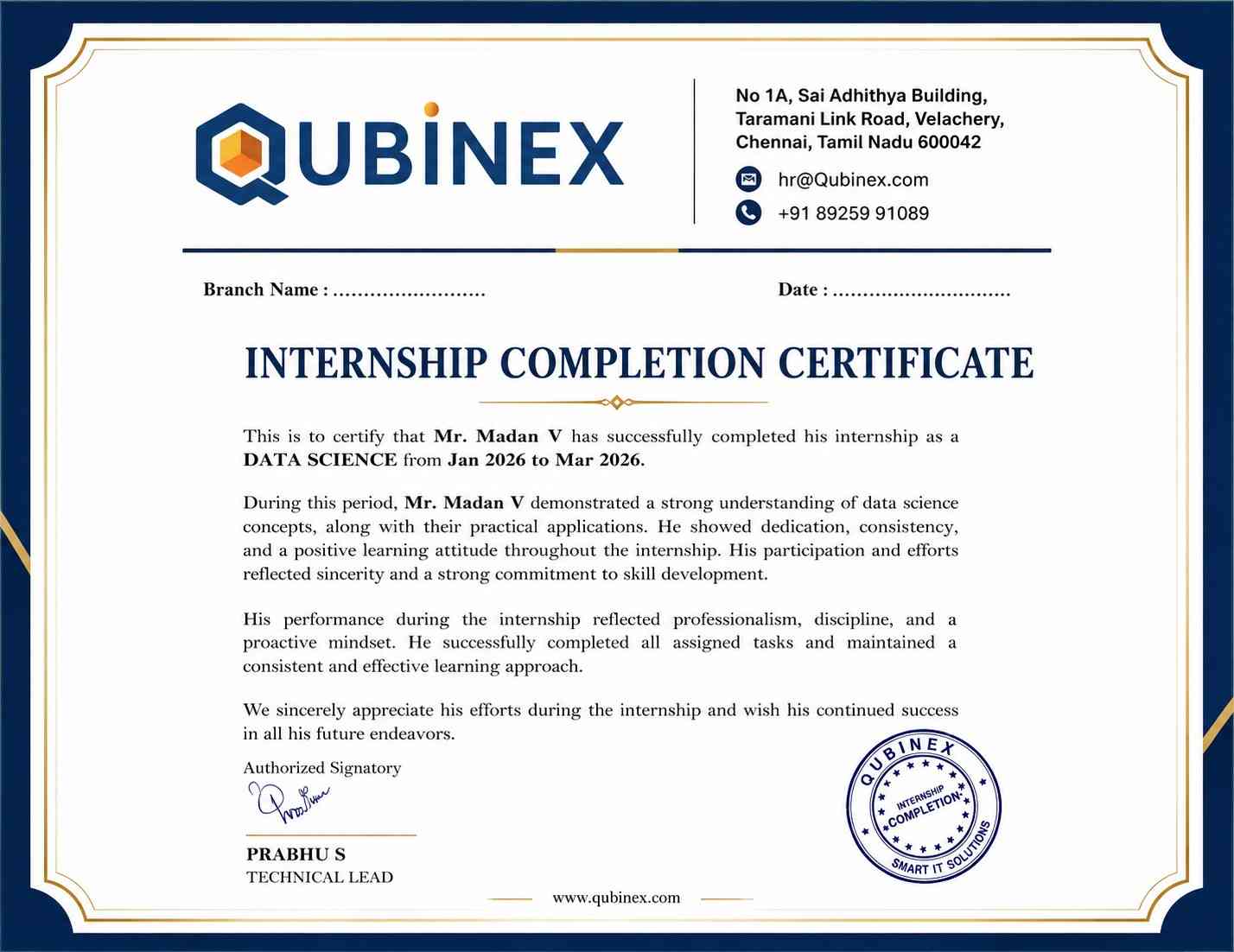
Intership
complete certification

Placement
complete certification

Our learners
transformed their careers

35 Laks
Highest Salary Offered
50%
Average Salary Hike
30K+
Placed in MNC's
15+
Year's in Training
Our Alumni
Alumni

A majority of our alumni

fast-tracked into managerial careers.

Get inspired by their progress in the Career Growth Report.

Our Student Successful Story

checkimage Regular 1:1 Mentorship From Industry Experts checkimage Live Classes checkimage Career Support

How are the MS Dynamics 365 Business Central Course with LearnoVita Different?

Feature

LearnoVita

Other Institutes

Affordable Fees

Competitive Pricing With Flexible Payment Options.

Higher MS Dynamics 365 Business Central Fees With Limited Payment Options.

Live Class From ( Industry Expert)

Well Experienced Trainer From a Relevant Field With Practical MS Dynamics 365 Business Central Training

Theoretical Class With Limited Practical

Updated Syllabus

Updated and Industry-relevant MS Dynamics 365 Business Central Course Curriculum With Hands-on Learning.

Outdated Curriculum With Limited Practical Training.

Hands-on projects

Real-world MS Dynamics 365 Business Central Project With Live Case Studies and Collaboration With Companies.

Basic Projects With Limited Real-world Application.

Certification

Industry-recognized MS Dynamics 365 Business Central Certifications With Global Validity.

Basic MS Dynamics 365 Business Central Certifications With Limited Recognition.

Placement Support

Strong Placement Support With Tie-ups With Top Companies and Mock Interviews.

Basic Placement Support

Industry Partnerships

Strong Ties With Top Tech Companies for Internships and Placements

No Partnerships, Limited Opportunities

Batch Size

Small Batch Sizes for Personalized Attention.

Large Batch Sizes With Limited Individual Focus.

Additional Features

Lifetime Access to MS Dynamics 365 Business Central Course Materials, Alumni Network, and Hackathons.

No Additional Features or Perks.

Training Support

Dedicated Mentors, 24/7 Doubt Resolution, and Personalized Guidance.

Limited Mentor Support and No After-hours Assistance.

Microsoft Dynamics 365 Business Central Course FAQs

Yes, interested learners can enquire about a demo session to understand the teaching approach and course delivery before registering. Since live classes follow a planned schedule and maintain limited batch sizes, attending a regular session may require enrollment. If you cannot participate in a live demo, you can ask about an available recorded session conducted by the trainer. This allows you to review the instructional style, course organization, and learning environment before choosing Microsoft Dynamics 365 Business Central Course in Jayanagar.
The course is guided by professionals with experience in enterprise software, business applications, and ERP implementation. LearnoVita states that its instructors generally possess around 9 to 12 years of industry experience. Their practical knowledge helps learners understand financial operations, inventory control, purchasing, sales processes, reporting, and business workflow configuration in Microsoft Dynamics 365 Business Central. Industry-oriented explanations help participants connect application features with everyday business requirements.
  • LearnoVita provides career guidance to help eligible learners identify suitable vacancies, improve their job search strategies, and explore opportunities that match their technical abilities.
  • Participants who complete the course may qualify for placement assistance based on the applicable program terms, including support with job applications and preparation for recruitment activities.
  • The placement team may help learners explore opportunities with companies such as HP, Wipro, Accenture, Google, IBM, Tech Mahindra, Amazon, CTS, TCS, HCL, Infosys, Mindtree, and Mphasis, subject to available vacancies and employer requirements.
  • Career opportunities related to Business Central may include ERP support, functional consulting, application configuration, finance operations, and business application implementation, depending on individual qualifications.
  • Interview preparation may cover resume development, mock interviews, communication skills, presentation practice, and technical question discussions to help candidates prepare for employer assessments.
  • Enrolled learners can check the student portal for available job notifications, course resources, recorded classes, technical materials, and interview preparation content, according to their access entitlements.
Learners who successfully complete the prescribed training requirements receive a LearnoVita course completion certificate. This certificate can be included in a professional resume to demonstrate training in Microsoft Dynamics 365 Business Central and ERP-related business processes. Participants interested in an official Microsoft credential should review the current certification pathways, examination requirements, and eligibility criteria. The training team can provide guidance on preparing for relevant assessments based on the learner's career objectives.
Practical exercises and project-based activities help learners apply Business Central features to realistic business scenarios. Depending on the syllabus, assignments may cover financial transactions, customer and vendor records, inventory tracking, purchasing, sales orders, reporting, and workflow configuration. These activities help participants understand how ERP applications connect different business departments, improve data visibility, and support daily operations. Working through practical tasks also develops troubleshooting and application-handling skills.
Learners can enquire about available training formats based on their schedules, learning preferences, and professional commitments. Options may include instructor-led online classes, classroom sessions, self-paced learning, one-to-one coaching, fast-track programs, and customized training. Microsoft Dynamics 365 Business Central Course in Jayanagar helps participants build an understanding of ERP functionality, financial management, inventory operations, and business process automation through a suitable learning arrangement.
If you miss a scheduled session, contact the training team to find out which catch-up options are available. Depending on the course policy and batch schedule, you may be able to review recorded lessons, use shared presentation materials, or attend a corresponding topic in another batch. Revisiting missed lessons helps you understand important Business Central concepts, complete pending exercises, and stay prepared for upcoming modules without disrupting your overall learning progress.
For assistance with the syllabus, fees, batch schedules, training formats, certification guidance, practical projects, or placement support, contact the LearnoVita team at contact@learnovita.com. You can explain your learning requirements and ask for clarification about the available programs. The support team can provide additional enrollment information and help you evaluate whether the course aligns with your technical background and career plans.
You can begin the registration process by visiting the LearnoVita website and submitting an enquiry for the Microsoft Dynamics 365 Business Central course. Before enrolling, request information about course fees, syllabus coverage, batch timings, training methods, and practical assignments. You can also contact the training team or visit an available branch in India for assistance with registration and choosing a suitable learning schedule.
Enrolled participants may receive digital learning resources through the student portal, depending on the course package and access conditions. These resources may include study notes, recorded sessions, training videos, practice activities, and interview preparation materials. Learners can use them to revise ERP concepts, revisit demonstrations, and strengthen their understanding of financial operations, purchasing, sales, inventory, and reporting outside scheduled training hours.
Smaller training groups can encourage interaction, allow learners to raise questions, and provide more opportunities for guided practical exercises. LearnoVita has indicated that some of its courses accommodate approximately 5 to 6 learners per batch. The actual class size may vary according to the schedule and delivery format. Contact the training team to confirm the current batch strength for Microsoft Dynamics 365 Business Central Course in Jayanagar.
The salary of a Microsoft Dynamics 365 Business Central professional depends on work experience, functional expertise, technical capabilities, job responsibilities, and employer requirements. An indicative annual range of ₹4 lakh to ₹8 lakh may apply to some professionals, although actual compensation varies across roles and organizations. Skills in ERP configuration, financial management, inventory operations, reporting, and implementation support can help candidates pursue relevant opportunities. Review current job listings for salary estimates that match your experience level.
view More view Less
Career Assistance
  • Build a Powerful Resume for Career Success
  • Get Trainer Tips to Clear Interviews
  • Practice with Experts: Mock Interviews for Success
  • Crack Interviews & Land Your Dream Job
100% JOB GUARANTEE

Global Quality Training
At The Lowest Fees & Expert Trainer

AVAILABLE IN:
India Canada USA Singapore UAE Australia EU Germany

Need custom pricing?

4.9/5 from 50k+ students
Acte Technologies WhatsApp
Call Us! Chat With Us