Home » Others Courses » Jira Course in Kalyan Nagar

Jira Course in Kalyan Nagar

(4.9) 18741 Ratings
  • Join the Jira Course in Kalyan Nagar to build expertise in project tracking, issue handling, and agile methodologies.
  • Explore core Jira features, including project configuration, issue management, workflow setup, boards, and dashboards.
  • Develop practical skills through hands-on projects, sprint planning exercises, and project reporting tasks.
  • Designed for developers, software testers, Scrum Masters, project coordinators, and IT professionals.
  • Choose convenient training schedules with weekday, weekend, and fast-track batch options.
  • Access placement support, interview coaching, and certification guidance to prepare for career opportunities.

Course Duration

50+ Hrs

Live Project

3 Project

Certification Pass

Guaranteed

Training Format

Live Online (Expert Trainers)
Quality Training With Affordable Fee

⭐ Fees Starts From

INR 38,000
INR 18,500

11421+

Professionals Trained

10+

Batches every month

2415+

Placed Students

199+

Corporate Served

What You'll Learn

Learn Jira basics, interface navigation, project organization, issue types, and essential features for managing and tracking project activities.

Understand Jira Course in Kalyan Nagar concepts, including project setup, issue tracking, workflow management, boards, dashboards, and user access.

Discover how to create and manage Jira issues using priorities, assignees, labels, components, attachments, issue links, and custom fields.

Develop practical skills with Scrum and Kanban boards to organize tasks, monitor progress, manage sprints, and coordinate agile team activities.

Explore Jira configuration options for workflows, screens, custom fields, notifications, user roles, and permissions to meet project requirements.

Apply Jira skills through hands-on projects focused on task tracking, defect management, progress reporting, and agile software development workflows.

Jira Course Overview

The Jira Course in Kalyan Nagar equips learners with practical skills in software project organization, issue tracking, and Agile workflow management using Jira. The training covers project configuration, issue management, workflow customization, Scrum and Kanban boards, dashboards, reporting, permissions, and backlog management through interactive sessions. Participants practice issue creation, sprint planning, task allocation, progress monitoring, and project reporting to understand how Jira supports real-world project activities. The Jira Online Course is suitable for freshers, developers, testers, Scrum professionals, project coordinators, and IT professionals seeking hands-on experience. Upon completion, learners can enhance their Jira expertise and develop relevant skills for Agile project management and software development roles.

Additional Info

Future Trends in Jira Internship Training in Kalyan Nagar

  • AI-Driven Jira Workflows: Jira is adopting AI features to simplify project activities, recommend actions, identify potential issues, and automate routine tasks. Professionals can use intelligent capabilities to improve workflow efficiency, monitor project risks, organize workloads, and make faster decisions across Agile development environments.
  • Agile and DevOps Collaboration: Jira is becoming more connected with Agile development and DevOps processes, allowing teams to manage planning, coding, testing, and deployment activities together. Professionals can track releases, coordinate technical tasks, manage workflows, and maintain better visibility throughout software delivery cycles.
  • Expansion of Jira Cloud: Jira Cloud adoption is increasing as organizations seek flexible project management environments with easier accessibility and administration. Jira professionals can configure cloud projects, manage workflows, connect external applications, and support distributed teams while working with modern cloud-based collaboration practices.
  • Intelligent Workflow Automation: Automation is changing how Jira teams handle repetitive project activities through triggers, conditions, actions, and automated transitions. Professionals can create rules for assigning issues, updating statuses, sending notifications, managing approvals, and completing routine processes with less manual intervention.
  • Advanced Project Reporting: Jira reporting capabilities are becoming increasingly important for understanding project progress, workload distribution, sprint performance, and delivery trends. Professionals can create customized dashboards, reports, and visual indicators to interpret project information and support planning based on measurable performance data.
  • Jira Service Management Adoption: Jira Service Management continues to support IT service operations through incident, request, change, and asset workflows. Professionals can configure service projects, manage support queues, monitor service activities, maintain knowledge resources, and connect service processes with wider enterprise technology environments.
  • Security-Focused Development Workflows: Security activities are becoming more closely connected with software development processes. Jira professionals can track security tasks, coordinate vulnerability remediation, monitor development requirements, and connect security-related activities with development and operations teams for improved visibility across delivery workflows.
  • Hybrid Team Collaboration: Remote and hybrid working models are increasing the demand for centralized project tracking and transparent collaboration. Jira enables distributed teams to organize backlogs, assign tasks, exchange updates, monitor progress, and coordinate project activities while maintaining visibility across different locations and working schedules.
  • Connected Application Ecosystems: Jira is increasingly integrated with development, documentation, communication, testing, and delivery platforms. Professionals can connect Jira with tools such as GitHub, GitLab, Confluence, Slack, and CI/CD systems to synchronize information, improve traceability, and create connected workflows across technical teams.
  • Data-Based Agile Planning: Project data is increasingly used to improve sprint planning, workload allocation, forecasting, and delivery monitoring. Jira professionals can analyze velocity, historical performance, issue trends, and dashboard information to understand team progress and support structured Agile planning and project management activities.

Essential Tools and Technologies in Jira Placement Training

  • Jira Software: Jira Software supports Agile project planning, issue tracking, sprint execution, backlog organization, and software development activities. Professionals learn to create projects, configure boards, manage issues, organize workflows, track releases, and provide teams with a structured platform for managing development work.
  • Jira Service Management: Jira Service Management provides features for handling incidents, service requests, changes, customer support, and IT operations. Professionals can configure service projects, organize request types, manage queues, establish workflows, automate activities, and monitor service processes through a centralized service management environment.
  • Confluence: Confluence provides a shared workspace for maintaining project documentation, requirements, knowledge articles, and team information. Jira professionals can connect Confluence with Jira to link documentation with project activities, organize knowledge, share updates, and improve communication between technical and business teams.
  • Jira Automation: Jira Automation helps reduce manual work by allowing teams to create rules based on triggers, conditions, and actions. Professionals can automate issue assignments, field updates, notifications, approvals, status changes, and recurring activities to make project workflows more consistent and efficient.
  • Jira Dashboards: Jira dashboards present project information through charts, filters, gadgets, and performance indicators. Professionals use dashboards to monitor issue status, sprint progress, team workload, project activity, and delivery metrics, helping stakeholders understand current project conditions through organized visual information.
  • Jira Boards: Jira boards provide visual ways to manage Scrum and Kanban work. Professionals configure columns, filters, swimlanes, issue displays, and workflow settings according to team requirements. Boards help users organize tasks, monitor movement between stages, manage backlogs, and maintain visibility throughout Agile project execution.
  • GitHub Integration: GitHub integration connects Jira project activities with source-code development. Professionals can associate branches, commits, and pull requests with Jira issues to maintain traceability between development work and project requirements. This connection helps teams follow coding progress and improve visibility across software delivery activities.
  • GitLab Integration: GitLab integration links Jira with source control and DevOps development activities. Professionals can associate code changes and development work with Jira issues, allowing teams to connect project requirements with software delivery tasks. This integration supports improved coordination between project management, development, and deployment processes.
  • REST APIs: Jira REST APIs allow external applications to communicate with Jira programmatically. Professionals can use APIs to create and update issues, retrieve project information, manage records, and connect Jira with other enterprise applications. API knowledge also supports customized integrations and automation for specialized project management requirements.
  • Jira Query Language: Jira Query Language, or JQL, enables users to perform detailed searches across Jira issues and project information. Professionals can create advanced filters using JQL and apply them to dashboards, reports, queues, and project views, making it easier to locate specific work items and analyze project activities efficiently.

Roles and Responsibilities After Jira Course

  • Jira Administrator: A Jira Administrator manages projects, users, permissions, workflows, screens, schemes, and system configurations. They maintain the Jira environment, support project teams, implement automation, troubleshoot configuration issues, and ensure Jira settings align with organizational processes and user requirements.
  • Jira Consultant: A Jira Consultant helps organizations plan and configure Jira according to business and project requirements. They analyze workflows, recommend suitable features, support migrations, configure integrations, and guide teams during implementation while helping organizations establish structured project management processes.
  • Jira Developer: A Jira Developer creates integrations, custom solutions, automation scripts, and extensions that enhance Jira functionality. They work with APIs, development technologies, scripting, and external applications to build solutions that connect Jira with business systems and support customized project and software delivery workflows.
  • Jira Project Manager: A Jira Project Manager uses Jira to organize project plans, tasks, schedules, risks, and team activities. They manage backlogs, monitor project dashboards, review reports, coordinate resources, and track delivery progress while maintaining structured workflows for effective project execution.
  • Scrum Master: A Scrum Master uses Jira to organize sprint planning, backlog activities, Agile ceremonies, and team progress tracking. They help maintain sprint workflows, monitor issues, identify process improvements, and support collaboration while guiding teams in applying Agile practices during software development projects.
  • Agile Analyst: An Agile Analyst works with Jira data to understand requirements, sprint performance, team activities, and delivery trends. They prepare reports, analyze project metrics, manage workflow information, identify improvement opportunities, and provide useful insights that support more organized Agile project execution.
  • DevOps Engineer: A DevOps Engineer connects Jira with development, testing, source control, and CI/CD environments. They configure integrations, automate project activities, track deployment-related tasks, and maintain workflow visibility between development and operations teams throughout software development and delivery processes.
  • Jira Service Manager: A Jira Service Manager oversees service workflows using Jira Service Management. They manage incidents, service requests, changes, queues, SLAs, and support processes. Their responsibilities include maintaining service workflows, monitoring operational activities, and improving coordination between support teams and service users.
  • Jira Support Analyst: A Jira Support Analyst assists users with Jira access, project configuration, issue tracking, workflows, and platform-related concerns. They investigate user problems, provide technical assistance, maintain support documentation, and coordinate with administrators to resolve configuration or operational issues affecting Jira users.
  • Atlassian Consultant: An Atlassian Consultant works with Jira, Confluence, and related Atlassian solutions to address organizational requirements. They assess processes, design workflows, configure platforms, support integrations, assist implementation activities, and help teams establish effective collaboration and project management environments.

Top Companies Hiring for Jira Professionals

  • Accenture: Accenture provides technology and consulting environments where Jira professionals can work across Agile delivery, DevOps, software development, and project management activities. Professionals may handle Jira workflows, automation, integrations, dashboards, and service management requirements while supporting technology projects for enterprise clients.
  • IBM: IBM offers technology environments involving Agile development, DevOps collaboration, Jira administration, and enterprise project management. Jira professionals can work with issue tracking, workflow configuration, automation, integrations, and service processes while supporting software delivery and technology management activities.
  • Deloitte: Deloitte uses Jira-related capabilities across technology consulting, Agile transformation, software delivery, and project management environments. Professionals may work on workflow configuration, reporting, collaboration, automation, and project tracking while supporting technology initiatives and process requirements for enterprise clients.
  • Infosys: Infosys provides technology project environments where Jira skills can support Agile delivery, project tracking, administration, workflow management, and DevOps collaboration. Professionals can work with Jira dashboards, automation, integrations, issue management, and structured project workflows across software development engagements.
  • Tata Consultancy Services (TCS): TCS provides technology environments where Jira professionals support software development, Agile project management, DevOps, and service operations. Responsibilities may include workflow configuration, issue tracking, automation, reporting, integrations, and project coordination across technology delivery and enterprise application projects.
  • Wipro: Wipro offers technology and consulting projects involving Agile development, application delivery, DevOps, and IT service management. Jira professionals may configure workflows, manage projects, develop automation rules, support integrations, and maintain project visibility while contributing to structured software delivery processes.
  • Capgemini: Capgemini provides technology consulting and digital transformation environments where Jira skills can support Agile delivery, project management, DevOps, and service workflows. Professionals may work with Jira configuration, dashboards, automation, integrations, and workflow management to support organized technology project execution.
  • Cognizant: Cognizant uses Jira across software engineering, Agile delivery, DevOps, and IT service management environments. Professionals can work with issue tracking, sprint planning, workflow automation, reporting, dashboards, and integrations while supporting project teams in managing software development and delivery activities.
  • HCLTech: HCLTech provides technology project environments involving Jira administration, Agile management, DevOps integration, application support, and service management. Professionals may configure enterprise Jira environments, manage workflows, build automation, maintain dashboards, and support project teams across technology transformation initiatives.
  • Tech Mahindra: Tech Mahindra offers technology environments where Jira skills can support software development, Agile delivery, DevOps, and service management activities. Professionals may manage Jira workflows, automate repetitive tasks, integrate development platforms, track project activities, and support structured delivery processes for enterprise technology projects.
View more

Jira Course Objectives

Basic computer skills and familiarity with project management or task-based workflows can help learners get started with the Jira Course in Kalyan Nagar. Previous Jira experience is not required, making the training suitable for beginners, graduates, developers, testers, and working professionals.
The Jira Training in Kalyan Nagar helps learners understand project creation, issue tracking, workflow configuration, board management, sprint planning, and progress monitoring. Practical exercises enable participants to build confidence in applying Jira features to everyday project management tasks and workplace scenarios.
  • Growing adoption of Agile project development practices
  • Increasing use of Jira Cloud solutions
  • Expanding opportunities for workflow automation
  • Greater integration with DevOps and development tools
  • Rising demand for Agile project tracking expertise
Jira is commonly used to manage software development tasks and Agile project workflows, making platform knowledge useful for developers, testers, project coordinators, and Agile teams. Jira skills gained through practical training can help professionals organize tasks, monitor progress, and collaborate effectively in modern project environments.
  • Jira Fundamentals
  • Project Configuration
  • Issue Management
  • Workflow Configuration
  • Scrum and Kanban Boards
Yes, learners can work on practical Jira assignments based on realistic project scenarios. Activities include issue creation, sprint planning, backlog organization, workflow management, dashboard configuration, and progress tracking to provide hands-on exposure to common Jira-based workplace tasks.
  • Information Technology
  • Software Development
  • Banking and Financial Services
  • Healthcare Technology
  • E-commerce
No training program can guarantee employment. However, Jira Training in Kalyan Nagar can improve job readiness by developing platform knowledge, practical project experience, and interview skills. Placement assistance, resume preparation, and career guidance can further help learners prepare for suitable job opportunities.
  • Practical knowledge of Jira features
  • Understanding of Agile workflows
  • Improved issue tracking capabilities
  • Hands-on sprint planning experience
  • Dashboard configuration and reporting skills
Participants can gain practical exposure to Jira Software, Jira Service Management, Confluence, Bitbucket, Trello, and related tools used for issue tracking, documentation, development workflows, team collaboration, and project reporting. These tools help learners understand how teams coordinate tasks and manage project activities.
view More view Less

Jira Training Benefits

The Jira Course in Kalyan Nagar focuses on developing practical skills in Agile project management, issue tracking, sprint coordination, workflow configuration, dashboard creation, and team collaboration. Through hands-on sessions, participants explore Jira features and workplace-based activities to understand project planning, progress monitoring, and task management. The program also introduces Jira Internship opportunities, helping learners gain practical exposure through realistic assignments. By working on Jira Projects, participants strengthen their abilities in board management, backlog organization, reporting, workflow handling, and project tracking while building confidence for Jira-related roles. Career guidance, interview preparation, and placement assistance further support learners in preparing for relevant industry opportunities and professional responsibilities.

  • Designation
  • Annual Salary
    Hiring Companies
  • 4.0L
    Min
  • 8.0L
    Average
  • 16.0L
    Max
  • 4.2L
    Min
  • 8.5L
    Average
  • 17.5L
    Max
  • 4.5L
    Min
  • 9.0L
    Average
  • 18.0L
    Max
  • 3.8L
    Min
  • 7.5L
    Average
  • 16.5L
    Max

About Jira Training

The Jira Course in Kalyan Nagar helps learners develop practical expertise in Agile project management, issue tracking, workflow configuration, and team collaboration. Participants gain hands-on experience through Jira projects and exercises based on workplace scenarios, understanding how Jira supports software development and testing activities. The training provides Jira Materials covering project creation, issue types, workflows, boards, dashboards, reports, and task management for easy revision. With Jira Placement Assistance, interview preparation, and career guidance, learners can build job-ready skills for Jira administration, software development, testing, project coordination, and Agile delivery roles.

Top Skills You Will Gain
  • Issue Tracking
  • Workflow Configuration
  • Sprint Planning
  • Board Management
  • Backlog Handling
  • Dashboard Creation
  • Report Generation
  • Project Configuration

12+ Jira Tools

Online Classroom Batches Preferred

Weekdays (Mon - Fri)
23 - Nov - 2026
08:00 AM (IST)
Weekdays (Mon - Fri)
25 - Nov - 2026
08:00 AM (IST)
Weekend (Sat)
28 - Nov - 2026
11:00 AM (IST)
Weekend (Sun)
29 - Nov - 2026
11:00 AM (IST)
Can't find a batch you were looking for?
₹38,000 ₹18,500 10% OFF Expires in

No Interest Financing start at ₹ 5000 / month

Corporate Training

  • Customized Learning
  • Enterprise Grade Learning Management System (LMS)
  • 24x7 Support
  • Enterprise Grade Reporting

Not Just Studying
We’re Doing Much More!

Empowering Learning Through Real Experiences and Innovation

Hiring
Hiring
Hiring
Hiring
Hiring
Hiring
Hiring
User
User
User
User
User
User

Jira Course Curriculam

Trainers Profile

The Jira Course in Kalyan Nagar combines hands-on training with guidance from experienced trainers familiar with Agile project environments and Jira workflows. The sessions cover project setup, workflow customization, dashboard creation, and reporting through demonstrations and practical exercises. Real-world examples help learners understand Jira features and apply them to workplace tasks. Participants also receive structured Jira Training Materials for practice and revision, enabling them to strengthen their Agile project management skills and prepare for Jira-related career opportunities.

Syllabus for Jira Course Download syllabus

  • Introduction to Jira
  • Jira Interface and Navigation
  • Jira Projects
  • Issue Types
  • Jira Project Structures
  • Creating Jira Issues
  • Editing and Updating Issues
  • Priorities and Assignees
  • Labels and Components
  • Issue Attachments and Comments
  • Project Settings
  • Project Details
  • Issue Type Configuration
  • Screens and Fields
  • Project Roles
  • Workflow Fundamentals
  • Workflow Statuses
  • Workflow Transitions
  • Workflow Conditions
  • Workflow Configuration
  • Scrum Board Fundamentals
  • Product Backlog
  • Sprint Creation
  • Sprint Planning
  • Sprint Monitoring
  • Kanban Concepts
  • Board Configuration
  • Columns and Statuses
  • Work Item Tracking
  • Kanban Progress Monitoring
  • Dashboard Fundamentals
  • Dashboard Creation
  • Gadget Configuration
  • Filters and Saved Searches
  • Project Monitoring Dashboards
  • Jira Reporting Fundamentals
  • Sprint Reports
  • Burndown Charts
  • Velocity Reports
  • Created Versus Resolved Reports
  • User Administration
  • Groups and Roles
  • Project Permissions
  • Issue Security
  • Access Configuration
  • Automation Fundamentals
  • Automation Rules
  • Triggers and Conditions
  • Automated Issue Actions
  • Notification Automation
(15) view More view Less
Need customized curriculum?

REAL

start
STORIES SUCCESS INSPIRATION
CAREER
UPGRADE
sowmiya

sowmiya

CAREER
UPGRADE
Rajkumar

Rajkumar

CAREER
UPGRADE
Thon

Thon

CAREER
UPGRADE
lavanya

Lavanya

Industry Projects

Project 1
Jira Defect Tracking Project

Track software defects in Jira by creating and prioritizing issues, assigning responsibilities, monitoring progress, and managing workflows, boards, and dashboards.

Project 2
Jira Agile Sprint Planning Project

Organize Agile sprints in Jira by managing backlogs, creating user stories, allocating tasks, and monitoring team progress through Scrum boards, reports, and dashboards.

Project 3
Jira Service Request Management Project

Configure a Jira service project to handle support requests, assign tickets, prioritize issues, monitor resolutions, and organize service queues, workflows, dashboards, and reports.

Our Hiring Partner

Exam & Jira Certification

Jira certification helps demonstrate knowledge of project management processes, issue tracking, Agile boards, dashboards, reporting, and platform configuration. It can strengthen your professional profile by highlighting relevant Jira skills when applying for roles that involve project tracking and Agile workflows.
  • Basic computer and software application skills
  • Understanding of project management processes
  • Familiarity with software development fundamentals
  • Knowledge of Agile principles and Scrum practices
  • Willingness to explore Jira tools and features
Jira certification alone does not guarantee employment. However, it can demonstrate familiarity with Jira functionality and Agile project workflows. Practical exercises, project experience, resume support, interview preparation, and placement assistance can further help learners prepare for relevant career opportunities.
  • Jira Administrator
  • Jira Developer
  • Scrum Master
  • Project Coordinator
  • Agile Project Analyst
Jira certification can reinforce practical training by showcasing knowledge of administration, issue tracking, workflow configuration, Agile boards, and reporting. Combining certification with hands-on experience can help learners build relevant capabilities for roles in project coordination, Agile delivery, software development, testing, and Jira administration.

MNC Recognized course
complete certification
Intership
complete certification

Placement
complete certification

Our learners
transformed their careers

35 Laks
Highest Salary Offered
50%
Average Salary Hike
30K+
Placed in MNC's
15+
Year's in Training
Our Alumni
Alumni

A majority of our alumni

fast-tracked into managerial careers.

Get inspired by their progress in the Career Growth Report.

Our Student Successful Story

checkimage Regular 1:1 Mentorship From Industry Experts checkimage Live Classes checkimage Career Support

How are the Jira Course in OMR with LearnoVita Different?

Feature

LearnoVita

Other Institutes

Affordable Fees

Competitive Pricing With Flexible Payment Options.

Higher Jira Fees With Limited Payment Options.

Live Class From ( Industry Expert)

Well Experienced Trainer From a Relevant Field With Practical Jira Training

Theoretical Class With Limited Practical

Updated Syllabus

Updated and Industry-relevant Jira Course Curriculum With Hands-on Learning.

Outdated Jira Course Curriculum With Limited Practical Training.

Hands-on projects

Real-world Jira Projects With Live Case Studies and Collaboration With Companies.

Basic Projects With Limited Real-world Application.

Certification

Industry-recognized Jira Certifications With Global Validity.

Basic Jira Certifications With Limited Recognition.

Placement Support

Strong Placement Support With Tie-ups With Top Companies and Strong Mock Interviews.

Basic Placement Support

Industry Partnerships

Strong Ties With Top Tech Companies for Internships and Placements

No Partnerships, Limited Opportunities

Batch Size

Small Batch Sizes for Personalized Attention.

Large Batch Sizes With Limited Individual Focus.

Additional Features

Lifetime Access to Jira Course Materials, Alumni Network, and Hackathons.

No Additional Features or Perks.

Training Support

Dedicated Mentors, 24/7 Doubt Resolution, and Personalized Guidance.

Limited Mentor Support and No After-hours Assistance.

Jira Course FAQ's

Yes, you can explore a demo session before enrolling. To maintain training quality, live sessions have limited seats, so attending a live class without registration may not be possible. If a live demo is unavailable, you can watch a recorded session conducted by the same trainer to understand the teaching approach, course structure, and level of interaction.
LearnoVita instructors are industry professionals with experience working in reputed organizations and typically have 9 to 12 years of IT experience. Their practical knowledge and industry insights help learners understand Jira concepts, Agile workflows, and project management practices through relevant examples and guided exercises.
  • LearnoVita supports job seekers with career guidance and employment resources while helping employers connect with suitable candidates.
  • Eligible learners who complete a career-oriented course may receive placement assistance, including access to opportunities through the institute's employer network.
  • The Placement Cell helps learners prepare for interviews and explore opportunities at companies such as Oracle, HP, Wipro, Accenture, Google, IBM, Tech Mahindra, Amazon, CTS, TCS, HCL, Infosys, Mindtree, and Mphasis.
  • LearnoVita provides placement-related resources and information about student career outcomes to help learners understand potential employment pathways.
  • Career development activities include mock interviews and presentation skills practice to help learners improve their communication and interview performance.
  • Students can use the student portal to access job openings, study materials, videos, recorded sessions, and interview preparation resources.
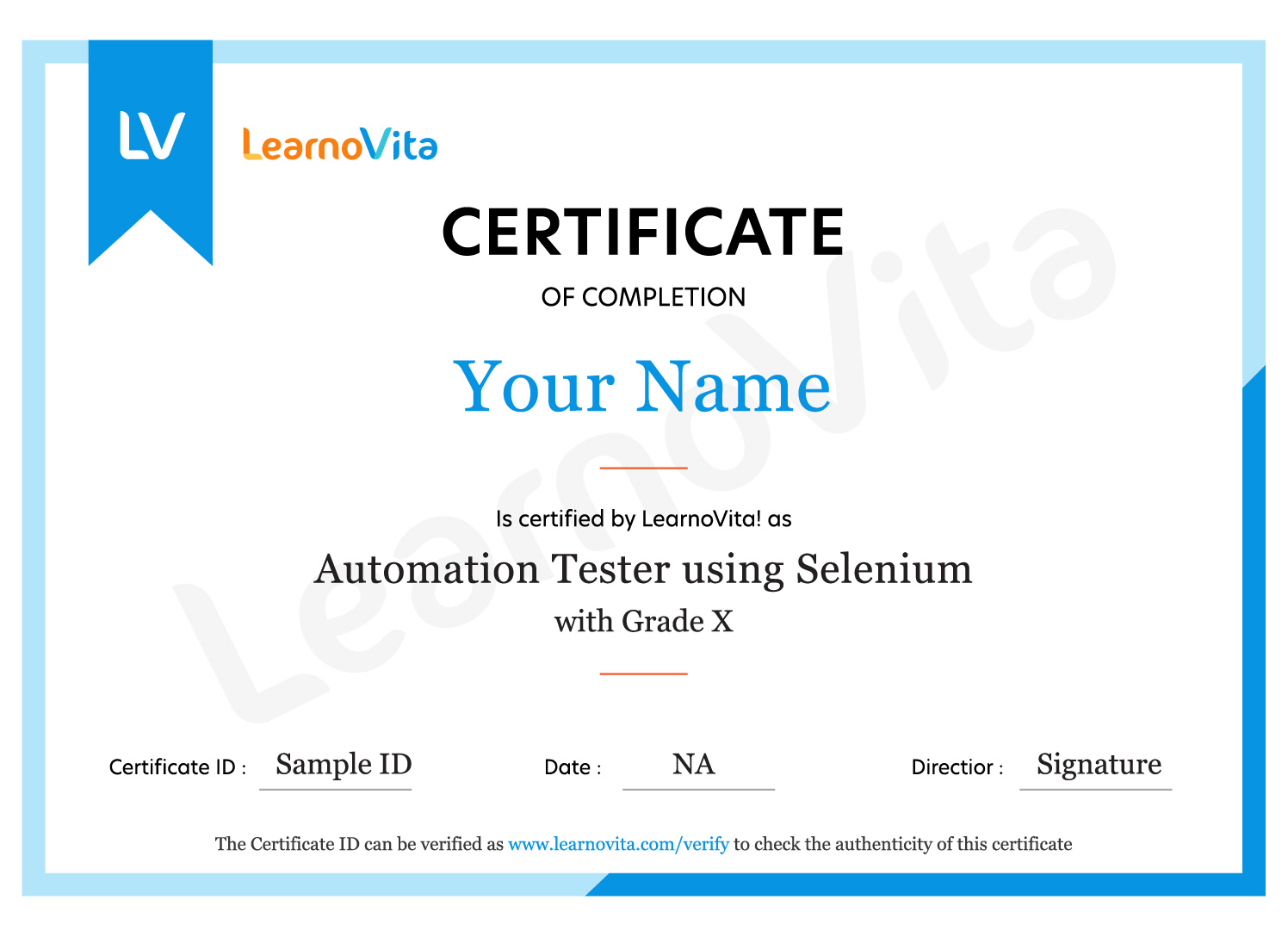
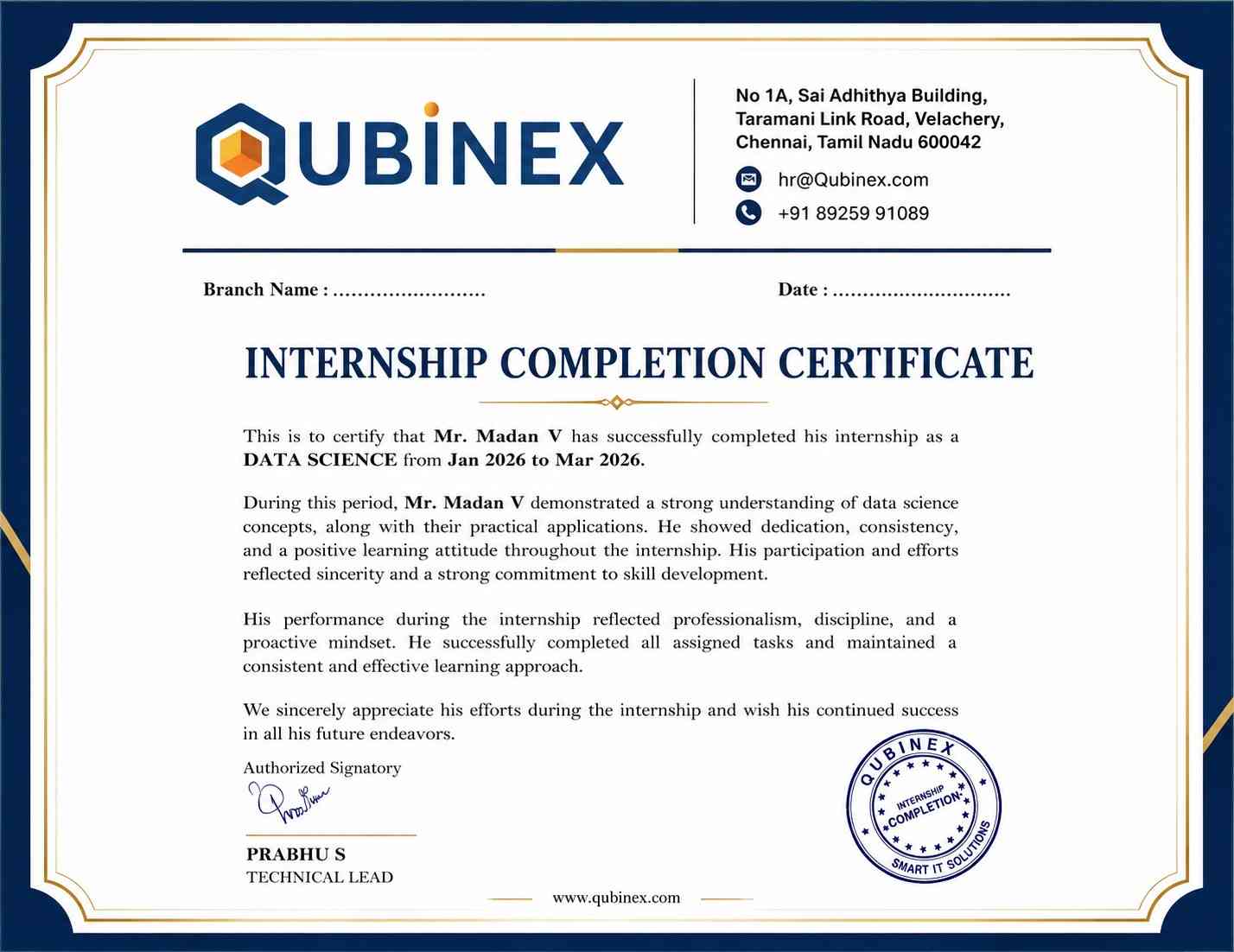
After completing the Jira Course, learners receive a LearnoVita course completion certificate. This certificate can be added to a professional profile to demonstrate participation in Jira training. Learners interested in additional certifications can seek guidance on relevant options and the preparation required for their chosen certification.
Yes, the training includes practical projects and exercises based on common workplace scenarios. Learners can practice creating Jira issues, configuring workflows, managing backlogs, planning sprints, tracking tasks, and generating reports. These activities help reinforce theoretical knowledge and build practical experience in using Jira for Agile project management and software development workflows.
LearnoVita offers several training formats, including instructor-led online classes, self-paced learning, classroom sessions, one-to-one training, fast-track programs, and customized training options. These formats provide flexibility for learners with different schedules, learning preferences, and career objectives. Participants can select a suitable mode to develop their Jira skills through guided instruction and practical learning activities.
If you miss a class, you may be able to catch up through available options such as rescheduling a session within the course duration, reviewing online presentations and recordings, or attending the same topic in another live batch, subject to availability. These options help you keep up with the course topics and continue your Jira learning.
For further information about the Jira Course, training schedules, fees, or enrollment, contact LearnoVita at contact@learnovita.com. The support team can help clarify your questions and provide details about the available training options.
You can register for the Jira Course through the LearnoVita website or visit a branch for enrollment assistance. Before registering, you can review the course details, available batch schedules, training formats, and learning objectives to choose an option that suits your needs.
Yes, enrolled learners can access available learning resources through the student portal. These resources may include study materials, training videos, recorded sessions, and interview preparation content to support revision and continued learning during and after the course.
LearnoVita aims to provide learners with opportunities to interact with trainers, ask questions, and clarify challenging Jira concepts. The typical batch size for the Jira Course is 5 or 6 members, supporting focused discussions and personalized learning.
Jira professional salaries in India vary depending on experience, technical skills, job responsibilities, and employer. Factors such as Jira administration knowledge, Agile project experience, workflow configuration, and reporting skills can influence earning potential. Learners should review current job listings to understand salary ranges for their target roles.
view More view Less
Career Assistance
  • Build a Powerful Resume for Career Success
  • Get Trainer Tips to Clear Interviews
  • Practice with Experts: Mock Interviews for Success
  • Crack Interviews & Land Your Dream Job
100% JOB GUARANTEE

Global Quality Training
At The Lowest Fees & Expert Trainer

AVAILABLE IN:
India Canada USA Singapore UAE Australia EU Germany

Need custom pricing?

4.9/5 from 50k+ students
Acte Technologies WhatsApp
Call Us! Chat With Us