Home » Others Courses » Intune Course in Jayanagar

Intune Course in Jayanagar

(4.9) 11230 Ratings
  • Enroll in the Best Intune Course in Jayanagar to Master Microsoft Intune and Modern Endpoint Management.
  • Flexible Learning Options: Weekday, Weekend, and Fast-Track Intune Training Batches Available.
  • Earn Intune Certification with Complete Placement Assistance and Real-Time Project Experience.
  • Learn Device Enrollment, Application Deployment, Endpoint Security, and Mobile Device Management (MDM).
  • Hands-On Training with Industry-Based Projects and Guidance from Certified Microsoft Intune Experts.
  • Advance Your Career with Resume Building and Expert Support in Endpoint Administration and Enterprise IT Support.

Course Duration

45+ Hrs

Live Project

3 Project

Certification Pass

Guaranteed

Training Format

Live Online (Expert Trainers)
Quality Training With Affordable Fee

⭐ Fees Starts From

INR 38,000
INR 18,500

9856+

Professionals Trained

9+

Batches every month

2536+

Placed Students

165+

Corporate Served

What You'll Learn

The Intune Course in Jayanagar introduces Microsoft Intune, centralized endpoint administration, device lifecycle management, and software distribution.

Understand device registration, compliance rules, configuration settings, application protection, identity verification, and access management structured.

Build the ability to administer corporate devices, enforce organizational security requirements, distribute applications, and safeguard company.

Practise Windows Autopilot setup, mobile device management (MDM), mobile application management (MAM), policy deployment, and endpoint reporting.

Learn how Microsoft Entra ID and Defender work with Intune, alongside security baselines, endpoint analytics, and cloud administration.

Complete Intune training in Jayanagar with practical knowledge suited to endpoint administrator, Microsoft 365 support, and IT infrastructure roles.

Comprehensive Overview of Intune Course

The Intune Course in Jayanagar helps learners build hands-on expertise in Microsoft Intune, endpoint security, cloud administration, and enterprise device management. Through practical exercises and guided Intune Training in Jayanagar, participants learn to configure device enrollment, manage application installations, establish compliance settings, enforce security policies, and troubleshoot endpoint-related issues. The training combines real-world scenarios with flexible learning formats, such as online classes, classroom sessions, weekend batches, and instructor-led programs. Learners strengthen their ability to administer organizational devices, support Microsoft 365 environments, and maintain secure access across enterprise systems. This course prepares participants for professional roles in endpoint administration.

Additional Info

Future Trends in Intune Training Internship in Jayanagar

  • AI-Enabled Endpoint Administration: Artificial intelligence is transforming endpoint administration through intelligent monitoring, automated troubleshooting, and predictive security insights. Intune professionals can use these capabilities to identify device issues, improve operational efficiency, streamline policy enforcement, and strengthen enterprise endpoint protection.
  • Zero Trust Security Adoption: Zero Trust security is becoming essential for protecting distributed enterprise environments. Microsoft Intune supports device compliance, Conditional Access, identity verification, and secure resource access. Continuous assessment of users and endpoints helps organizations minimize unauthorized access and protect confidential business information.
  • Cloud-Based Device Administration: Cloud-based device administration enables centralized control over enterprise endpoints without depending entirely on traditional infrastructure. Intune supports remote enrollment, application distribution, configuration management, and compliance monitoring, helping IT teams manage geographically distributed devices with greater flexibility and consistency.
  • Intelligent Policy Automation: Automated policy management is improving the consistency of enterprise security administration. Intune enables administrators to configure compliance requirements, apply device restrictions, and evaluate endpoint status automatically. These capabilities reduce repetitive tasks, minimize configuration errors, and support stronger organizational security governance.
  • Cross-Platform Endpoint Management: Organizations increasingly require unified administration for laptops, desktops, smartphones, and tablets. Microsoft Intune supports multiple operating systems through centralized device management, application deployment, and security policies, helping IT departments simplify administration and maintain consistent protection across diverse endpoint environments.
  • Integrated Threat Response: Endpoint security is advancing through connected monitoring, device risk evaluation, and coordinated threat response. Intune integration with Microsoft security solutions helps administrators identify vulnerable devices, enforce protective measures, and respond to suspicious activities while improving organizational resilience against evolving cybersecurity threats.
  • Secure Remote Workforce: Distributed working arrangements are increasing demand for reliable endpoint management and secure access. Intune supports remote device provisioning, application configuration, compliance assessment, and access controls, allowing employees to use organizational resources securely while maintaining productivity across home, office, and hybrid workplaces.
  • Advanced Compliance Management: Compliance management is evolving through automated assessments, centralized reporting, and continuous endpoint evaluation. Intune helps organizations establish device requirements, monitor compliance status, and apply remediation measures, supporting regulatory obligations, internal security standards, and improved visibility across managed enterprise endpoints.
  • Mobile Application Protection: Mobile application protection is becoming increasingly important as employees access business information through personal and corporate devices. Intune provides application protection policies, secure data handling, and access restrictions, helping organizations protect confidential information while supporting flexible mobile working arrangements.
  • Modern Workplace Integration: Modern workplaces require consistent device experiences across office locations, remote teams, and hybrid environments. Intune integrates endpoint administration with Microsoft cloud services, identity controls, and application management, enabling organizations to simplify device deployment, strengthen security, and support flexible business operations.

Essential Tools and Technologies in Intune Course Placement in Jayanagar

  • Microsoft Intune Administration: Microsoft Intune provides centralized cloud-based management for enterprise devices, applications, and security requirements. Training introduces enrollment methods, mobile device management, configuration profiles, and compliance settings, helping learners administer Windows, Android, iOS, and macOS endpoints across organizational environments.
  • Microsoft Entra Identity Services: Microsoft Entra ID manages user identities, authentication, and access permissions within connected enterprise environments. Intune training explores identity integration, role assignments, authentication controls, and Conditional Access, helping administrators verify user access and protect organizational resources through identity-based security policies.
  • Conditional Access Configuration: Conditional Access evaluates identity, device compliance, location, and other security signals before granting access to protected resources. Learners explore access policy creation, authentication requirements, and compliance integration to understand how organizations implement Zero Trust principles and reduce unauthorized access risks.
  • Endpoint Security Policies: Intune endpoint security features help administrators configure protective controls across managed organizational devices. Training covers antivirus settings, firewall policies, security baselines, and endpoint protection configurations, enabling learners to strengthen device defenses, address security vulnerabilities, and maintain consistent enterprise security standards.
  • Mobile Application Management: Mobile Application Management protects organizational information accessed through supported business applications. Learners study application deployment, protection policies, secure data sharing, and application configuration, helping organizations maintain information security while allowing employees to access approved business resources across mobile devices.
  • Windows Autopilot Deployment: Windows Autopilot simplifies Windows device provisioning through automated enrollment and configuration processes. Training introduces device registration, deployment profiles, setup customization, and remote provisioning, helping administrators reduce manual configuration efforts and deliver consistent device experiences during employee onboarding and hardware replacement.
  • Microsoft Defender Integration: Microsoft Defender strengthens endpoint protection through threat detection, security monitoring, and incident investigation capabilities. Intune training explores device risk indicators, security integration, compliance responses, and remediation workflows, helping administrators identify potentially compromised endpoints and coordinate appropriate protective actions across enterprise environments.
  • Device Compliance Management: Device compliance policies define the security conditions endpoints must satisfy before accessing organizational resources. Learners explore compliance rules, device health requirements, policy evaluation, reporting, and remediation procedures, helping administrators identify non-compliant devices and enforce security requirements consistently across managed environments.
  • Endpoint Analytics Capabilities: Endpoint Analytics provides insights into device performance, application reliability, startup behavior, and employee computing experiences. Training introduces performance reports, health indicators, troubleshooting insights, and optimization approaches, enabling IT professionals to identify recurring endpoint problems and improve operational efficiency across enterprise devices.
  • Cloud Endpoint Connectivity: Cloud endpoint connectivity enables administrators to manage devices and distribute configurations through connected management services. Training covers remote administration, device synchronization, cloud-based enrollment, and policy delivery, helping IT teams maintain reliable management capabilities for distributed endpoints across modern workplace environments.

Roles and Responsibilities of Intune Professionals in Jayanagar

  • Microsoft Intune Administrator: An Intune Administrator manages device enrollment, application distribution, security configurations, and compliance policies across enterprise endpoints. Training develops practical knowledge of profile assignment, policy troubleshooting, and device protection, helping professionals maintain secure and reliable Windows, Android, iOS, and macOS environments.
  • Endpoint Operations Analyst: An Endpoint Operations Analyst reviews device performance, compliance status, operational reports, and recurring technical issues. Intune training develops skills in endpoint monitoring, analytics interpretation, troubleshooting, and performance improvement, enabling professionals to identify risks, resolve device concerns, and support employee productivity.
  • Device Lifecycle Coordinator: A Device Lifecycle Coordinator oversees endpoint provisioning, configuration, maintenance, reassignment, and retirement activities. Training covers enrollment workflows, device profiles, application deployment, and compliance enforcement, helping professionals maintain accurate device records, protect business information, and support consistent endpoint administration throughout the device lifecycle.
  • Endpoint Security Specialist: An Endpoint Security Specialist implements protective measures for organizational devices and business information. Intune training covers security baselines, Conditional Access, endpoint protection, and compliance controls, enabling professionals to assess device risks, strengthen security configurations, and support enterprise cybersecurity requirements effectively.
  • IT Compliance Analyst: An IT Compliance Analyst evaluates endpoint configurations against internal policies, security standards, and applicable regulatory requirements. Training introduces compliance monitoring, reporting, remediation workflows, and policy evaluation, helping professionals identify deviations, coordinate corrective actions, and maintain documentation for organizational reviews and audits.
  • Enterprise Mobility Consultant: An Enterprise Mobility Consultant helps organizations plan and implement secure mobile device management solutions. Intune training develops knowledge of enrollment strategies, application protection, configuration policies, and implementation planning, enabling consultants to support mobility adoption while maintaining security, usability, and administrative consistency.
  • Application Deployment Specialist: An Application Deployment Specialist manages application preparation, distribution, updates, and protection across enterprise devices. Training covers application assignments, deployment methods, configuration settings, and lifecycle administration, helping professionals deliver approved applications reliably while maintaining security requirements and reducing disruptions for end users.
  • Cloud Endpoint Administrator: A Cloud Endpoint Administrator maintains cloud-managed device environments, identity integrations, remote administration, and endpoint configurations. Intune training covers cloud enrollment, policy distribution, access controls, and troubleshooting, helping professionals support distributed teams and maintain secure device operations across hybrid enterprise environments.
  • Technical Support Engineer: A Technical Support Engineer investigates endpoint configuration issues, application failures, enrollment errors, and access problems. Training introduces diagnostic procedures, policy troubleshooting, device synchronization, and application support, helping professionals resolve technical incidents efficiently and minimize interruptions to employees and business operations.
  • Endpoint Solutions Architect: An Endpoint Solutions Architect designs scalable device management environments aligned with organizational security, operational, and business requirements. Training explores architecture planning, policy design, identity integration, and deployment approaches, helping experienced professionals develop manageable endpoint solutions that support enterprise expansion and workplace modernization.

Top Companies Hiring for Intune Professionals

  • Accenture: Accenture delivers enterprise technology consulting and digital workplace services across multiple industries. Intune professionals may contribute to endpoint administration, cloud device management, security policy implementation, and enterprise mobility projects while helping clients modernize workplace operations and maintain consistent endpoint protection across distributed environments.
  • Tata Consultancy Services: Tata Consultancy Services supports organizations with IT infrastructure, cloud services, and enterprise technology transformation. Intune professionals may manage device enrollment, application deployment, endpoint compliance, and workplace support, gaining experience with Microsoft technologies and large-scale endpoint administration across diverse international client environments.
  • Infosys: Infosys provides digital transformation, cloud services, and enterprise infrastructure solutions for global clients. Intune professionals may support device configuration, endpoint security, compliance monitoring, and application management while helping organizations improve workplace efficiency, strengthen device governance, and modernize their Microsoft-based technology environments.
  • Wipro Limited: Wipro delivers technology consulting, cloud infrastructure, and managed IT services across business sectors. Intune professionals may work on endpoint provisioning, mobile device administration, application protection, and security configuration, contributing to workplace modernization initiatives and maintaining reliable endpoint operations for enterprise customers.
  • Capgemini: Capgemini supports enterprise modernization through cloud adoption, infrastructure services, and digital workplace solutions. Intune professionals may assist with device lifecycle administration, endpoint compliance, security implementation, and mobility management, helping clients simplify IT operations and maintain secure access across geographically distributed workforces.
  • Deloitte: Deloitte provides technology consulting, cybersecurity advisory, and enterprise transformation services. Intune professionals may contribute to endpoint governance, device security assessments, cloud workplace implementation, and compliance initiatives while helping organizations strengthen endpoint controls and align technology operations with business and security requirements.
  • IBM: IBM offers enterprise technology services, hybrid cloud solutions, and cybersecurity capabilities. Intune professionals may support endpoint administration, security policy deployment, device compliance, and workplace technology integration, contributing to enterprise modernization projects and helping organizations maintain dependable, secure, and efficiently managed device environments.
  • HCLTech: HCLTech provides IT infrastructure management, cloud services, and enterprise workplace solutions. Intune professionals may handle device provisioning, application deployment, endpoint troubleshooting, and compliance administration while supporting customers in modernizing device management processes and maintaining consistent security across corporate endpoints.
  • Cognizant: Cognizant delivers technology consulting, cloud engineering, and managed digital workplace services. Intune professionals may work on endpoint security, mobile device administration, policy configuration, and Microsoft ecosystem integration, helping enterprise customers improve device visibility, simplify management, and support secure employee access to business applications.
  • Tech Mahindra: Tech Mahindra provides digital transformation, IT infrastructure, and enterprise technology services. Intune professionals may contribute to endpoint administration, cloud-based device management, security policy enforcement, and technical support initiatives while helping clients improve workplace operations and maintain compliant endpoint environments across business locations.
View more

Intune Course in Jayanagar Objectives

Learners can benefit from knowing basic computer operating systems, networking, cloud services, and Windows administration before starting Intune training. Previous experience with Microsoft technologies is useful but not essential. The course introduces fundamental concepts and gradually moves into device provisioning, application control, endpoint configuration, and organizational security, making the learning process accessible to beginners as well as IT professionals.
The training builds practical capabilities in device registration, application distribution, configuration profiles, compliance monitoring, and endpoint security. Through guided lab exercises and workplace-based examples, participants learn how to manage organizational devices, apply access restrictions, troubleshoot configuration issues, and maintain consistent security standards. These skills are useful for supporting Microsoft cloud environments and modern enterprise IT operations.
  • Broader adoption of cloud-managed endpoint solutions
  • Growing use of remote and hybrid work environments
  • Increased focus on device security and compliance
  • Expansion of enterprise mobility and application management
  • Integration with Microsoft 365 and cloud-based identity services
Organizations increasingly depend on centralized tools to configure devices, distribute applications, protect business information, and enforce security requirements. Intune professionals help maintain device compliance, support employee access, and manage endpoints across office-based and remote teams. Learning these capabilities can help candidates pursue roles related to endpoint administration, Microsoft 365 support, cloud operations, and enterprise device management.
  • Enrollment methods, device provisioning, and configuration profiles
  • Application deployment, updates, and application protection
  • Endpoint security settings and device protection policies
  • Compliance rules, monitoring, and policy troubleshooting
  • Conditional Access, identity integration, and access governance
Yes, practical activities can introduce learners to common endpoint administration tasks, including configuring device policies, deploying applications, setting compliance requirements, and reviewing device status. Project-based exercises help participants understand how Intune is used to manage devices and protect organizational resources. This hands-on exposure strengthens troubleshooting abilities and prepares learners to handle typical responsibilities in IT support and endpoint administration.
  • IT consulting, managed services, and software companies
  • Hospitals and healthcare technology providers
  • Banking, insurance, and financial institutions
  • Educational institutions and digital learning organizations
  • Manufacturing companies and large enterprise groups
Completing Intune training can improve job readiness by developing practical endpoint management knowledge and familiarity with Microsoft cloud technologies. Lab work, project exposure, and interview preparation may help candidates demonstrate their capabilities to employers. However, employment is not guaranteed because recruitment outcomes depend on individual performance, previous experience, communication skills, technical competence, and available job openings.
  • Improved knowledge of endpoint protection and device compliance
  • Practical experience with enterprise device administration tasks
  • Preparation for relevant Microsoft endpoint management roles
  • Better understanding of cloud-based device configuration
  • Stronger troubleshooting and organizational security capabilities
During the Intune course, learners explore Microsoft Intune, Microsoft Entra ID, Microsoft Defender, Windows Autopilot, PowerShell, Endpoint Analytics, Conditional Access, and Microsoft 365 administration features. They also learn about application protection, configuration profiles, and compliance policies. Understanding how these services work together helps participants manage endpoints, control access, strengthen security, and support device management requirements in modern organizations.
view More view Less

Intune Course Benefits

The Intune Course in Jayanagar is designed to build practical expertise in endpoint administration, cloud-based device management, enterprise mobility, and Microsoft Intune security solutions. Through guided labs and hands-on exercises, learners explore device enrollment, compliance settings, application deployment, security policies, and mobile device administration. The Intune Internship introduces practical enterprise scenarios, helping participants understand device lifecycle management and workplace IT processes. By working on Intune Projects, learners develop skills in configuring policies, managing endpoints, troubleshooting device issues, and strengthening organizational security. This career-focused program also supports professional development through practical learning and interview preparation, preparing candidates for opportunities in endpoint management, Microsoft 365 administration, and IT infrastructure operations.

  • Designation
  • Annual Salary
    Hiring Companies
  • 3.24L
    Min
  • 6.5L
    Average
  • 13.5L
    Max
  • 4.50L
    Min
  • 8.5L
    Average
  • 16.5L
    Max
  • 4.0L
    Min
  • 6.5L
    Average
  • 13.5L
    Max
  • 3.24L
    Min
  • 6.5L
    Average
  • 12.5L
    Max

About SAP QM Certification Training

The Intune Course in Jayanagar is designed to help learners build practical expertise in Microsoft Intune, endpoint administration, mobile device management (MDM), mobile application management (MAM), and enterprise device security. Through guided lab activities, implementation tasks, and real-time Intune Projects, participants learn to manage devices, configure compliance settings, deploy applications, establish configuration profiles, and strengthen endpoint protection. The curriculum also explores Conditional Access, Windows Autopilot, and Microsoft Entra ID integration to develop a well-rounded understanding of modern workplace management. Learners can gain industry exposure through Intune Internship opportunities, applying their technical knowledge to practical administration scenarios. With structured Intune Material, updated study resources, project guides, and hands-on learning support, participants can strengthen their technical confidence and prepare for relevant IT career opportunities. The Intune With Placement support helps eligible learners prepare for recruitment through resume guidance, interview practice, and career assistance, while improving workplace readiness and professional communication skills.

Top Skills You Will Gain
  • Device Management
  • Endpoint Security
  • Policy Configuration
  • Compliance Monitoring
  • Application Deployment
  • Identity Management
  • Cloud Administration
  • Security Analysis

12+ Microsoft Intune Tools

Online Classroom Batches Preferred

Weekdays (Mon - Fri)
16 - Nov - 2026
08:00 AM (IST)
Weekdays (Mon - Fri)
18 - Nov - 2026
08:00 AM (IST)
Weekend (Sat)
21 - Nov - 2026
11:00 AM (IST)
Weekend (Sun)
22 - Nov - 2026
11:00 AM (IST)
Can't find a batch you were looking for?
₹38,000 ₹18,500 10% OFF Expires in

No Interest Financing start at ₹ 5000 / month

Corporate Training

  • Customized Learning
  • Enterprise Grade Learning Management System (LMS)
  • 24x7 Support
  • Enterprise Grade Reporting

Not Just Studying
We’re Doing Much More!

Empowering Learning Through Real Experiences and Innovation

Hiring
Hiring
Hiring
Hiring
Hiring
Hiring
Hiring
User
User
User
User
User
User

Intune Course Curriculum

Trainers Profile

The Intune Course in Jayanagar is designed to help learners build practical expertise in Microsoft endpoint management, device configuration, application distribution, compliance monitoring, and enterprise security. Experienced trainers explain essential Intune features through guided demonstrations, hands-on lab exercises, and workplace-based scenarios. Participants gain access to structured learning resources that support their understanding of device enrollment, policy management, mobile device security, and Microsoft 365 integration. The course emphasizes practical skill development, enabling learners to prepare for career opportunities in endpoint administration, cloud support, Microsoft Intune management, and enterprise IT operations.

Syllabus for Intune Training Download syllabus

  • Overview of Intune
  • Modern Workplace Concepts
  • Endpoint Administration Basics
  • Cloud-Based Device Services
  • Intune Architecture
  • Licensing Fundamentals
  • User Accounts
  • Group Configuration
  • Role Assignments
  • Authentication Methods
  • Identity Services
  • Directory Synchronization
  • Windows Enrollment
  • Android Enrollment
  • iOS Enrollment
  • macOS Enrollment
  • Enrollment Restrictions
  • Bulk Enrollment Methods
  • Configuration Profile Types
  • Device Restrictions
  • Wi-Fi Profiles
  • VPN Profiles
  • Email Profiles
  • Custom Settings
  • Compliance Concepts
  • Device Evaluation
  • Compliance Rules
  • Device Actions
  • Monitoring Status
  • Compliance Reporting
  • Application Types
  • App Packaging
  • Application Assignment
  • Application Monitoring
  • Store Applications
  • Enterprise Applications
  • Security Baselines
  • Antivirus Policies
  • Firewall Configuration
  • Disk Encryption
  • Attack Surface Reduction
  • Security Reports
  • Access Policies
  • User Conditions
  • Device Conditions
  • Grant Controls
  • Session Controls
  • Policy Evaluation
  • Autopilot Overview
  • Device Registration
  • Deployment Profiles
  • User-Driven Deployment
  • Self-Deploying Mode
  • Device Provisioning
  • Application Protection Policies
  • Data Protection Controls
  • Access Restrictions
  • App Configuration Policies
  • Mobile Security Features
(15) view More view Less
Need customized curriculum?

REAL

start
STORIES SUCCESS INSPIRATION
CAREER
UPGRADE
sowmiya

sowmiya

CAREER
UPGRADE
Rajkumar

Rajkumar

CAREER
UPGRADE
Thon

Thon

CAREER
UPGRADE
lavanya

Lavanya

Industry Projects

Project 1
Automated Device Enrollment

Configure Microsoft Intune device enrollment with security policies, application deployment, and automated provisioning for enterprise endpoints.

Project 2
BYOD Protection Strategy

Design a BYOD security framework using Intune app protection, Conditional Access, data controls, compliance checks, and remote device management.

Project 3
Remote Endpoint Compliance

Implement remote device compliance using Intune security baselines, policy enforcement, and continuous monitoring to strengthen security.

Our Hiring Partner

Exam & Intune Certification

  • Fundamental understanding of computers, operating systems, and device functionality
  • Knowledge of Windows administration, user accounts, and system configuration
  • Awareness of cloud services and Microsoft 365 environments
  • Basic familiarity with networking, internet connectivity, and device communication
  • Understanding of endpoint protection, cybersecurity fundamentals, and access control
An Intune certification demonstrates familiarity with modern endpoint administration, device enrollment, application distribution, compliance settings, security policies, and cloud-based device management. It can help professionals validate their technical knowledge, improve their resumes, and pursue opportunities in Microsoft Intune administration, enterprise mobility, cloud operations, and endpoint security.
Completing an Intune certification does not ensure employment, as recruitment decisions depend on technical competence, hands-on experience, communication skills, and individual interview performance. However, certification preparation combined with practical training and project work can demonstrate job-related knowledge and help candidates prepare for roles involving endpoint administration, device security, and cloud-based IT support.
  • Microsoft Intune Administrator
  • Endpoint Management Engineer
  • Microsoft 365 Administrator
  • Endpoint Security Specialist
  • Enterprise Mobility Consultant
Intune certification can strengthen a professional's understanding of device lifecycle management, endpoint security, application deployment, compliance enforcement, and cloud administration. These skills are useful for organizations adopting secure digital workplaces and managing distributed devices. Learners attending the Intune Course in Jayanagar can build a foundation for further development in Microsoft 365 administration, enterprise mobility, endpoint protection, and modern workplace technologies.

MNC Recognized course
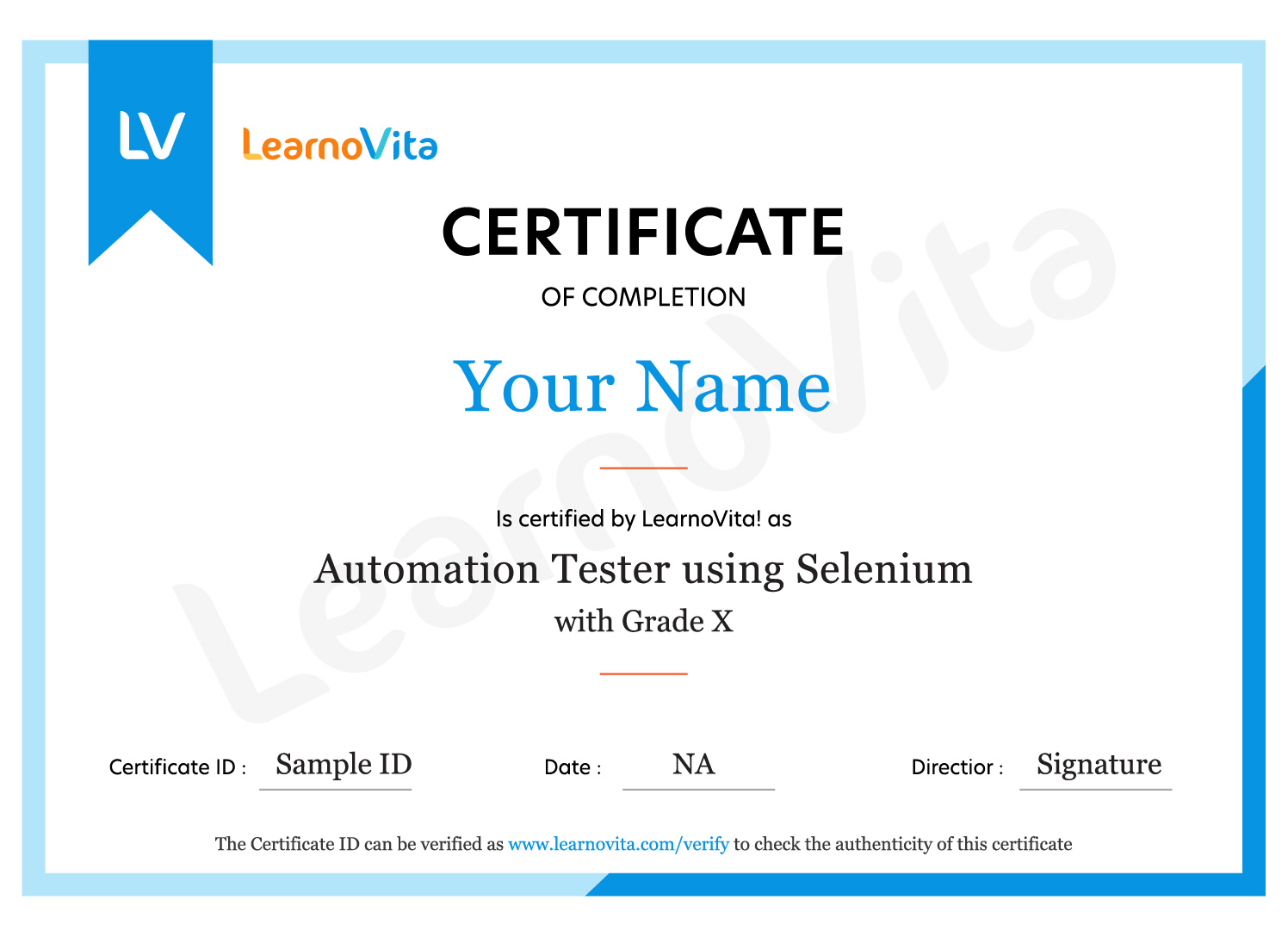
complete certification
Intership
complete certification
Placement
complete certification

Our learners
transformed their careers

35 Laks
Highest Salary Offered
50%
Average Salary Hike
30K+
Placed in MNC's
15+
Year's in Training
Our Alumni
Alumni

A majority of our alumni

fast-tracked into managerial careers.

Get inspired by their progress in the Career Growth Report.

Our Student Successful Story

checkimage Regular 1:1 Mentorship From Industry Experts checkimage Live Classes checkimage Career Support

Intune Course in Jayanagar FAQ's

Learners interested in the Intune Course in Jayanagar can enquire about attending a demo session to understand the training approach. Live class participation may be limited to registered learners to maintain an interactive learning environment. If a live demo is unavailable, a pre-recorded session featuring the same trainer may be offered. This provides an opportunity to review the course delivery, learning structure, and practical teaching methods before enrolling.
The training is guided by IT professionals familiar with Microsoft Intune, endpoint management, Microsoft 365, cloud administration, and enterprise device security. Instructors use their industry knowledge to explain technical concepts through demonstrations, guided lab exercises, and practical workplace scenarios. Their teaching approach helps learners understand device configuration, application management, compliance settings, and endpoint administration in business environments.
  • LearnoVita offers career guidance to help eligible participants explore job openings related to their technical knowledge and career interests.
  • After completing the program, learners may access placement assistance, which can include resume development, interview preparation, and guidance on suitable job opportunities.
  • Career opportunities may involve Intune administration, endpoint security, Microsoft 365 support, cloud operations, and enterprise device management, depending on employer requirements.
  • Participants can receive guidance on presenting their technical skills, describing practical exercises, and preparing applications for relevant positions.
  • Mock interviews, technical discussions, and communication practice help learners prepare for recruitment assessments and improve interview confidence.
  • The student portal may provide job notifications, learning resources, recorded classes, training videos, and interview preparation materials.
Learners who successfully complete the training requirements receive a course completion certificate from the training provider. The program also develops knowledge relevant to Microsoft endpoint administration and associated certification pathways. Participants interested in an official Microsoft credential should verify the current exam structure, eligibility requirements, and certification options through Microsoft's official resources.
Yes, practical learning activities form an important part of the Intune Course. Participants explore scenarios involving device enrollment, application distribution, compliance configuration, endpoint protection, Conditional Access, Windows Autopilot, and device troubleshooting. These exercises help learners understand how Microsoft Intune supports enterprise device administration and prepare them to apply their skills to common endpoint management tasks.
Learners can enquire about available formats such as instructor-led online classes, classroom sessions, self-paced learning, one-to-one instruction, fast-track courses, and customized training. Options depend on the current schedule and program availability. This flexibility helps working professionals, students, and career changers choose a learning arrangement that suits their commitments while building practical Microsoft Intune skills.
If you miss a scheduled class, contact the training team to check the available options for covering the lesson. Depending on the course schedule and applicable policies, you may be able to review session recordings and presentation materials, arrange a replacement class, or attend the corresponding topic with another batch. These arrangements can help you keep up with the curriculum and revisit concepts that need further practice.
For assistance with the syllabus, upcoming batches, course fees, projects, certification guidance, or placement support, email the LearnoVita team at contact@learnovita.com. You can explain your learning requirements and receive further information to help you decide whether the program matches your technical background and career plans.
To register for the Intune Course in Jayanagar, visit the LearnoVita website or contact the admissions team for enrollment guidance. You can enquire about the curriculum, training fees, class timings, available learning formats, and upcoming batches before confirming your registration. Branch visits may also be an option for learners who prefer direct assistance.
Registered participants can use the learning resources made available through the student portal, subject to the applicable access terms. Depending on the program, these resources may include course notes, training videos, recorded sessions, practical exercises, and interview preparation materials. Learners can use them to revise endpoint management concepts, practise configuration tasks, and strengthen their understanding outside scheduled classes.
Smaller batches can encourage discussion, provide opportunities to ask technical questions, and make practical sessions more interactive. A typical Intune training batch may include around 5 to 6 participants, depending on the selected format and current schedule. Learners can confirm the batch size with the training team before enrolling.
Salary expectations for Intune professionals depend on work experience, technical proficiency, certifications, job location, and employer requirements. Roles such as Intune Administrator, Endpoint Administrator, Microsoft 365 Administrator, and Cloud Support Engineer can offer different compensation levels. An annual package of approximately ₹6 LPA to ₹8 LPA may serve as a general reference, but actual salaries vary and experienced specialists may earn more based on their skills and responsibilities.
view More view Less
Career Assistance
  • Build a Powerful Resume for Career Success
  • Get Trainer Tips to Clear Interviews
  • Practice with Experts: Mock Interviews for Success
  • Crack Interviews & Land Your Dream Job
100% JOB GUARANTEE

Global Quality Training
At The Lowest Fees & Expert Trainer

AVAILABLE IN:
India Canada USA Singapore UAE Australia EU Germany

Need custom pricing?

4.9/5 from 50k+ students
Acte Technologies WhatsApp
Call Us! Chat With Us