Home » All Courses » Graphic Design Course

Graphic Design Course

(4.6) 19621 Ratings
  • Enroll in the Graphic Design Course to develop creative skills and design proficiency.
  • Learn essential graphic design concepts including typography, color theory, illustration and layout.
  • Gain hands-on experience through real-time graphic design projects and practical training.
  • Ideal for aspiring Graphic Designers, Visual Designers and Digital Content Creators.
  • Choose from Flexible Batch Timings: Weekday, Weekend, or Fast-Track Learning Schedules.
  • Benefit from Placement Assistance, Interview Preparation, and Graphic Design Certification Guidance.

Course Duration

55+ Hrs

Live Project

3 Project

Certification Pass

Guaranteed

Training Format

Live Online (Expert Trainers)
Quality Training With Affordable Fee

⭐ Fees Starts From

INR 38,000
INR 18,500

11258+

Professionals Trained

10+

Batches every month

3695+

Placed Students

236+

Corporate Served

What You'll Learn

Explore creativity through Graphic Design Training, developing digital design knowledge and visual communication skills for professional growth.

Learn essential design concepts, including color theory, typography, composition, and layout techniques through practical training sessions.

Create engaging design projects using industry-standard tools while improving creativity and developing skills for professional design work.

Practice graphic design software and portfolio development with expert guidance to prepare for creative industry opportunities.

Explore branding, motion graphics, and UI/UX fundamentals to develop modern design skills that meet current industry requirements.

Learn from experienced trainers and earn a valuable Graphic Design certification to strengthen your portfolio and career prospects.

An Overview of Graphic Designing Training

The Graphic Designing Course builds expertise in visual communication, digital creativity, and design principles. Learners gain hands-on experience with industry-standard tools, practical assignments, and expert guidance. This certification course strengthens creative skills and career opportunities in design and media. Participants learn to handle branding, advertising, UI/UX, and multimedia projects confidently. With structured lessons and portfolio development, the training prepares learners for professional graphic design roles across various industries. Students also develop problem-solving abilities, creative thinking, and technical proficiency to meet evolving industry demands and deliver visually appealing designs for diverse audiences while building strong professional portfolios for future career growth.

Additional Info

Future Trends for Graphic Designing Course

  • Motion Graphics Evolution: Motion graphics are becoming essential for creating engaging digital content, animated logos, promotional videos, and interactive advertisements. Graphic design training introduces learners to animation techniques and tools such as Adobe After Effects and Blender. These skills help designers produce dynamic visuals that capture audience attention and support modern branding, digital marketing, and social media campaigns.
  • 3D Design Integration: Three-dimensional design is expanding creative possibilities through realistic product visuals, animated objects, and immersive digital experiences. Graphic design training introduces 3D modelling, rendering, and visualisation techniques used across advertising, gaming, and product design. Learners develop skills to create detailed graphics that enhance presentations and marketing campaigns while adapting to emerging technologies such as augmented and virtual reality.
  • Responsive Design Approach: Responsive design helps graphic designers create visuals that remain clear and consistent across desktops, smartphones, tablets, and other digital devices. Training covers adaptable layouts, scalable graphics, and appropriate image formats for different screen sizes. Learners understand how to maintain visual quality, readability, and brand consistency while designing websites, applications, advertisements, and digital communication materials.
  • AI-Powered Creativity: Artificial intelligence is transforming graphic design by assisting with idea generation, layout suggestions, image editing, and repetitive production tasks. Training introduces learners to AI-supported creative workflows while emphasising originality and responsible tool usage. Designers learn to combine automation with human imagination, improve productivity, and develop engaging visual content that meets changing business requirements without compromising creative quality.
  • User-Centric Experiences: User-focused design prioritises accessibility, usability, and meaningful communication when creating digital experiences. Graphic design training introduces UI/UX principles, visual storytelling, typography, and interactive elements that improve audience engagement. Learners understand how to align creative decisions with user needs and business goals. These skills help designers produce clear, appealing, and functional visuals for websites, applications, and digital marketing campaigns.
  • Sustainable Design Practices: Sustainable design encourages thoughtful choices in visual communication, including efficient digital formats, reusable assets, and reduced printing waste. Training explores minimal layouts, responsible material selection, and environmentally conscious design decisions. Learners discover how colours, typography, and graphics can communicate sustainability effectively. These approaches help designers create attractive materials while supporting responsible branding and environmentally aware communication strategies.
  • AR and VR Graphics: Augmented reality and virtual reality are introducing new ways to experience digital visuals through interactive environments and immersive content. Graphic design training explores the creation of visual assets for advertising, education, gaming, and product demonstrations. Learners understand spatial graphics, three-dimensional elements, and interactive storytelling. These emerging skills help designers contribute to innovative campaigns and experiences that connect digital content with real-world environments.
  • Minimalism with Impact: Minimalist design focuses on clear communication through balanced layouts, purposeful colours, readable typography, and carefully selected visual elements. Training helps learners remove unnecessary details while preserving the main message and brand identity. Designers practise creating logos, packaging, advertisements, and digital graphics that are visually appealing and easy to understand. This approach improves readability, strengthens recognition, and supports effective communication across platforms.
  • Interactive Content Design: Interactive content encourages audiences to engage with visual materials through clickable graphics, animated infographics, quizzes, and responsive digital elements. Graphic design training introduces learners to interactive layouts and visual storytelling techniques for websites, applications, and marketing campaigns. These skills help designers create engaging experiences that communicate information effectively, encourage participation, and improve audience interaction across digital communication channels.
  • Global Design Influence: Global design trends bring together different cultural styles, visual traditions, typography, and creative approaches. Training helps learners understand cultural sensitivity, inclusive imagery, and audience preferences when developing graphics for diverse markets. Designers practise adapting layouts and visual messages to different communication needs while maintaining brand consistency. This knowledge supports international campaigns, multicultural branding, and creative projects for audiences with varied backgrounds.

Tools and Technologies for Graphic Designing Course

  • Adobe Photoshop: Adobe Photoshop is widely used for photo editing, digital artwork, image manipulation, and promotional graphics. Training introduces learners to layers, masks, filters, colour correction, and blending techniques for producing polished visuals. Participants practise creating social media creatives, posters, banners, and marketing materials. Developing Photoshop skills helps aspiring designers transform raw images into professional compositions suitable for digital publishing and creative communication projects.
  • Adobe Illustrator: Adobe Illustrator is a vector graphics application used to create logos, icons, illustrations, and scalable branding assets. Training covers the Pen tool, shape creation, colour application, typography, and vector editing techniques. Learners practise producing graphics that retain their quality at different sizes. Understanding Illustrator also helps designers prepare consistent visual assets for websites, advertisements, packaging, and print materials across different creative projects.
  • CorelDRAW: CorelDRAW is a vector design application commonly used for print graphics, promotional materials, signage, and branding assets. Training introduces learners to drawing tools, typography, colour management, and page layout techniques. Participants practise designing brochures, business cards, banners, and advertisements for different requirements. Familiarity with CorelDRAW helps designers prepare organised artwork for printing and develop practical skills for graphic production and visual communication tasks.
  • Canva: Canva is a user-friendly design platform for creating social media posts, presentations, posters, and promotional graphics. Training introduces templates, drag-and-drop editing, typography, colour combinations, and visual arrangement. Learners practise adapting designs for different audiences and digital platforms while maintaining consistency. Canva helps beginners understand fundamental design principles and enables creative professionals to produce attractive communication materials efficiently for marketing, education, and business purposes.
  • Figma: Figma is a collaborative design platform widely used to create website layouts, application interfaces, wireframes, and interactive prototypes. Training covers components, frames, design systems, prototyping, and team collaboration. Learners practise developing user-friendly digital interfaces and sharing design files with project teams. Understanding Figma helps graphic designers expand into UI/UX work, improve design handoffs, and collaborate effectively with developers on digital product experiences.
  • Adobe InDesign: Adobe InDesign specialises in page layout and publishing for brochures, magazines, books, catalogues, and digital documents. Training introduces paragraph styles, typography, grids, master pages, and document formatting. Learners practise arranging text and images into structured, readable layouts while maintaining visual consistency. InDesign skills help designers prepare professional print-ready files and interactive publications for advertising, editorial communication, corporate materials, and digital distribution.
  • Sketch: Sketch is a digital design application used primarily for creating website interfaces, mobile app layouts, and reusable visual components. Training introduces vector editing, symbols, interface organisation, and prototyping workflows. Learners explore methods for maintaining consistent layouts and preparing interface assets for development. Familiarity with Sketch supports designers working on digital products and helps them understand the relationship between visual design, usability, and collaborative interface development.
  • GIMP: GIMP is a free, open-source image editing application suitable for photo manipulation, digital artwork, and graphic creation. Training covers layers, selection tools, filters, colour adjustments, and image composition. Learners practise editing photographs and producing visual materials without requiring a paid software licence. GIMP provides an accessible starting point for beginners while helping creative professionals handle everyday image editing tasks and develop practical digital design abilities.
  • Blender: Blender is a versatile application for 3D modelling, animation, rendering, and visual effects. Graphic design training introduces learners to object creation, materials, lighting, camera positioning, and basic animation workflows. Participants practise developing three-dimensional visuals for advertising, product presentations, and multimedia content. Learning Blender expands creative capabilities beyond traditional two-dimensional graphics and helps designers explore realistic visualisation, motion design, and emerging digital content opportunities.
  • Procreate: Procreate is a digital illustration application designed for drawing, painting, sketching, and creative artwork on compatible iPad devices. Training introduces brushes, layers, colour palettes, and illustration workflows. Learners practise developing original characters, decorative graphics, concept sketches, and digital paintings. Procreate supports flexible creative exploration and helps illustrators build distinctive portfolios while strengthening drawing techniques and translating artistic ideas into polished digital visual assets.

Roles and Responsibilities for Graphic Designing Course

  • Graphic Design Analyst: A Graphic Design Analyst reviews visual materials, audience preferences, brand guidelines, and design performance to support effective creative decisions. Responsibilities include evaluating layouts, identifying improvement areas, and translating project requirements into clear design briefs. Training develops analytical thinking, visual assessment, and communication skills. These abilities help professionals create purposeful graphics that align with audience expectations, project objectives, and organisational brand standards.
  • Visual Design Consultant: A Visual Design Consultant advises businesses on visual identity, colour selection, typography, composition, and creative direction. Responsibilities include understanding client requirements, recommending design approaches, and ensuring visual consistency across communication materials. Training helps learners develop presentation, consultation, and design evaluation skills. These capabilities enable professionals to connect creative concepts with business objectives and produce visual solutions that communicate brand messages clearly and effectively.
  • Creative Director: A Creative Director establishes the visual direction of campaigns and ensures that creative outputs align with brand objectives. Responsibilities include guiding design teams, reviewing concepts, coordinating assignments, and maintaining consistency across deliverables. Training introduces strategic thinking, creative communication, and team coordination. With experience, professionals can oversee complex projects, provide constructive feedback, and help teams produce original, high-quality visuals that meet client expectations and business requirements.
  • Branding Specialist: A Branding Specialist develops visual identities through logos, colour palettes, typography, brand guidelines, and supporting graphics. Responsibilities include maintaining consistent branding across websites, advertisements, packaging, and promotional materials. Training helps learners understand visual storytelling, audience positioning, and identity development. These skills support the creation of recognisable brand assets that communicate a company's values, strengthen customer recognition, and maintain a consistent appearance across communication channels.
  • UI/UX Designer: A UI/UX Designer creates digital interfaces that balance visual appeal with usability and accessibility. Responsibilities include developing wireframes, prototypes, screen layouts, and interface components based on user requirements. Training introduces user-centred design, interaction patterns, and design evaluation techniques. Designers collaborate with developers and stakeholders to improve digital experiences, ensuring that websites and applications are visually consistent, easy to navigate, and aligned with product goals.
  • Motion Graphics Designer: A Motion Graphics Designer creates animated visuals for advertisements, explainer videos, presentations, and digital campaigns. Responsibilities include developing storyboards, animating text and graphics, adjusting timing, and incorporating visual effects. Training introduces animation principles and tools such as Adobe After Effects. These skills help professionals transform static designs into engaging moving content that strengthens storytelling, improves communication, and attracts audience attention across digital platforms.
  • Art Director: An Art Director oversees the visual style and creative presentation of advertising, publishing, and media projects. Responsibilities include developing concepts, guiding designers, coordinating visual assets, and reviewing completed work. Training helps learners strengthen creative judgement, communication, and project coordination skills. Art Directors work with writers, photographers, and other specialists to ensure that campaigns maintain a consistent visual identity and deliver clear, engaging messages to their intended audiences.
  • Layout Designer: A Layout Designer arranges text, images, illustrations, and other elements to create organised print and digital materials. Responsibilities include applying grid systems, selecting suitable typography, balancing white space, and maintaining readability. Training develops skills in composition, alignment, and visual hierarchy. These abilities help professionals prepare brochures, magazines, reports, websites, and promotional materials that present information clearly while maintaining an attractive and consistent design.
  • Digital Illustrator: A Digital Illustrator produces original artwork, drawings, icons, and visual concepts for branding, advertising, publishing, and digital media. Responsibilities include interpreting creative briefs, developing sketches, refining illustrations, and preparing final artwork. Training introduces digital drawing techniques and tools such as Adobe Illustrator and Procreate. These skills help professionals create distinctive visuals, communicate ideas creatively, and contribute original artwork to marketing campaigns and multimedia projects.
  • Marketing Design Strategist: A Marketing Design Strategist combines visual communication with marketing objectives to develop effective campaign materials. Responsibilities include understanding target audiences, planning creative concepts, selecting appropriate formats, and evaluating engagement goals. Training introduces brand communication, consumer behaviour, and campaign design principles. These capabilities help professionals create consistent promotional visuals that support brand awareness, communicate product benefits, and contribute to measurable marketing outcomes across digital channels.

Companies Hiring Graphic Designing Professionals

  • Adobe Systems: Adobe develops widely used creative applications and digital experience solutions, creating opportunities for design professionals across product, marketing, and communication teams. Graphic designers may contribute to visual assets, promotional campaigns, interface elements, and brand materials. Knowledge of Photoshop, Illustrator, and InDesign can be relevant to these roles. Applicants benefit from a strong portfolio, creative problem-solving skills, and an understanding of modern digital design workflows.
  • Wipro Technologies: Wipro provides technology and consulting services to clients across multiple industries, where visual communication supports digital products, marketing, and corporate communication. Graphic designers may create presentations, campaign materials, web graphics, and interface assets. Training in design software, typography, and layout development can support relevant applications. Professionals also benefit from teamwork, adaptability, and the ability to translate business requirements into clear and consistent visual communication.
  • Infosys Limited: Infosys delivers technology consulting and digital services where creative professionals may support user experiences, brand communication, and marketing initiatives. Graphic designers can contribute to presentation materials, digital graphics, campaign assets, and interface visuals, depending on project needs. Practical knowledge of design tools and visual principles strengthens relevant skills. A well-developed portfolio, clear communication, and collaboration with multidisciplinary teams can help applicants pursue suitable creative opportunities.
  • Cognizant Technology Solutions: Cognizant works across digital transformation, technology, and business consulting, creating project-based needs for visual communication and digital experience design. Graphic designers may contribute to marketing collateral, presentations, web graphics, and interface assets. Knowledge of typography, composition, and design software supports these responsibilities. Professionals who combine creativity with an understanding of client requirements can help produce consistent visual materials for projects across healthcare, finance, retail, and other sectors.
  • Tata Consultancy Services (TCS): TCS provides IT services and digital solutions to organisations across diverse industries. Depending on team requirements, graphic designers may support corporate communication, marketing campaigns, presentations, and digital interface projects. Design training helps learners build practical skills in visual composition, branding, and digital graphics. Strong portfolios, attention to detail, and collaboration skills can improve readiness for suitable roles involving creative communication and technology-driven projects.
  • HCL Technologies: HCLTech delivers technology services and digital solutions where visual design can support user interfaces, communication materials, and customer-facing experiences. Graphic designers may work with product, marketing, and development teams to create consistent graphics and visual assets. Training in layout design, colour theory, typography, and design software provides a useful foundation. Professionals who understand project requirements and collaborate effectively can explore relevant opportunities across digital and corporate environments.
  • Accenture: Accenture combines consulting, technology, and design services to help organisations improve customer and employee experiences. Creative professionals may contribute to branding, digital campaigns, presentations, and user interface projects. Graphic design training supports the development of visual communication and digital design skills relevant to these assignments. Applicants can strengthen their prospects by building a diverse portfolio, understanding user needs, and demonstrating the ability to connect creative solutions with business objectives.
  • IBM: IBM works across enterprise technology, software, consulting, and digital solutions, where visual communication supports products and corporate initiatives. Depending on available roles, designers may create presentation graphics, digital assets, interface elements, and marketing materials. Knowledge of design principles and visual storytelling can support these responsibilities. A strong portfolio, attention to detail, and the ability to collaborate with technical and business teams are valuable when pursuing relevant creative positions.
  • Flipkart: Flipkart operates in e-commerce, where product presentation, promotional graphics, and digital campaigns contribute to customer engagement. Graphic designers may develop advertising creatives, banners, campaign visuals, and other assets for online platforms. Training in image editing, typography, layout design, and brand consistency can help learners prepare for relevant roles. Understanding digital audiences, working efficiently, and maintaining visual quality are useful skills for creative projects in online retail environments.
  • Amazon: Amazon operates across e-commerce, technology, advertising, and digital services, with design needs varying by team and role. Graphic designers may contribute to promotional assets, product-related visuals, campaign materials, and customer-facing digital experiences. Training in graphic design software and visual communication provides a useful foundation. Applicants can demonstrate their capabilities through a well-organised portfolio, attention to detail, and the ability to create clear, consistent visuals for different audiences and platforms.
View more

Graphic Designing Training Objectives

A basic understanding of computers and an interest in creativity are helpful for starting Graphic Designing Training. No advanced design experience is necessary. Curiosity about colours, layouts, typography, and digital artwork helps learners understand design concepts and develop their skills through regular practice.
Graphic Designing Training helps learners develop creative thinking, software proficiency, and visual communication skills. Participants practise creating graphics for branding, advertising, print media, and digital platforms. These abilities support portfolio development and prepare learners to explore creative opportunities in design studios, marketing teams, media companies, and other industries.
Graphic Designing supports brand communication, digital advertising, website visuals, and promotional content across many industries. Businesses need creative professionals who can communicate ideas through effective designs. Knowledge of modern design software, visual storytelling, and digital media helps learners prepare for opportunities in marketing, publishing, e-commerce, and creative services.
Yes, learners can practise design assignments based on practical industry requirements. Projects may include logo creation, social media graphics, brochures, advertising creatives, and branding materials. These activities help participants apply design principles, improve software skills, understand project briefs, and build a portfolio that demonstrates their creative abilities to potential employers.
  • Website and Mobile Interface Design
  • Brand Identity and Logo Creation
  • Digital Advertising and Marketing Design
  • Animation and Motion Graphics
  • Introduction to Design Principles
  • Colour Theory and Typography
  • Adobe Photoshop and Image Editing
  • Adobe Illustrator and Vector Artwork
  • Layout Composition and Print Design
  • Advertising and Digital Marketing Agencies
  • E-commerce and Retail Businesses
  • IT and Software Organisations
  • Entertainment and Media Companies
  • Publishing and Printing Industries
  • Education and E-Learning Providers
Graphic Designing Training develops practical skills that can improve employability, but employment cannot be guaranteed. Learners who practise consistently, complete projects, and build a strong portfolio can demonstrate their abilities more effectively. Interview preparation, communication skills, and knowledge of industry tools can further support their search for suitable creative roles.
  • Practical Knowledge of Professional Design Tools
  • Ability to Create Engaging Visual Content
  • Skills Relevant to Creative Industries
  • Career Options Across Multiple Sectors
Learners can explore popular design applications such as Adobe Photoshop, Adobe Illustrator, Adobe InDesign, CorelDRAW, and other creative tools. Practical exercises help them understand image editing, vector graphics, page layouts, and visual composition. Familiarity with these applications supports the creation of professional graphics for branding, advertising, print media, and digital platforms.
view More view Less

Graphic Designing Course Benefits

The Graphic Designing Certification Course provides hands-on experience with professional design tools, creative workflows, and practical projects. Learners work on real-world assignments through Graphic Designing Projects to strengthen their skills in digital graphics, branding, and multimedia content creation under expert guidance. The training also supports portfolio development and Graphic Designing Internship opportunities, helping participants prepare for graphic design roles in creative agencies, design studios, marketing teams, and corporate organisations. Students additionally explore typography, color theory, visual composition, and image editing techniques to enhance creativity, and meet evolving industry requirements.

  • Designation
  • Annual Salary
    Hiring Companies
  • 2.9L
    Min
  • 6.5L
    Average
  • 11.6L
    Max
  • 4.50L
    Min
  • 8.5L
    Average
  • 16.5L
    Max
  • 4.0L
    Min
  • 7.9L
    Average
  • 13.5L
    Max
  • 3.24L
    Min
  • 10.4L
    Average
  • 12.5L
    Max

About Graphic Designing Certification Training

Our Graphic Designing Course develops practical skills for creating attractive designs and engaging digital content. Through hands-on Graphic Designing projects, learners practise designing logos, brochures, website graphics, and multimedia visuals. The training combines creative concepts with real-world assignments to strengthen design proficiency and technical knowledge. Learners also explore branding strategies, visual storytelling, and modern design trends to build a professional portfolio. Comprehensive Graphic Designing Material supports continuous learning and skill development. With career guidance, interview preparation, and Graphic Designing With Placement assistance, the program helps aspiring designers prepare for opportunities across creative industries while developing industry-relevant skills for long-term career growth and greater professional confidence in creative roles.

Top Skills You Will Gain
  • Visual Composition
  • Digital Illustration
  • Creative Typography
  • Photo Manipulation
  • Vector Graphics
  • Animation Design
  • UI/UX Fundamentals
  • Visual Branding

12+ Essential Tools for Graphic Design

Online Classroom Batches Preferred

Weekdays (Mon - Fri)
09 - Nov - 2026
08:00 AM (IST)
Weekdays (Mon - Fri)
11 - Nov - 2026
08:00 AM (IST)
Weekend (Sat)
14 - Nov - 2026
11:00 AM (IST)
Weekend (Sun)
15 - Nov - 2026
11:00 AM (IST)
Can't find a batch you were looking for?
₹38,000 ₹18,500 10% OFF Expires in

No Interest Financing start at ₹ 5000 / month

Corporate Training

  • Customized Learning
  • Enterprise Grade Learning Management System (LMS)
  • 24x7 Support
  • Enterprise Grade Reporting

Not Just Studying
We’re Doing Much More!

Empowering Learning Through Real Experiences and Innovation
Hiring
Hiring
Hiring
Hiring
Hiring
Hiring
Hiring
User
User
User
User
User
User

Graphic Designing Course Curriculam

Trainers Profile

Our Graphic Designing Course is led by experienced professionals with expertise in creative design, digital media, and visual communication. Learners work on practical design projects to develop creativity and strengthen their technical knowledge. The program includes comprehensive Graphic Designing training materials that support learning and revision throughout the course. These resources help participants improve their design skills, produce engaging visuals, and prepare for diverse opportunities in the creative industry while building confidence for professional success.

Syllabus for Graphic Designing Training Download syllabus

  • Overview of Graphic Designing
  • History of Visual Communication
  • Understanding Design Principles
  • Role of Graphic Designer
  • Key Design Elements
  • Creative Thinking Techniques
  • Fundamentals of Color Theory
  • Color Harmonies and Palettes
  • Typography Basics
  • Font Selection and Pairing
  • Text Hierarchy and Readability
  • Applying Colors and Typography
  • Introduction to Photoshop Interface
  • Layers, Masks and Selections
  • Image Editing and Retouching
  • Filters and Effects
  • Working with Text and Shapes
  • Exporting and File Formats
  • Introduction to Illustrator Workspace
  • Creating Vector Graphics
  • Pen Tool and Shape Builder
  • Color and Gradient Techniques
  • Typography in Illustrator
  • Logo and Icon Design
  • Introduction to InDesign Interface
  • Page Layout Design
  • Working with Grids and Guides
  • Text Formatting and Styles
  • Incorporating Images and Graphics
  • Designing Brochures and Flyers
  • Sketching and Drawing Basics
  • Vector vs Raster Illustration
  • Creating Illustrations in Illustrator
  • Digital Painting Tools
  • Storyboarding and Concept Art
  • Exporting Artwork for Web & Print
  • Introduction to User Interface Design
  • User Experience Fundamentals
  • Wireframing Techniques
  • Prototyping Tools and Methods
  • Designing Interactive Interfaces
  • Introduction to Motion Graphics
  • Working with Adobe After Effects
  • Animating Text and Shapes
  • Keyframes and Transitions
  • Creating GIFs and Short Animations
  • Exporting for Web and Video
  • Understanding Web Layouts
  • Responsive Design Principles
  • Designing Web Elements
  • UI Kits and Templates
  • Optimizing Images for Web
  • Fundamentals of Branding
  • Logo Design Concepts
  • Brand Guidelines and Style Guides
  • Creating Business Stationery
  • Packaging Design Basics
  • Brand Visual Storytelling
(15) view More view Less
Need customized curriculum?

REAL

start
STORIES SUCCESS INSPIRATION
CAREER
UPGRADE
sowmiya

sowmiya

CAREER
UPGRADE
Rajkumar

Rajkumar

CAREER
UPGRADE
Thon

Thon

CAREER
UPGRADE
lavanya

Lavanya

Industry Projects

Project 1
E-Commerce Website UI Design

Create an engaging e-commerce interface with clear navigation, attractive product displays, and responsive layouts to improve usability and shopping experiences.

Project 2
Brand Identity Creation

Build a startup brand identity using logos, business cards, letterheads, and social media graphics with consistent colors and typography.

Project 3
Digital Marketing Campaign Graphics

Design promotional graphics for social media, email, and web banners, combining compelling visuals and clear calls to action to engage target audiences.

Our Hiring Partner

Exam & Graphic Design Certification

  • Basic knowledge of computers and operating systems
  • Interest in learning graphic design applications and digital tools
  • Creative thinking and attention to visual details
  • Commitment to practice design techniques and complete practical assignments
A Graphic Design certification demonstrates your knowledge of design principles, creative techniques, and industry-standard software. It strengthens your professional profile, highlights your practical abilities, and can improve your prospects for design-related positions across advertising, media, marketing, and digital content creation.
A Graphic Design certification does not guarantee a job, but it can strengthen your resume and demonstrate your commitment to the profession. Building a strong portfolio, gaining hands-on experience, and developing communication skills can further improve your readiness for interviews and design-related opportunities.
  • Graphic Designer
  • UI/UX Designer
  • Digital Content Designer
  • Motion Graphics Artist
  • Brand Identity Designer
Graphic Design certification helps you build relevant creative and technical skills for professional growth. Combined with portfolio development and continuous learning, it can prepare you for advanced assignments, freelance projects, specialized design roles, and opportunities to expand your expertise in the creative industry.

MNC Recognized course
complete certification
Intership
complete certification
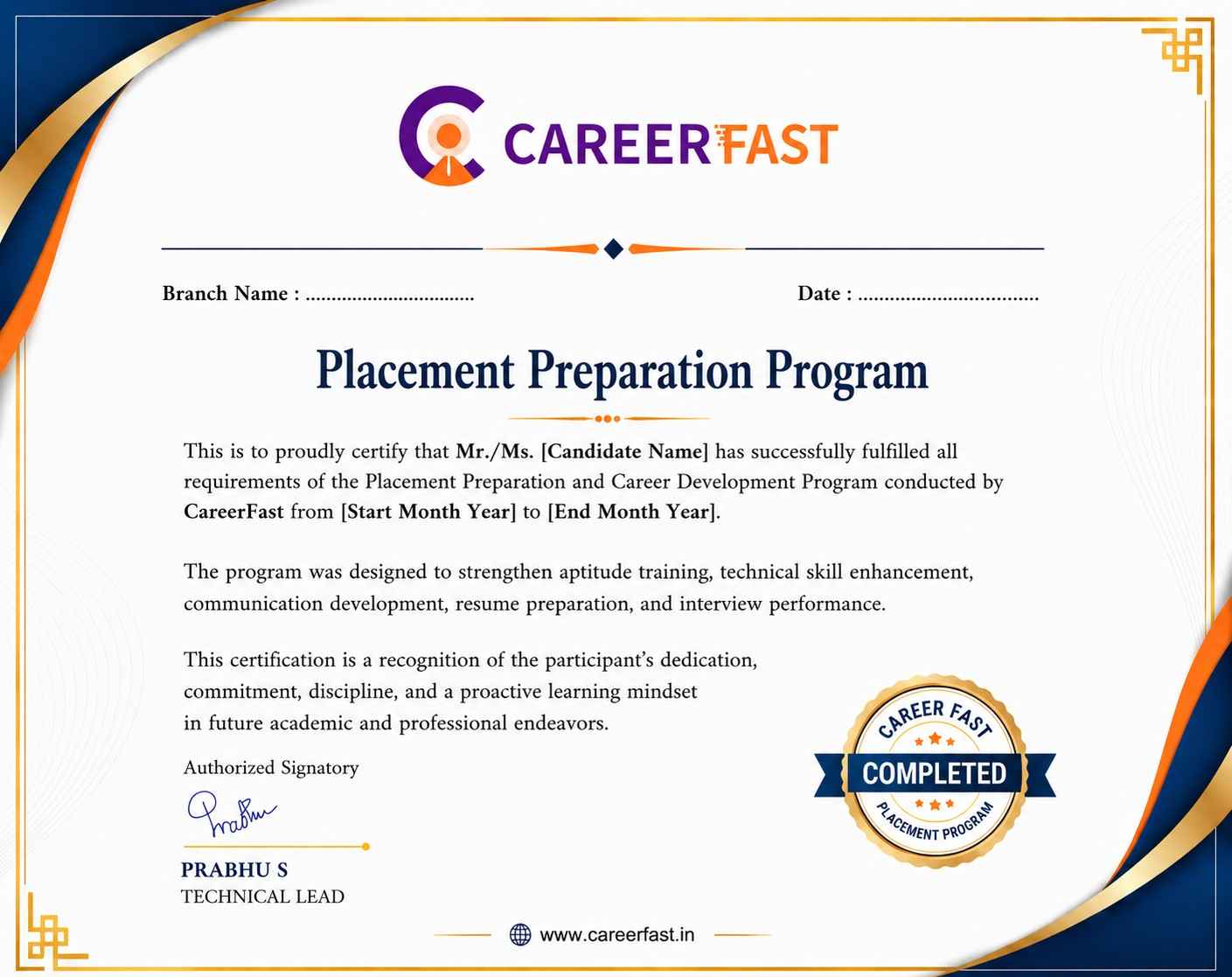
Placement
complete certification

Our learners
transformed their careers

35 Laks
Highest Salary Offered
50%
Average Salary Hike
30K+
Placed in MNC's
15+
Year's in Training
Our Alumni
Alumni

A majority of our alumni

fast-tracked into managerial careers.

Get inspired by their progress in the Career Growth Report.

Our Student Successful Story

checkimage Regular 1:1 Mentorship From Industry Experts checkimage Live Classes checkimage Career Support

What Makes the Graphic Designing Course at LearnoVita Different?

Feature

LearnoVita

Other Institutes

Affordable Fees

Budget-friendly Course Fees With Convenient Payment Plans.

Expensive Graphic Designing Fees With Fewer Payment Choices.

Live Classes From Industry Experts

Experienced Design Professionals Delivering Practical Graphic Designing Training.

Theory-based Sessions With Minimal Hands-on Practice.

Updated Syllabus

Modern, Industry-focused Graphic Designing Curriculum With Practical Exercises.

Traditional Curriculum With Insufficient Practical Exposure.

Hands-on Projects

Creative Graphic Designing Projects With Real-time Assignments and Industry Collaboration.

Simple Projects With Minimal Real-world Relevance.

Certification

Industry-recognized Graphic Designing Certificates Supporting Professional Development.

Basic Graphic Designing Certificates With Limited Industry Recognition.

Placement Support

Dedicated Placement Assistance With Employer Connections and Interview Preparation.

Limited Career Guidance and Placement Assistance.

Industry Partnerships

Valuable Connections With Leading Creative Agencies for Internships and Employment Opportunities.

Limited Industry Connections and Career Opportunities.

Batch Size

Smaller Training Groups Offering Individual Attention and Design Guidance.

Crowded Classes With Reduced Individual Attention.

Additional Features

Continued Access to Graphic Designing Study Materials, Alumni Communities, and Creative Workshops.

Limited Supplementary Learning Resources and Benefits.

Training Support

Dedicated Mentors, Round-the-clock Doubt Clarification, and Individual Learning Assistance.

Restricted Mentor Availability and Minimal Additional Support.

Graphic Designing Course FAQ's

Graphic Designing Training teaches learners to create visual content for digital platforms, advertisements, branding, and print media. The course introduces design principles, creative techniques, and industry-relevant software through practical exercises and assignments.
Students, graduates, beginners, working professionals, artists, and career changers can join a Graphic Designing Course. Basic computer knowledge and an interest in creativity are helpful, but prior professional design experience is not required for beginner-level training.
  • Graphic design fundamentals, color theory, and visual composition
  • Typography, font selection, and professional layout creation
  • Photo editing, image manipulation, and digital illustration
  • Logo creation, branding, and promotional design materials
  • Social media graphics, digital creatives, and portfolio development
  • Adobe Photoshop for photo editing and image enhancement
  • Adobe Illustrator for vector graphics, icons, and logo creation
  • CorelDRAW for illustrations, layouts, and print designs
  • Adobe InDesign for brochures, magazines, and publishing layouts
  • Figma and Canva for digital graphics and collaborative design tasks
Yes, practical assignments and projects help learners apply design concepts to real-world requirements. Participants can practise creating logos, brochures, posters, social media creatives, brand assets, and digital graphics. These projects also help learners develop a portfolio that demonstrates their creative abilities.
The course duration depends on the syllabus, training format, and batch schedule. Basic programs may take a few weeks, while comprehensive training with advanced tools and portfolio projects may require several months. Learners should check the current schedule with the training provider.
Yes, beginners can learn Graphic Designing without previous professional experience. Starting with basic design principles, software tools, and guided exercises helps learners gradually improve their creativity, technical confidence, and ability to produce effective visual content.
  • Graphic Designer for advertising, marketing, and creative projects
  • Visual Designer for digital platforms and brand communication
  • Brand Identity Designer for logos and visual brand assets
  • Social Media Designer for engaging promotional content
  • Digital Illustrator or Motion Graphics Artist for visual storytelling
Placement assistance may include resume preparation, portfolio guidance, mock interviews, interview practice, and job-search support, depending on the training provider's services. Learners should confirm the available support and remember that employment depends on individual skills, interview performance, and employer requirements.
Many Graphic Designing courses offer a completion certificate after learners meet the program requirements. The certificate can support your professional profile, while practical experience, software proficiency, and a strong portfolio help demonstrate your capabilities to potential employers and clients.
view More view Less
Career Assistance
  • Build a Powerful Resume for Career Success
  • Get Trainer Tips to Clear Interviews
  • Practice with Experts: Mock Interviews for Success
  • Crack Interviews & Land Your Dream Job
100% JOB GUARANTEE

Global Quality Training
At The Lowest Fees & Expert Trainer

AVAILABLE IN:
India Canada USA Singapore UAE Australia EU Germany

Need custom pricing?

4.9/5 from 50k+ students
Acte Technologies WhatsApp
Call Us! Chat With Us