Home » Others Courses » Intune Course in Rajaji Nagar

Intune Course in Rajaji Nagar

(4.9) 11230 Ratings
  • Join the Best Intune Training in Rajaji Nagar to Develop Expertise in Microsoft Intune and Modern Device Management.
  • Convenient Training Schedules: Choose Weekday, Weekend, or Fast-Track Intune Batches Based on Your Availability.
  • Prepare for Intune Certification with Placement Support and Practical Project-Based Learning.
  • Gain Skills in Device Registration, Software Deployment, Endpoint Protection, and Mobile Device Management (MDM).
  • Experience Practical Learning Through Real-World Projects and Expert Mentoring from Microsoft Intune Professionals.
  • Build Your Career with Resume Support and Expert Guidance for IT and Endpoint Management Roles.

Course Duration

45+ Hrs

Live Project

3 Project

Certification Pass

Guaranteed

Training Format

Live Online (Expert Trainers)
Quality Training With Affordable Fee

⭐ Fees Starts From

INR 38,000
INR 18,500

9856+

Professionals Trained

9+

Batches every month

2536+

Placed Students

165+

Corporate Served

What You'll Learn

Intune Training in Rajaji Nagar introduces Microsoft Intune, modern endpoint administration, device management, software distribution, and enterprise mobility services.

Understand core Intune concepts such as device registration, compliance settings, configuration policies, application deployment, endpoint security, and user access management.

Build practical expertise in administering devices, enforcing security standards, distributing applications, safeguarding organizational information, and controlling enterprise endpoints.

Gain practical experience with Windows Autopilot, MDM, MAM, policy configuration, endpoint monitoring, analytical reporting, and troubleshooting to manage enterprise devices efficiently.

Explore Microsoft Entra ID and Defender integration, endpoint analytics, security baselines, compliance monitoring, and cloud-based device administration for secure enterprise environments.

Complete Intune Training in Rajaji Nagar to strengthen professional capabilities in endpoint administration, Microsoft 365 management, cloud support, and IT infrastructure operations.

Comprehensive Overview of Intune Course

The Intune Course in Rajaji Nagar is structured to help learners develop practical expertise in Microsoft Intune, modern endpoint management, device protection, and cloud-based device administration. Through interactive Intune Training in Rajaji Nagar, participants gain hands-on exposure to device enrollment, compliance policy management, application deployment, endpoint security, and enterprise device management scenarios. The program provides flexible learning formats, including classroom training, online sessions, weekend batches, and instructor-led classes to suit different schedules and learning requirements. Learners strengthen their technical abilities, device administration knowledge, and troubleshooting skills through practical exercises. This training helps participants prepare for career opportunities in endpoint management, enterprise mobility, Microsoft 365 administration, cloud services, and IT infrastructure support.

Additional Info

Future Trends in Intune Placement Training in Rajaji Nagar

  • AI Driven Management: Artificial intelligence is improving Microsoft Intune administration through intelligent device monitoring, automated recommendations, and risk analysis. Professionals can use AI-supported capabilities to identify potential issues, streamline policy management, improve endpoint performance, and reduce repetitive tasks while maintaining stronger security and operational efficiency across enterprise environments.
  • Zero Trust Security: Zero Trust security is becoming essential for protecting enterprise devices and information. Microsoft Intune supports this approach through device compliance checks, identity-based access policies, and integration with conditional access solutions. Continuous verification helps organizations control access to sensitive resources and maintain security across remote, hybrid, and office-based work environments.
  • Cloud Endpoint Management: Cloud endpoint management is transforming how IT teams configure, monitor, and secure business devices. Microsoft Intune enables centralized device enrollment, application deployment, configuration policies, and compliance monitoring through cloud-based administration. These capabilities help organizations manage geographically distributed endpoints, simplify daily IT operations, and maintain consistent security standards across enterprise environments.
  • Automated Policy Enforcement: Automated policy enforcement helps IT teams apply consistent configuration and security requirements across managed devices. Microsoft Intune provides policy deployment, compliance evaluation, device restrictions, and configuration controls to support this process. Automation reduces repetitive administration, limits configuration inconsistencies, and helps organizations maintain better endpoint governance across changing business and security requirements.
  • Unified Endpoint Management: Unified Endpoint Management enables organizations to administer different device types through a centralized management environment. Microsoft Intune supports desktops, laptops, smartphones, and tablets with capabilities for device configuration, application distribution, and security policy enforcement. This unified approach simplifies administration, improves endpoint visibility, and helps IT teams maintain consistent controls across diverse corporate devices.
  • Advanced Threat Protection: Advanced threat protection is strengthening endpoint security through risk assessment, threat detection, and coordinated response capabilities. Microsoft Intune can work with Microsoft security solutions to identify risky devices, apply compliance requirements, and support appropriate access restrictions. These integrations help security teams reduce exposure, respond to potential threats, and protect enterprise information across managed endpoints.
  • Remote Workforce Enablement: The growth of remote and distributed teams has increased the need for reliable endpoint management. Microsoft Intune supports remote device enrollment, application delivery, configuration management, and compliance assessment without requiring traditional on-site administration. These capabilities help employees access approved business resources while enabling IT teams to maintain security, productivity, and consistent management across locations.
  • Compliance Monitoring Evolution: Endpoint compliance monitoring is advancing through centralized reporting, automated assessments, and improved device health visibility. Microsoft Intune allows administrators to evaluate device compliance against configured organizational policies and use the results to support access decisions. These capabilities help businesses identify configuration gaps, protect sensitive information, document compliance status, and strengthen endpoint governance across enterprise environments.
  • Mobile Security Innovation: Mobile security continues to evolve as smartphones and tablets become important tools for everyday business activities. Microsoft Intune supports mobile application management, device configuration, access restrictions, and integration with information protection policies. These capabilities help organizations safeguard corporate data, manage supported mobile platforms, and provide employees with secure access to approved applications across different work environments.
  • Hybrid Workplace Support: Hybrid working arrangements are increasing the demand for flexible and centrally managed endpoint solutions. Microsoft Intune helps administrators configure devices, distribute applications, apply security policies, and manage compliance across office and remote locations. By combining cloud-based administration with identity and access controls, organizations can provide consistent device experiences while protecting corporate resources across distributed workforces.

Essential Tools and Technologies in Intune Internship Course in Rajaji Nagar

  • Microsoft Intune Platform: Microsoft Intune is a cloud-based service that helps organizations manage devices, deploy applications, and enforce endpoint security policies. Intune Training introduces device enrollment, mobile device management, compliance configuration, and protection features across supported Windows, Android, iOS, and macOS environments.
  • Microsoft Entra ID: Microsoft Entra ID manages user identities and access to organizational resources connected with Intune. Training explores authentication methods, role-based permissions, identity protection, and access controls. Learners understand how integration with Conditional Access helps evaluate users and device compliance before allowing access to business applications.
  • Conditional Access Policies: Conditional Access Policies help organizations determine access based on identity, device compliance, location, and other configured signals. Intune Training covers policy configuration, authentication requirements, compliance evaluation, and access conditions. These capabilities support Zero Trust security by helping businesses protect applications and corporate information from unauthorized access.
  • Endpoint Security Manager: Intune endpoint security capabilities help administrators configure protections for managed devices and reduce exposure to common threats. Training covers antivirus policies, firewall settings, security baselines, and endpoint protection configurations. Learners understand how centralized security controls improve consistency and help organizations protect business devices against vulnerabilities and unauthorized activity.
  • Mobile Application Management: Mobile Application Management helps organizations protect business data within supported applications on mobile devices. Intune Training explores application deployment, app protection policies, data transfer restrictions, and secure access configuration. These capabilities allow businesses to safeguard corporate information while supporting flexible working arrangements and appropriate separation between personal and organizational data.
  • Windows Autopilot Service: Windows Autopilot simplifies Windows device setup by automating important provisioning and configuration steps. Intune Training covers device registration, deployment profiles, enrollment processes, and configuration settings. Learners understand how organizations can reduce manual setup activities, improve employee onboarding, and apply consistent configurations when preparing supported Windows devices for business use.
  • Microsoft Defender Integration: Microsoft Defender integrates with endpoint management workflows to support threat detection, device risk assessment, and security response. Intune Training explains how administrators can review device risk signals, configure relevant compliance policies, and support access decisions. Learners gain an understanding of how these capabilities help organizations respond to malware, ransomware, and other cybersecurity concerns.
  • Compliance Policy Engine: Intune compliance policies help organizations establish requirements that managed devices must satisfy. Training covers policy creation, device health checks, compliance status evaluation, and reporting. Learners understand how compliance results can work with Conditional Access to restrict access from devices that do not meet defined security requirements, helping protect corporate applications and sensitive information.
  • Endpoint Analytics Tools: Endpoint Analytics provides insights into device performance, startup behavior, application reliability, and user experience. Intune Training explores available reports, device health indicators, performance analysis, and troubleshooting approaches. Learners understand how administrators can use these insights to identify recurring problems, improve endpoint reliability, and make informed decisions about workplace technology performance.
  • Cloud Management Gateway: Cloud-based endpoint management enables IT teams to administer devices and distribute configurations across remote and hybrid environments. Intune Training focuses on cloud connectivity, remote device administration, policy synchronization, and centralized management workflows. Learners also understand how Intune's cloud-native architecture supports distributed endpoints without relying on traditional on-premises management infrastructure.

Roles and Responsibilities of Intune Training in Rajaji Nagar

  • Intune Administrator Role: An Intune Administrator oversees enterprise devices, application deployment, configuration policies, and endpoint compliance. Intune Training develops practical skills in device enrollment, security settings, troubleshooting, and policy management, helping professionals maintain reliable operations and protect Windows, Android, iOS, and macOS devices.
  • Endpoint Analyst Role: An Endpoint Analyst evaluates device performance, security status, compliance levels, and overall endpoint health across business environments. Intune Training develops knowledge of analytics dashboards, reporting, troubleshooting, and performance optimization, enabling professionals to identify technical issues, reduce security exposure, and improve employee productivity.
  • Device Manager Role: A Device Manager coordinates organizational devices throughout their lifecycle, from initial provisioning and configuration to maintenance and retirement. Intune Training covers enrollment processes, configuration profiles, application distribution, and security policy implementation, helping professionals maintain compliant devices and support consistent endpoint operations.
  • Security Administrator Role: A Security Administrator implements measures to protect enterprise devices, applications, and sensitive information. Intune Training explores endpoint security policies, Conditional Access integration, compliance controls, and threat response workflows, preparing professionals to recognize security weaknesses, minimize exposure, and support organizational cybersecurity requirements.
  • Compliance Analyst Role: A Compliance Analyst evaluates whether managed devices and user access meet established organizational policies and applicable regulatory expectations. Intune Training covers compliance configuration, status monitoring, reporting, and remediation procedures, helping professionals identify policy violations, coordinate corrective actions, and maintain documentation for compliance reviews.
  • Mobility Consultant Role: A Mobility Consultant helps businesses plan, implement, and improve mobile device management solutions. Intune Training develops skills in solution planning, device configuration, application protection, and security policy design, enabling professionals to guide organizations toward secure mobile access, simplified administration, and effective management of distributed devices.
  • Application Manager Role: An Application Manager coordinates enterprise application deployment, updates, protection, and ongoing maintenance across managed devices. Intune Training covers application assignment, deployment methods, app protection policies, and lifecycle administration, helping professionals deliver approved applications securely while maintaining compatibility, access control, and organizational standards.
  • Cloud Administrator Role: A Cloud Administrator maintains cloud-based IT services, endpoint configurations, identity integrations, and remote administration processes. Intune Training explores cloud management workflows, Microsoft service integration, access policies, and device connectivity, helping professionals support secure endpoint operations and consistent administration across hybrid and remote workplaces.
  • Support Engineer Role: A Support Engineer diagnoses endpoint problems, resolves configuration errors, and assists employees with device-related technical issues. Intune Training covers troubleshooting methods, enrollment failures, application deployment issues, policy synchronization, and device diagnostics, helping professionals minimize interruptions and maintain dependable endpoint services throughout business operations.
  • Endpoint Architect Role: An Endpoint Architect designs enterprise device management environments that align with business objectives, security requirements, and operational needs. Intune Training explores architecture planning, deployment models, identity integration, and endpoint protection strategies, helping professionals develop scalable management solutions that support organizational growth and modern workplace transformation.

Top Companies Hiring for Intune Professionals

  • Accenture: Accenture offers potential opportunities for Intune professionals in endpoint administration, cloud management, device security, and digital workplace transformation. Responsibilities may include configuring Intune policies, supporting enterprise mobility, managing device compliance, and assisting with large-scale deployments across diverse client technology environments.
  • Tata Consultancy Services: Tata Consultancy Services provides opportunities for Intune specialists in endpoint management, device protection, cloud migration, and enterprise technical support. Professionals may work on application deployment, compliance policies, Microsoft ecosystem solutions, and modern workplace services for clients across different industries and geographical regions.
  • Infosys: Infosys offers potential career paths for Intune professionals in cloud-based device administration, endpoint security, policy configuration, and compliance monitoring. Employees may contribute to enterprise mobility and digital transformation initiatives while building practical knowledge of Microsoft technologies and supporting workplace management solutions for diverse clients.
  • Wipro Limited: Wipro Limited provides opportunities related to Intune administration, endpoint provisioning, cloud security, and Microsoft infrastructure services. Professionals may support application distribution, device compliance, and enterprise mobility requirements while developing experience through workplace modernization projects and technology service engagements for global customers.
  • Capgemini: Capgemini offers potential Intune-related roles in cloud administration, endpoint protection, device lifecycle management, and digital workplace services. Professionals may help implement secure mobility solutions, streamline device administration, and support enterprise modernization initiatives involving Microsoft cloud services and contemporary workplace technologies.
  • Deloitte: Deloitte provides potential opportunities for Intune consultants and administrators working on security transformation, endpoint governance, and cloud technology initiatives. Responsibilities may include reviewing compliance policies, supporting device protection, improving mobility controls, and contributing to enterprise technology programs through consulting and digital transformation engagements.
  • IBM: IBM offers opportunities for Intune professionals across endpoint administration, cloud integration, cybersecurity, and digital workplace modernization. Depending on the project, professionals may configure enterprise devices, support security controls, and improve workplace management processes while gaining exposure to complex IT environments and enterprise technology solutions.
  • HCLTech: HCLTech provides potential career opportunities involving Intune device management, cloud administration, application deployment, endpoint security, and technical support. Professionals may help maintain compliant device environments, troubleshoot management issues, and contribute to digital workplace initiatives while strengthening their skills in Microsoft cloud and endpoint technologies.
  • Cognizant: Cognizant offers potential roles in Intune endpoint administration, device security, cloud management, and enterprise mobility services. Professionals may work with Microsoft management tools, compliance processes, and endpoint optimization while gaining experience supporting customer environments and implementing secure, efficient digital workplace solutions across business sectors.
  • Tech Mahindra: Tech Mahindra provides potential Intune-related opportunities in endpoint administration, cloud infrastructure support, security policy configuration, and workplace transformation. Professionals may manage device settings, monitor compliance, resolve endpoint issues, and support enterprise mobility projects while building experience across varied IT service and modernization engagements.
View more

Intune Course Objectives

A fundamental understanding of computer operating systems, networking principles, and cloud technologies can help learners get started with Intune training. Previous exposure to Windows administration and Microsoft services is beneficial but not essential. The course begins with foundational concepts and gradually covers advanced topics in endpoint administration, device management, and enterprise security.
Intune training helps participants build practical capabilities in device registration, application deployment, endpoint security, compliance management, and cloud-based device administration. Through guided exercises and enterprise-focused scenarios, learners improve their understanding of Microsoft endpoint technologies, strengthen security management skills, and prepare for responsibilities involving modern workplace administration.
  • Increasing Adoption of Cloud-Based Device Administration
  • Growing Requirements for Remote and Hybrid Workplace Management
  • Greater Focus on Endpoint Protection and Compliance
  • Expanding Enterprise Mobility and Device Management Needs
  • Rising Use of Microsoft 365 and Cloud Ecosystem Solutions
Intune expertise is increasingly useful as businesses adopt cloud platforms to manage employee devices, applications, and organizational security. Professionals with these skills can configure endpoints, enforce compliance requirements, deploy security settings, and support users across remote and office environments. The growing use of modern workplace solutions creates career opportunities for individuals skilled in Microsoft Intune and endpoint administration.
  • Device Registration, Enrollment, and Configuration Management
  • Application Distribution and Software Lifecycle Administration
  • Endpoint Protection and Security Policy Implementation
  • Device Compliance Rules and Policy Administration
  • Conditional Access Configuration and Identity Management
Yes, the training can include practical Projects based on Microsoft Intune administration, allowing participants to explore device setup, application distribution, endpoint protection, compliance configuration, and device monitoring. These exercises reflect common enterprise requirements and help learners understand administrative procedures, improve technical problem-solving abilities, and gain confidence in managing organizational endpoints.
  • IT Consulting and Software Development Companies
  • Healthcare Services and Medical Institutions
  • Banking, Finance, and Insurance Organizations
  • Educational Institutions and E-Learning Providers
  • Manufacturing and Enterprise Technology Companies
Completing Intune training can improve career readiness by developing practical endpoint management abilities, Microsoft technology knowledge, and project experience. The course may also support certification preparation and interview readiness. However, training does not guarantee a job, as employment opportunities depend on individual technical proficiency, practical exposure, communication skills, interview performance, and employer expectations.
  • Improved Knowledge of Endpoint Protection and Security Management
  • Practical Experience with Enterprise Administration Projects
  • Broader Career Prospects in Microsoft Technology Environments
  • Advanced Capabilities in Cloud-Based Device Administration
  • Industry-Relevant Skills in Modern Endpoint Management
Learners develop practical familiarity with Microsoft Intune, Microsoft Entra ID, Microsoft Defender, Azure services, Windows Autopilot, PowerShell, Endpoint Analytics, Conditional Access, Mobile Application Management, device compliance policies, and endpoint security features. These technologies help IT professionals configure devices, manage applications, implement organizational security standards, monitor endpoint performance, and maintain productive modern workplace environments.
view More view Less

Intune Course Benefits

The Intune Course in Rajaji Nagar delivers practical learning in modern endpoint administration,mobility solutions, and cloud security through Microsoft Intune. Participants develop hands-on expertise through instructor-guided lab exercises, real-world Projects, endpoint protection, and mobile device management tasks. The program may also provide Intune Internship opportunities where learners can apply their technical understanding to enterprise-oriented scenarios and explore professional workflows. With dedicated Intune Placement assistance, participants can receive resume-building guidance, interview preparation, and career support to improve their job readiness. This Intune Course with Placement assistance and project-oriented training helps learners prepare for career opportunities in endpoint administration, Microsoft 365 management, enterprise mobility, cloud support, and IT infrastructure operations.

  • Designation
  • Annual Salary
    Hiring Companies
  • 3.24L
    Min
  • 6.5L
    Average
  • 13.5L
    Max
  • 4.50L
    Min
  • 8.5L
    Average
  • 16.5L
    Max
  • 4.0L
    Min
  • 6.5L
    Average
  • 13.5L
    Max
  • 3.24L
    Min
  • 6.5L
    Average
  • 12.5L
    Max

About SAP QM Certification Training

The Intune Course in Rajaji Nagar offers in-depth learning in Microsoft Intune,mobile application management (MAM), and enterprise device security. Learners build practical expertise through hands-on Intune Projects, workplace-based device management activities, configuration tasks, and expert-led lab sessions. The curriculum includes essential topics such as Device Enrollment, Compliance Policy Configuration, Configuration Profiles, Application Management, Endpoint Protection, Conditional Access, Windows Autopilot, and Microsoft Entra ID integration. Participants can also gain industry exposure through Intune Internship opportunities, helping them apply their technical knowledge to practical scenarios. Comprehensive study materials, project resources, hands-on lab manuals, and updated learning guides support effective preparation and help learners develop career-ready skills for endpoint management and IT administration positions.

Top Skills You Will Gain
  • Device Management
  • Endpoint Security
  • Policy Configuration
  • Compliance Monitoring
  • Application Deployment
  • Identity Management
  • Cloud Administration
  • Security Analysis

12+ Microsoft Intune Tools

Online Classroom Batches Preferred

Weekdays (Mon - Fri)
02 - Nov - 2026
08:00 AM (IST)
Weekdays (Mon - Fri)
04 - Nov - 2026
08:00 AM (IST)
Weekend (Sat)
07 - Nov - 2026
11:00 AM (IST)
Weekend (Sun)
08 - Nov - 2026
11:00 AM (IST)
Can't find a batch you were looking for?
₹38,000 ₹18,500 10% OFF Expires in

No Interest Financing start at ₹ 5000 / month

Corporate Training

  • Customized Learning
  • Enterprise Grade Learning Management System (LMS)
  • 24x7 Support
  • Enterprise Grade Reporting

Not Just Studying
We’re Doing Much More!

Empowering Learning Through Real Experiences and Innovation

Hiring
Hiring
Hiring
Hiring
Hiring
Hiring
Hiring
User
User
User
User
User
User

Intune Course Curriculum

Trainers Profile

Our Intune Training in Rajaji Nagar is conducted by skilled cloud computing, endpoint management, and Microsoft technology professionals with extensive industry experience. Trainers offer practical instruction in device enrollment, application deployment, compliance policy configuration, endpoint protection, and enterprise mobility solutions. Learners receive detailed Intune study materials to improve their knowledge of modern endpoint administration. Through hands-on assignments, interactive lab sessions, real-world use cases, and expert-led practical exercises, participants build industry-relevant skills for career opportunities in Microsoft Intune administration, endpoint management, Microsoft 365 administration, cloud support, and enterprise IT infrastructure management.

Syllabus for Intune Training Download syllabus

  • Overview of Intune
  • Modern Workplace Concepts
  • Endpoint Administration Basics
  • Cloud-Based Device Services
  • Intune Architecture
  • Licensing Fundamentals
  • User Accounts
  • Group Configuration
  • Role Assignments
  • Authentication Methods
  • Identity Services
  • Directory Synchronization
  • Windows Enrollment
  • Android Enrollment
  • iOS Enrollment
  • macOS Enrollment
  • Enrollment Restrictions
  • Bulk Enrollment Methods
  • Configuration Profile Types
  • Device Restrictions
  • Wi-Fi Profiles
  • VPN Profiles
  • Email Profiles
  • Custom Settings
  • Compliance Concepts
  • Device Evaluation
  • Compliance Rules
  • Device Actions
  • Monitoring Status
  • Compliance Reporting
  • Application Types
  • App Packaging
  • Application Assignment
  • Application Monitoring
  • Store Applications
  • Enterprise Applications
  • Security Baselines
  • Antivirus Policies
  • Firewall Configuration
  • Disk Encryption
  • Attack Surface Reduction
  • Security Reports
  • Access Policies
  • User Conditions
  • Device Conditions
  • Grant Controls
  • Session Controls
  • Policy Evaluation
  • Autopilot Overview
  • Device Registration
  • Deployment Profiles
  • User-Driven Deployment
  • Self-Deploying Mode
  • Device Provisioning
  • Application Protection Policies
  • Data Protection Controls
  • Access Restrictions
  • App Configuration Policies
  • Mobile Security Features
(15) view More view Less
Need customized curriculum?

REAL

start
STORIES SUCCESS INSPIRATION
CAREER
UPGRADE
sowmiya

sowmiya

CAREER
UPGRADE
Rajkumar

Rajkumar

CAREER
UPGRADE
Thon

Thon

CAREER
UPGRADE
lavanya

Lavanya

Industry Projects

Project 1
Automated Device Deployment

Implement an automated device deployment solution using Microsoft Intune in Rajaji Nagar, covering device enrollment, configuration profiles, compliance rules, application distribution, and security settings to simplify enterprise endpoint administration.

Project 2
Mobile Application Protection

Design a mobile application protection framework with Microsoft Intune by configuring app protection policies, data loss prevention controls, user permissions, and compliance requirements to safeguard business information across personal and corporate devices.

Project 3
Endpoint Security and Compliance

Develop an endpoint security and compliance management solution using Intune, incorporating security baselines, threat protection settings, and reporting to maintain secure and compliant devices across an organization's IT environment.

Our Hiring Partner

Exam & Intune Certification

  • Fundamental understanding of computers and operating systems
  • Basic knowledge of Windows device administration
  • Awareness of cloud computing and Microsoft services
  • Understanding of networking and device connectivity
  • Introduction to cybersecurity and endpoint protection concepts
Intune certification helps demonstrate knowledge of Microsoft endpoint management, device enrollment, application distribution, compliance configuration, security policies, and cloud-based administration. It can validate technical capabilities in managing enterprise devices and strengthen professional credibility for roles in endpoint administration, Microsoft 365 management, enterprise mobility, and IT security.
Intune certification cannot guarantee employment, but it can help demonstrate relevant technical knowledge and improve a candidate's professional profile. Employers may also evaluate practical experience, project knowledge, problem-solving abilities, communication skills, and interview performance. Practical Intune training and hands-on exercises can help learners become better prepared for relevant job opportunities.
  • Microsoft Intune Administrator
  • Endpoint Management Engineer
  • Microsoft 365 Administrator
  • Endpoint Security Specialist
  • Enterprise Mobility Management Consultant
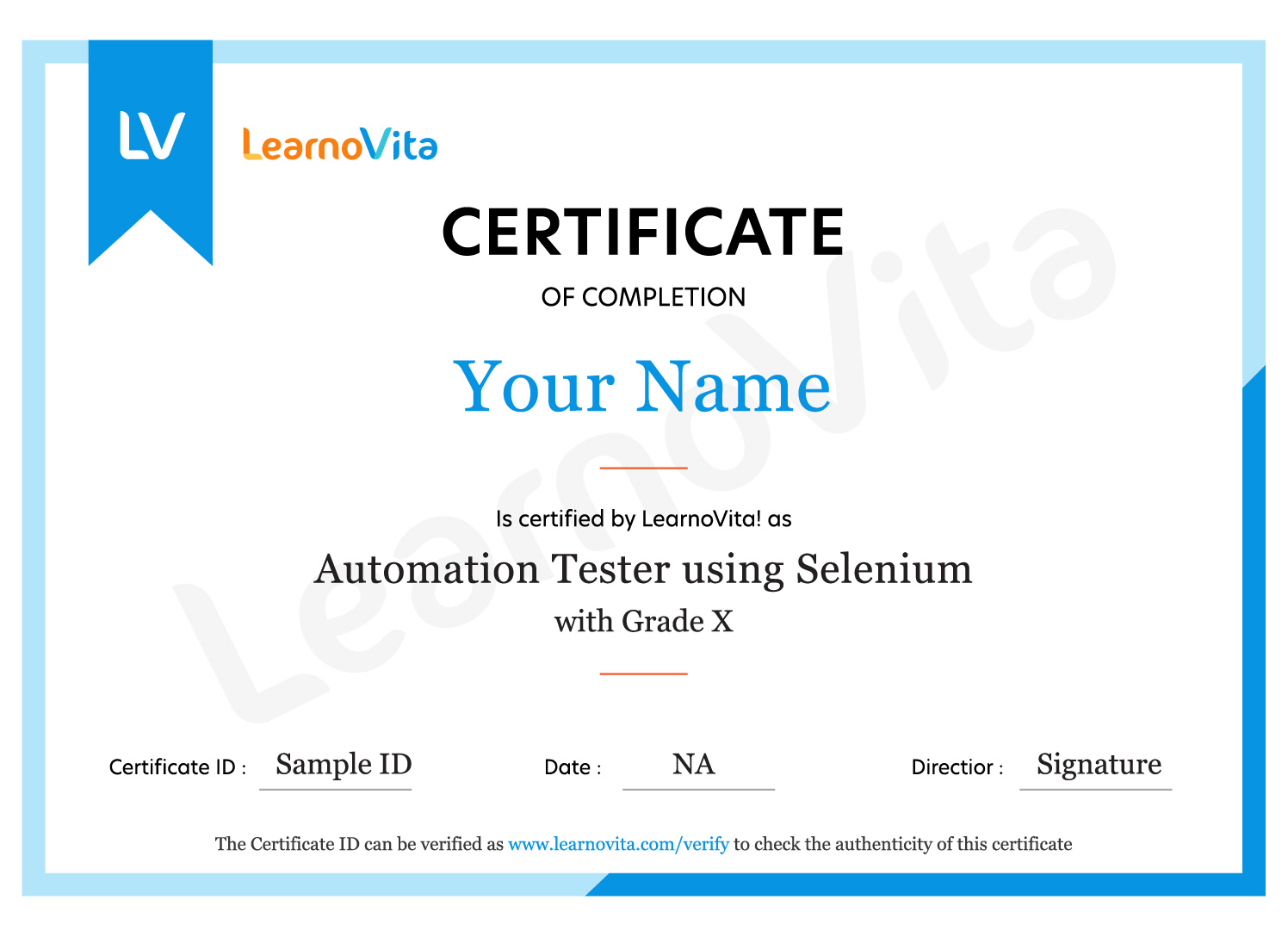
Intune certification helps professionals strengthen their skills in endpoint management, device configuration, application deployment, cloud administration, and enterprise security. These capabilities are valuable for managing modern workplace environments and can support career development in Microsoft 365 administration, endpoint protection, cloud services, and enterprise IT operations.

MNC Recognized course
complete certification
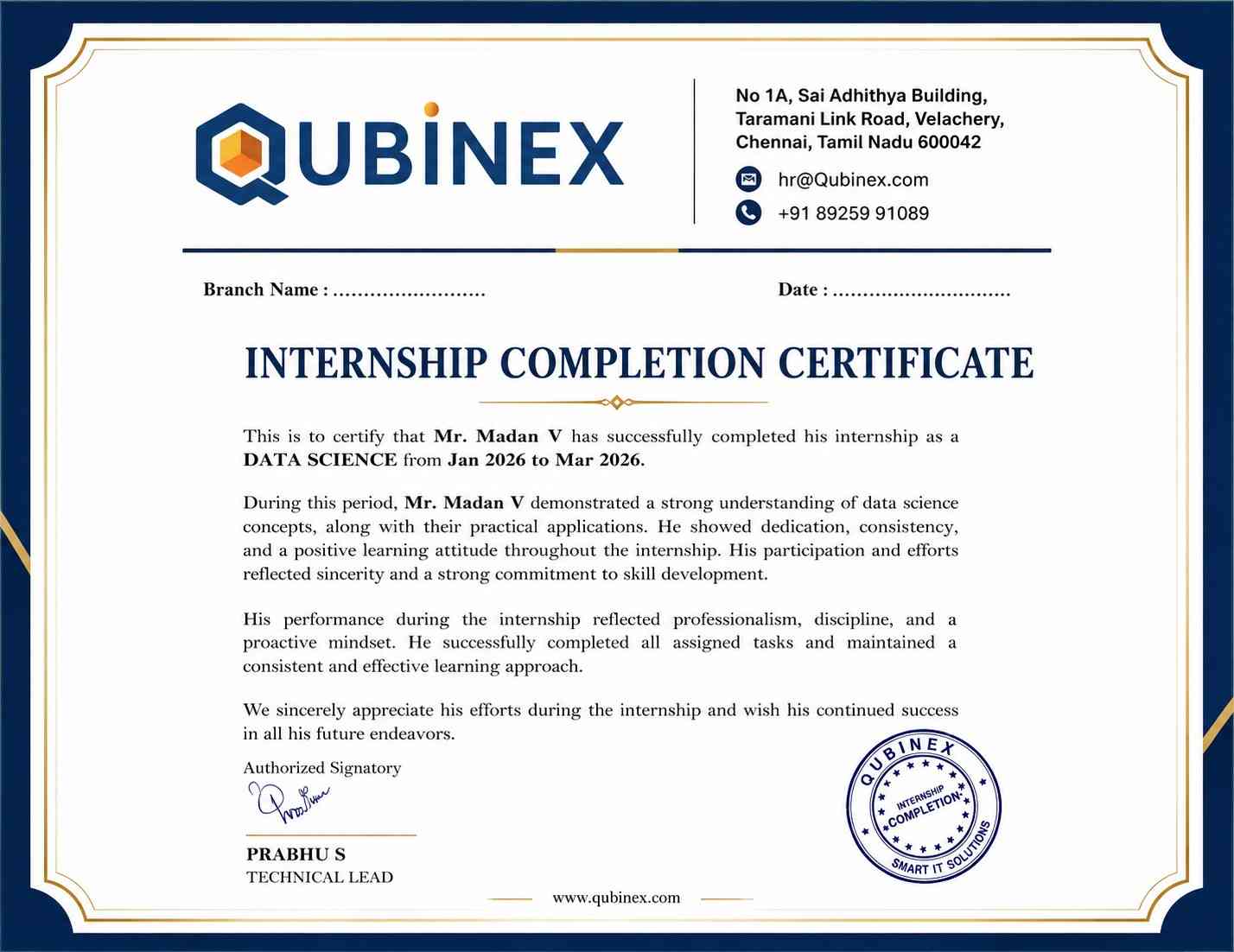
Intership
complete certification
Placement
complete certification

Our learners
transformed their careers

35 Laks
Highest Salary Offered
50%
Average Salary Hike
30K+
Placed in MNC's
15+
Year's in Training
Our Alumni
Alumni

A majority of our alumni

fast-tracked into managerial careers.

Get inspired by their progress in the Career Growth Report.

Our Student Successful Story

checkimage Regular 1:1 Mentorship From Industry Experts checkimage Live Classes checkimage Career Support

Intune Course FAQ's

Yes, interested learners can participate in a demo session before enrolling in the Intune Course . Since batches are organized with limited seats to encourage interaction and personalized attention, availability for live demonstrations may be restricted. If you cannot join the live demo, you may be able to access a pre-recorded session conducted by the same trainer. This gives you an overview of the teaching approach, course topics, trainer expertise, and training environment before registration.
The Intune training is guided by experienced IT professionals with practical knowledge of Microsoft Intune, cloud platforms, endpoint administration, Microsoft 365, and enterprise infrastructure. Trainers explain technical concepts through industry-based examples, guided demonstrations, practical assignments, and workplace scenarios. Their approach helps learners understand device management processes and develop skills applicable to modern enterprise environments.
  • Eligible learners may receive career guidance and placement assistance to explore relevant job openings and connect with potential employers.
  • Participants who complete the career-oriented training program may access placement support, interview preparation, and professional development guidance.
  • The placement team may help learners explore opportunities related to Microsoft Intune, endpoint administration, Microsoft 365, cloud services, and enterprise IT support.
  • Resume development, job application guidance, interview techniques, and communication skills support can help participants improve their professional profiles.
  • Mock interviews, technical assessments, and presentation activities help learners prepare for different stages of recruitment.
  • The student portal may offer access to employment updates, course resources, recorded sessions, training videos, and interview preparation materials.
Learners who successfully complete the program receive a course completion certificate. The training also helps participants prepare for relevant Microsoft certification pathways by developing practical knowledge of endpoint management, Microsoft Intune, device protection, cloud administration, and Microsoft 365 services. Learners may receive guidance on certification options, exam requirements, and preparation strategies.
Yes, the Intune Course includes practical Projects and industry-oriented exercises to strengthen hands-on knowledge. Learners practice device enrollment, application deployment, compliance configuration, endpoint protection, Conditional Access, Windows Autopilot, and device administration. These activities help participants understand how Microsoft Intune is applied in enterprise environments and develop technical skills for endpoint management responsibilities.
Participants can select from several flexible learning formats, including instructor-led online classes, classroom training, self-paced sessions, one-to-one instruction, fast-track batches, customized programs, and online learning. These options help learners choose a suitable format according to their availability, preferred learning style, professional commitments, and career objectives while gaining practical Microsoft Intune knowledge.
Learners who miss a scheduled class may have different options to review the topics covered. Depending on batch availability and training policies, the missed session may be arranged separately, or participants may receive access to recorded classes and presentation materials. Where suitable batches are available, learners may also attend the corresponding topic in another session to stay on track with the course syllabus.
For more information about the Intune Course, including syllabus details, batch timings, course fees, practical Projects, certification guidance, training formats, and placement assistance, you can contact the support team at contact@learnovita.com. The team can help clarify your questions and provide relevant details about the training program.
You can register for the Intune Course through the training provider's website or contact the course support team for enrollment assistance. You may also visit an available training centre to enquire about upcoming batches, course schedules, classroom and online options, and registration procedures before confirming your admission.
Yes, enrolled participants may access available learning resources through the student portal. Depending on the training program, these resources can include course materials, recorded classes, instructional videos, practical exercises, and MNC interview questions. They help learners revise important Microsoft Intune topics, strengthen their technical understanding, and continue practicing beyond scheduled training sessions.
Training groups are generally organized with a limited number of participants to support interactive sessions and individual trainer attention. Typically, an Intune training batch consists of approximately 5 to 6 learners. This smaller group setting allows participants to clarify doubts, discuss technical challenges, take part in practical exercises, and receive focused guidance during the course.
The salary of an Intune professional in India varies according to work experience, technical capabilities, certifications, job location, responsibilities, and company requirements. Professionals working as Microsoft Intune Administrators, Endpoint Management Specialists, Microsoft 365 Administrators, or Cloud Support Engineers may receive different compensation packages. As an indicative range, some roles may offer approximately 6 LPA to 8 LPA, while experienced candidates with specialized skills may earn higher salaries depending on the organization and position.
view More view Less
Career Assistance
  • Build a Powerful Resume for Career Success
  • Get Trainer Tips to Clear Interviews
  • Practice with Experts: Mock Interviews for Success
  • Crack Interviews & Land Your Dream Job
100% JOB GUARANTEE

Global Quality Training
At The Lowest Fees & Expert Trainer

AVAILABLE IN:
India Canada USA Singapore UAE Australia EU Germany

Need custom pricing?

4.9/5 from 50k+ students
Acte Technologies WhatsApp
Call Us! Chat With Us