Home » Others Courses » Playwright Training

Playwright Training

(4.6) 17256 Ratings
  • Join Playwright Training to learn web automation and perform reliable cross-browser testing.
  • Choose flexible weekday, weekend, or fast-track batches, to learn Playwright at your convenience.
  • Learn JavaScript, TypeScript, locators, assertions, test automation, and cross-browser testing techniques.
  • Build practical skills through live projects, automated scripts, and real-time web application testing.
  • Master API testing, debugging, test reports, parallel execution, and CI/CD integration with Playwright.
  • Get resume building, mock interviews, and placement assistance for software testing and automation roles.

Course Duration

50+ Hrs

Live Project

3 Project

Certification Pass

Guaranteed

Training Format

Live Online (Expert Trainers)
Quality Training With Affordable Fee

⭐ Fees Starts From

INR 38,000
INR 18,500

12546+

Professionals Trained

10+

Batches every month

2987+

Placed Students

254+

Corporate Served

What You'll Learn

Learn Playwright fundamentals, browser automation concepts, and test scripting techniques to automate web applications efficiently across Chromium, Firefox, and WebKit browsers.

Create reliable automated tests using Playwright locators, assertions, and browser interactions to validate web application functionality and improve testing accuracy across browsers.

Understand test organization, reusable functions, fixtures, and test hooks to manage automation scripts effectively and maintain scalable Playwright testing frameworks.

Explore browser navigation, form handling, authentication, API testing, and network interception to automate complex workflows and validate web application behavior.

Develop cross-browser automation suites with Playwright, using debugging tools, screenshots, and test reports to identify issues and improve application quality.

Gain practical experience through the Playwright Training course by building real-time automation projects and learning CI/CD integration for efficient software testing.

Playwright Training Overview

The Playwright Training Course equips you with the skills to automate web applications and perform reliable cross-browser testing using Playwright. This Playwright Course covers automation fundamentals, browser interactions, locators, assertions, test frameworks, API testing, and debugging techniques. Through practical exercises, you will learn to create automated test scripts, validate application functionality, generate test reports, and execute tests across Chromium, Firefox, and WebKit browsers. The Playwright Certification Course helps strengthen your automation testing knowledge and career prospects. With placement assistance, resume preparation, mock interviews, and hands-on project experience, this Playwright Online Training prepares you for real-world opportunities in software testing, quality assurance, and test automation engineering.

Additional Info

Exploring Future Trends in Playwright Training

  • AI-Powered Test Automation: Artificial intelligence is transforming software testing by improving test generation, defect prediction, and test maintenance. Playwright professionals can explore AI-assisted automation techniques to create efficient test scripts, reduce repetitive tasks, identify application issues, and improve overall testing accuracy in modern software development environments.
  • Cross-Browser Testing: Cross-browser compatibility remains essential as applications must perform consistently across different browsers and operating systems. Playwright supports Chromium, Firefox, and WebKit, enabling testers to validate application behavior across multiple browser engines. Future training will emphasize scalable testing strategies, browser compatibility checks, and reliable automation workflows.
  • Cloud-Based Test Execution: Cloud testing enables teams to execute automated tests across different environments without maintaining extensive local infrastructure. Playwright professionals can develop skills in cloud-based browser execution, remote testing environments, parallel test runs, and scalable automation. These capabilities help organizations reduce testing time and validate applications across diverse platforms.
  • API Testing Integration: API testing is becoming an important component of modern quality assurance practices. Playwright provides API testing capabilities that allow testers to send requests, validate responses, and verify application integrations. Future training will increasingly focus on combining API and UI testing to improve coverage, identify integration defects, and maintain reliable application functionality.
  • DevOps and CI/CD Integration: Modern software teams integrate automated testing into continuous integration and continuous delivery pipelines. Playwright can be connected with tools such as Jenkins and GitHub Actions to execute tests during development and deployment. Training will emphasize automated test execution, failure reporting, parallel testing, and faster feedback throughout the software delivery lifecycle.
  • Visual Regression Testing: Visual regression testing helps identify unintended changes in application layouts, styles, and interface components. Playwright supports screenshot capture and comparison workflows that help testers detect visual differences between application versions. Professionals can develop skills in baseline management, responsive interface validation, and automated visual checks to maintain consistent user experiences.
  • Parallel Testing and Scalability: As applications grow, organizations need automation frameworks that execute tests efficiently and support frequent releases. Playwright provides parallel execution capabilities that help reduce test duration. Future training will focus on test isolation, worker configuration, reusable fixtures, and reliable execution strategies for handling larger automation suites across development and production-like environments.
  • Automation Framework Development: Businesses increasingly require maintainable automation frameworks rather than isolated test scripts. Playwright training will emphasize reusable components, page object models, fixtures, test hooks, configuration management, and structured reporting. These techniques help automation engineers build scalable testing solutions, simplify maintenance, and support collaboration across software development and quality assurance teams.
  • Accessibility Testing: Accessibility testing helps ensure that web applications can be used by people with different abilities. Playwright can support automated accessibility workflows through integrations with suitable testing libraries. Professionals can learn to validate accessible page structures, identify common interface issues, and combine automated checks with manual assessments to improve usability and compliance.

Building Tools and Techniques with Playwright Training

  • Playwright Test Runner: Playwright Test is a testing framework designed for browser automation and end-to-end testing. It supports test discovery, assertions, fixtures, parallel execution, retries, and reporting. Automation engineers use its capabilities to organize test suites, validate application workflows, manage test environments, and execute reliable browser tests throughout the software development lifecycle.
  • JavaScript and TypeScript: JavaScript and TypeScript are widely used programming languages for developing Playwright automation scripts. They allow testers to create reusable functions, interact with browser elements, manage asynchronous operations, and implement validation logic. TypeScript also provides static type checking, helping teams identify certain coding errors and maintain readable, scalable automation projects.
  • Visual Studio Code: Visual Studio Code is a popular code editor for developing and maintaining Playwright test scripts. It supports syntax highlighting, debugging, extensions, integrated terminals, and source control features. Testers can use the editor to create automation projects, troubleshoot failures, manage test files, and improve productivity while working with JavaScript or TypeScript.
  • Playwright Inspector: Playwright Inspector helps developers and testers examine browser interactions and troubleshoot automation scripts. It allows users to step through test execution, inspect locators, review page behavior, and understand why a test may fail. This tool supports debugging and helps improve locator accuracy, script reliability, and the maintainability of automated browser testing workflows.
  • Browser Developer Tools: Browser developer tools help testers inspect page elements, analyze network requests, review console messages, and investigate interface behavior. When combined with Playwright, these tools support efficient troubleshooting of application defects and automation failures. Testers can identify incorrect selectors, examine loading problems, and understand browser behavior while developing stable test cases.
  • Git and GitHub: Git and GitHub help automation teams manage source code, collaborate on test development, and track changes across projects. Playwright scripts can be maintained in version-controlled repositories, allowing team members to review updates, resolve conflicts, and share improvements. These tools also support collaboration and integration with automated testing pipelines.
  • Postman and API Testing: Postman is commonly used to explore, test, and validate application programming interfaces. Playwright also supports API testing through its request capabilities, allowing teams to combine interface and service-level validation. Understanding API requests, response codes, headers, authentication, and response data helps testers identify integration problems and strengthen application test coverage.
  • Jenkins and CI/CD Pipelines: Jenkins helps teams automate build, testing, and deployment workflows. Playwright test suites can be configured to run within Jenkins pipelines, providing feedback when application changes introduce defects. Testers can learn to configure execution environments, manage dependencies, publish reports, and investigate failures to support continuous testing and more dependable software releases.
  • Playwright HTML Reporter: Playwright's reporting capabilities help teams review test results, execution details, errors, and failure information. HTML reports make it easier to identify unsuccessful test cases and investigate problems. Automation professionals can use reporting features to communicate testing outcomes, track quality issues, analyze recurring failures, and provide useful feedback to developers and project stakeholders.

Roles and Responsibilities After Playwright Training

  • Playwright Automation Engineer: A Playwright Automation Engineer develops, executes, and maintains automated tests for web applications. Responsibilities include writing test scripts, creating reusable automation components, validating browser behavior, investigating failures, and improving test coverage. These professionals collaborate with developers and quality assurance teams to identify defects and support reliable application releases.
  • Automation Test Engineer: An Automation Test Engineer designs automated testing strategies to validate application functionality and performance requirements. The role involves developing test scripts, maintaining frameworks, analyzing execution reports, and troubleshooting defects. Professionals using Playwright can automate repetitive browser workflows, execute regression tests, and provide timely feedback that improves software quality and delivery efficiency.
  • Quality Assurance Engineer: A Quality Assurance Engineer verifies that applications meet expected functional and quality standards. Responsibilities include preparing test scenarios, executing manual and automated tests, documenting defects, and collaborating with development teams. Playwright skills help QA engineers automate web application workflows, improve regression testing coverage, and validate application behavior across supported browsers.
  • Software Development Engineer in Test (SDET): An SDET combines programming knowledge with software testing expertise to build automation solutions. Responsibilities include developing test frameworks, writing reusable scripts, integrating tests into CI/CD pipelines, and investigating application failures. Playwright experience can help SDETs automate browser interactions, validate APIs, and establish maintainable testing practices within development teams.
  • Web Application Tester: A Web Application Tester checks the functionality, usability, and compatibility of web-based systems. The role involves creating test cases, validating forms and navigation, checking user interactions, and reporting defects. Playwright automation skills help testers execute repeatable browser tests, verify application workflows, and identify issues across Chromium, Firefox, and WebKit.
  • Test Automation Architect: A Test Automation Architect plans and designs scalable automation frameworks that meet an organization's testing requirements. Responsibilities include selecting suitable tools, defining framework standards, reviewing automation strategies, and guiding engineering teams. Playwright expertise can support framework architecture, reusable test components, parallel execution, reporting, and integration with continuous delivery environments.
  • Regression Test Engineer: A Regression Test Engineer verifies that software changes do not affect existing functionality. Responsibilities include maintaining regression suites, executing tests after updates, analyzing failures, and coordinating defect resolution. Playwright helps automate repetitive user journeys and browser-based scenarios, enabling teams to identify unexpected changes and improve confidence before releasing application updates.
  • API Test Engineer: An API Test Engineer validates communication between application services and verifies that endpoints return expected responses. Responsibilities include preparing API test scenarios, checking authentication, validating response data, and reporting integration defects. Playwright's API testing capabilities allow professionals to combine service-level checks with browser tests and strengthen end-to-end application validation.
  • QA Analyst: A QA Analyst evaluates application requirements, prepares test scenarios, documents defects, and communicates quality risks to project teams. Playwright knowledge helps QA analysts automate selected user journeys, validate browser compatibility, and maintain repeatable regression checks. The role requires analytical thinking, attention to detail, and collaboration with developers to improve application quality.
  • CI/CD Test Automation Specialist: A CI/CD Test Automation Specialist integrates automated testing into continuous integration and delivery workflows. Responsibilities include configuring test execution, managing dependencies, publishing reports, and investigating pipeline failures. Playwright skills help specialists automate browser testing during builds and releases, provide faster feedback, and support consistent quality checks across software delivery environments.

Top Companies Hiring Playwright Automation Professionals

  • Accenture: Accenture provides technology consulting, application development, and quality engineering services to clients across industries. Professionals with Playwright automation skills may contribute to web application testing, regression automation, and continuous testing initiatives. Relevant responsibilities can include developing browser test scripts, maintaining automation frameworks, analyzing test results, and collaborating with software engineering teams to improve application reliability.
  • Tata Consultancy Services (TCS): TCS delivers IT services, software development, and digital transformation solutions to organizations worldwide. Automation testing professionals may work on web application validation, regression testing, and quality assurance projects. Playwright knowledge can support browser automation, reusable test development, defect identification, and CI/CD testing activities across enterprise applications and client delivery environments.
  • Infosys: Infosys provides consulting, digital services, and technology solutions across multiple business sectors. Playwright-skilled professionals may contribute to automated testing initiatives involving web applications, cross-browser validation, and continuous quality engineering. Relevant work can include developing test suites, troubleshooting failures, maintaining automation frameworks, and collaborating with developers to improve release quality and testing efficiency.
  • Wipro: Wipro offers technology consulting, engineering, and IT services to clients in different industries. Quality assurance teams may use modern automation tools to validate application workflows and reduce repetitive testing activities. Playwright skills can be useful for browser automation, regression testing, API validation, test reporting, and integration with development pipelines that support dependable software delivery.
  • Cognizant: Cognizant delivers digital engineering, application development, and quality engineering services to global clients. Playwright automation professionals may support web application testing, test framework development, and continuous testing activities. Their responsibilities can include creating automated scenarios, validating browser compatibility, investigating defects, and working with development teams to maintain reliable applications and improve testing coverage.
  • Capgemini: Capgemini provides consulting, technology services, and engineering solutions across various industries. Automation engineers may contribute to application quality projects by developing automated tests and validating web functionality. Playwright expertise can support cross-browser testing, regression automation, API checks, and CI/CD integration while helping teams identify defects early and maintain consistent testing standards.
  • IBM: IBM provides enterprise technology, software, consulting, and cloud-related solutions. Software quality professionals may use browser automation technologies to test web applications and support engineering workflows. Playwright skills can be applied to automated test development, application validation, test reporting, and continuous integration activities, depending on project requirements and the technologies used by individual teams.
  • HCLTech: HCLTech offers IT services, engineering, and digital transformation solutions for businesses worldwide. Playwright-trained automation testers may contribute to quality assurance projects involving web applications and browser-based workflows. Typical activities can include building test scripts, maintaining automation suites, validating application changes, analyzing failures, and integrating automated checks into software development processes.
  • Tech Mahindra: Tech Mahindra provides technology consulting, digital solutions, and IT services across several sectors. Testing professionals may work on application validation, automation frameworks, and quality engineering initiatives. Playwright skills can help automate user journeys, test browser compatibility, investigate application defects, and support continuous testing processes based on client requirements and project technology environments.
  • Product-Based Technology Companies: Software product companies and technology startups often require automation professionals to maintain the quality of web applications and digital platforms. Playwright skills can support end-to-end testing, regression validation, API checks, and automated release pipelines. Candidates may explore suitable opportunities by reviewing current job descriptions, required programming skills, testing experience, and employer-specific technical expectations.
View more

Playwright Training Objectives

  • Playwright offers valuable skills for modern software testing and web automation. As organizations adopt continuous testing and faster release cycles, professionals with browser automation experience can explore opportunities in quality assurance, test engineering, and software development testing roles.
  • Playwright is worth learning for professionals interested in web application automation. It supports Chromium, Firefox, and WebKit browsers and provides features for assertions, debugging, parallel execution, and automated testing. These capabilities help testers build reliable test suites for modern web applications.
  • Playwright is a modern browser automation framework used for end-to-end testing of web applications. Its support for multiple browsers, debugging tools, API testing, and CI/CD integration makes it useful for teams seeking efficient and maintainable automated testing solutions.

Our Playwright Training emphasizes hands-on learning through theoretical explanations, guided exercises, and practical automation assignments. Each module introduces essential testing concepts followed by real-world scenarios that help learners develop browser automation scripts, validate web applications, troubleshoot errors, and understand industry testing practices.

  • Hands-on practice with Playwright commands, locators, assertions, and browser automation.
  • Real-time project scenarios covering web application workflows and cross-browser testing.
  • Practice tests, debugging exercises, and discussions of common automation interview questions.
  • LearnoVita provides placement assistance to help learners prepare for opportunities in software testing and automation. Training activities focus on developing practical knowledge, understanding automation workflows, and gaining project experience relevant to potential job roles.
  • Guidance on exploring suitable automation testing and quality assurance opportunities.
  • Practical project experience to strengthen technical knowledge and testing skills.
  • Support with professional CV preparation, resume development, and interview readiness.
  • Mock interviews and technical practice to help candidates communicate their skills confidently.
  • Playwright can be learned by beginners who are willing to understand web technologies and programming fundamentals. Starting with browser interactions, locators, assertions, and simple test cases helps learners gradually progress toward advanced automation scenarios and structured testing frameworks.
  • Yes, Playwright supports modern web application testing through browser automation, cross-browser execution, automatic waiting, and test assertions. It can help teams validate user journeys, identify functional defects, and integrate automated checks into continuous integration workflows.

Through Playwright Training, learners can develop practical skills in browser automation, test development, debugging, and application validation. Important learning areas include:

  • Creating automated test scripts using JavaScript or TypeScript.
  • Working with locators, assertions, browser navigation, and interactive web elements.
  • Performing cross-browser testing with Chromium, Firefox, and WebKit.
  • Testing APIs, handling authentication, and validating application workflows.
  • Generating test reports, debugging failures, and integrating tests into CI/CD pipelines.

Playwright Training is suitable for learners interested in web automation and software quality assurance, including:

  • Software testers and quality assurance professionals.
  • Manual testers looking to learn automation testing.
  • Automation engineers seeking to expand their framework skills.
  • Software developers interested in automated application testing.
  • Fresh graduates and programming learners interested in test automation careers.
  • The time required to learn Playwright depends on your programming knowledge, testing experience, and practice schedule. Learners familiar with JavaScript or TypeScript may progress faster, while beginners may need additional time to understand programming, locators, assertions, and automation concepts. Regular practice with real-world projects helps build confidence.
view More view Less

Playwright Benefits

The Playwright Certification Course provides comprehensive knowledge of web application automation and cross-browser testing. Gain hands-on experience with Playwright's powerful automation capabilities, JavaScript or TypeScript scripting, locators, assertions, and test management techniques. Learn to automate web application workflows, validate functionality across Chromium, Firefox, and WebKit, perform API testing, debug test failures, and generate detailed test reports. Through practical exercises and real-time projects, develop the skills required to build reliable and maintainable automation scripts. Strengthen your understanding of modern testing practices, test framework development, and CI/CD integration. Enhance your career prospects with Playwright training and certification preparation, equipping you with practical knowledge for opportunities in software testing, quality assurance, and test automation engineering.

  • Designation
  • Annual Salary
    Hiring Companies
  • 3.24L
    Min
  • 7.5L
    Average
  • 13.5L
    Max
  • 4.50L
    Min
  • 8.5L
    Average
  • 16.5L
    Max
  • 4.0L
    Min
  • 6.0L
    Average
  • 15.5L
    Max
  • 3.24L
    Min
  • 6.5L
    Average
  • 12.5L
    Max

About Your Playwright Certification Training

Our Playwright Online Course offers an affordable pathway to mastering web application automation and cross-browser testing. With hands-on experience in Playwright’s powerful automation framework and JavaScript or TypeScript, you will gain practical skills to develop reliable automated test scripts. Benefit from Playwright internship opportunities, placement assistance, and career guidance to prepare for software testing roles. Through real-time projects, you will learn browser automation, API testing, debugging, test reporting, and CI/CD integration. Build industry-relevant expertise and prepare for opportunities in quality assurance and test automation, helping you progress confidently in the software testing industry.

Top Skills You Will Gain
  • Browser Automation
  • Test Script Development
  • End-to-End Testing
  • API Testing
  • Cross-Browser Testing
  • JavaScript and TypeScript
  • Test Automation Frameworks
  • Test Reporting and Debugging

12+ Playwright Tools

Online Classroom Batches Preferred

Weekdays (Mon - Fri)
02 - Nov - 2026
08:00 AM (IST)
Weekdays (Mon - Fri)
04 - Nov - 2026
08:00 AM (IST)
Weekend (Sat)
07 - Nov - 2026
11:00 AM (IST)
Weekend (Sun)
08 - Nov - 2026
11:00 AM (IST)
Can't find a batch you were looking for?
₹38,000 ₹18,500 10% OFF Expires in

No Interest Financing start at ₹ 5000 / month

Corporate Training

  • Customized Learning
  • Enterprise Grade Learning Management System (LMS)
  • 24x7 Support
  • Enterprise Grade Reporting

Not Just Studying
We’re Doing Much More!

Empowering Learning Through Real Experiences and Innovation

Hiring
Hiring
Hiring
Hiring
Hiring
Hiring
Hiring
User
User
User
User
User
User

Playwright Course Curriculum

Trainers Profile

Playwright Online Course trainers are experienced professionals with 13+ years of industry experience in their respective domains, including expertise in modern software testing and automation. Many trainers are currently working with leading MNCs and bring practical industry knowledge to the classroom. They incorporate real-time projects and workplace scenarios into Playwright Training sessions to help learners develop practical automation testing skills.

Syllabus of Playwright Course Download syllabus

  • Introduction to Playwright and its key features
  • Comparison of Playwright with other automation testing frameworks
  • Installing Playwright and configuring the development environment
  • Browser support and Playwright architecture
  • JavaScript and TypeScript fundamentals for automation
  • Variables, functions, objects, and asynchronous programming
  • Promises, async/await, and error handling
  • Setting up Playwright projects and managing dependencies
  • Launching browsers, pages, and browser contexts
  • Navigating websites and managing browser tabs
  • Locating web elements using CSS and XPath selectors
  • Working with buttons, forms, dropdowns, and input fields
  • Handling dialogs, alerts, frames, and pop-ups
  • Using role, text, label, placeholder, and test ID locators
  • Performing click, fill, select, and keyboard actions
  • Validating application behavior with assertions
  • Handling dynamic elements and waiting strategies
  • Working with tables, checkboxes, radio buttons, and file uploads
  • Managing screenshots and page interactions
  • Creating and organizing automated test cases
  • Using test hooks, fixtures, and reusable functions
  • Managing test configuration and environment settings
  • Implementing setup, teardown, and test isolation
  • Running tests in parallel and managing retries
  • Introduction to API testing with Playwright
  • Sending HTTP requests and validating responses
  • Working with request headers, parameters, and authentication
  • Mocking API responses and intercepting network requests
  • Validating JSON data and handling API errors
  • Debugging tests with Playwright Inspector
  • Using trace viewer, screenshots, and video recordings
  • Analyzing test failures and troubleshooting errors
  • Generating HTML reports and reviewing test results
  • Managing test logs and improving script reliability
  • Executing tests across Chromium, Firefox, and WebKit
  • Configuring projects for different browsers and environments
  • Running parallel tests and optimizing execution time
  • Identifying flaky tests and improving test stability
  • Using browser contexts for isolated test execution
  • Integrating Playwright tests with CI/CD pipelines
  • Executing automated tests through Jenkins and GitHub Actions
  • Managing source code with Git and GitHub
  • Creating reusable automation frameworks for web applications
  • Developing real-time projects for functional and regression testing
  • Preparing automation suites for continuous testing workflows
(15) view More view Less
Need customized curriculum?

REAL

start
STORIES SUCCESS INSPIRATION
CAREER
UPGRADE
sowmiya

sowmiya

CAREER
UPGRADE
Rajkumar

Rajkumar

CAREER
UPGRADE
Thon

Thon

CAREER
UPGRADE
lavanya

Lavanya

Industry Projects

Project 1
E-commerce Website Automation Testing

Develop an automated testing suite for an e-commerce website using Playwright. Automate product searches, product selection, cart operations, checkout workflows, and form validations. This project strengthens your skills in browser automation, locators, assertions, and end-to-end testing across multiple browsers.

Project 2
User Login and Authentication Testing

Build a Playwright automation suite to test user registration, login, logout, password recovery, and authentication workflows. Validate successful and unsuccessful login attempts, and verify error messages. This project develops practical skills in test scripting, and test automation.

Project 3
Cross-Browser Web Application Testing

Create a Playwright test suite to validate web application functionality across Chromium, Firefox, and WebKit browsers. Automate navigation, forms, and critical user workflows while generating test reports and screenshots. This project helps you understand cross-browser compatibility, and reliable test execution.

Our Hiring Partner

Exam & Certification

At LearnoVita, you can enroll in either instructor-led online classroom training or online self-paced training. Online Classroom:
  • Attend and complete one batch of the Playwright Training Course.
  • Successfully complete and submit any one of the assigned Playwright automation projects for evaluation.
Online Self-Learning:
  • Complete at least 85% of the Playwright Certification Course.
  • Successfully complete and submit any one of the assigned projects for evaluation.
Yes, the Playwright Training Course includes a practice test to help you prepare for assessments and automation testing interviews. The practice exercises help you review Playwright fundamentals, browser automation, locators, assertions, test execution, debugging, and cross-browser testing. These activities help you understand the course concepts and assess your readiness for practical testing tasks.
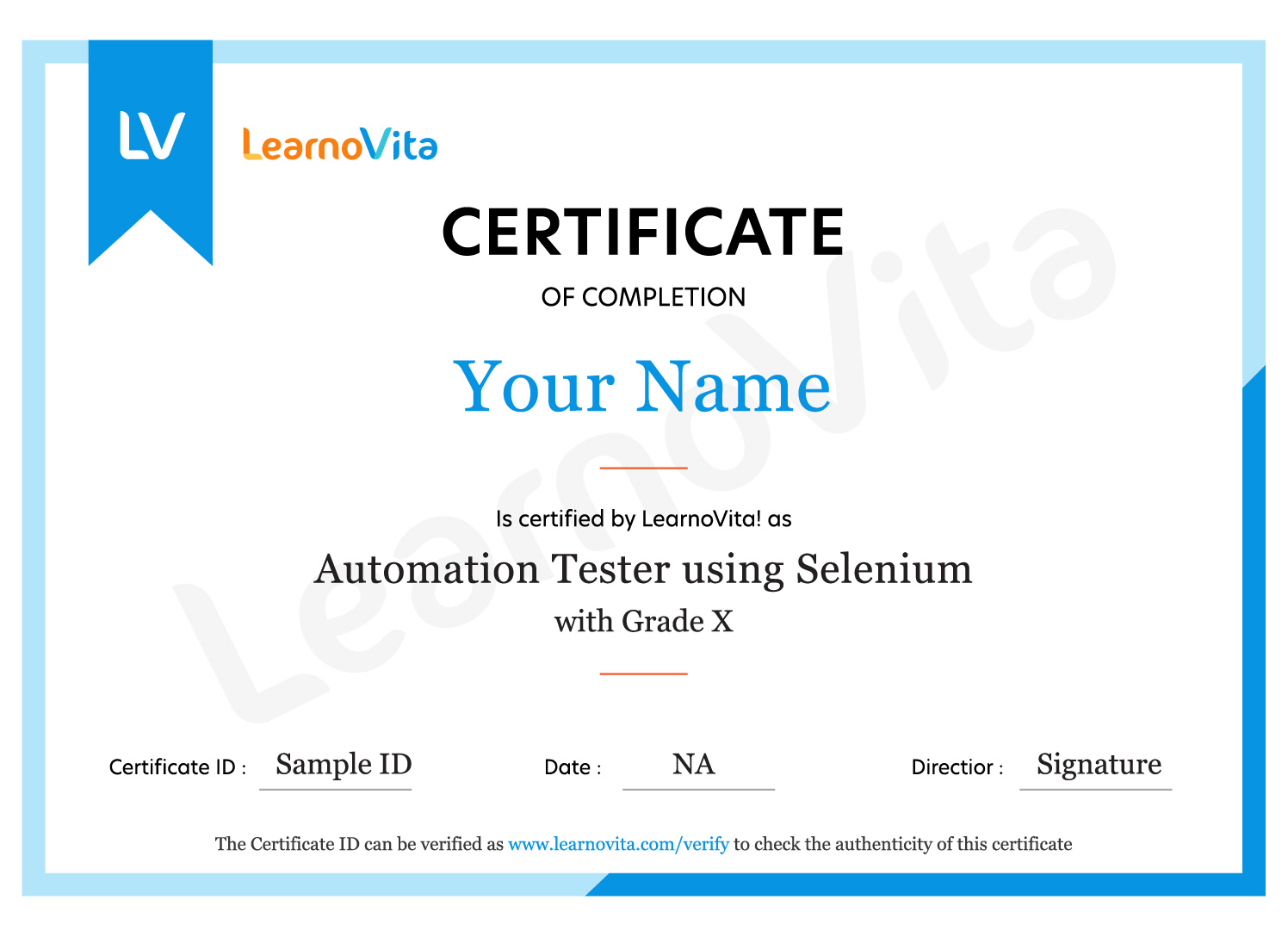
Playwright is an open-source browser automation framework, and certification options may vary by training provider. LearnoVita course completion certification may be available according to the provider's requirements. The course focuses on developing practical skills in Playwright automation, cross-browser testing, API testing, and test framework development.
  • Playwright course completion certification, subject to provider requirements
  • Practical browser automation and end-to-end testing skills
  • Cross-browser testing and automation framework experience
  • Project-based assessment of Playwright concepts
  • Understand the Playwright syllabus and the key automation testing concepts covered in your course.
  • Write and execute Playwright test scripts regularly to improve your coding and debugging skills.
  • Practice JavaScript or TypeScript fundamentals, locators, assertions, browser interactions, and asynchronous programming.
  • Join the LearnoVita Playwright Training Course to learn from instructors and discuss testing scenarios with fellow learners.
  • Complete sample exercises and real-time projects to improve test execution, troubleshooting, and problem-solving abilities.
Yes, you can prepare for Playwright interviews by reviewing commonly asked questions and answers covering browser automation, locators, assertions, test fixtures, API testing, cross-browser execution, debugging, and CI/CD integration. These topics help you strengthen your technical knowledge and prepare for software testing and test automation roles.

MNC Recognized course
complete certification
Intership
complete certification

Placement
complete certification

Our learners
transformed their careers

35 Laks
Highest Salary Offered
50%
Average Salary Hike
30K+
Placed in MNC's
15+
Year's in Training
Our Alumni
Alumni

A majority of our alumni

fast-tracked into managerial careers.

Get inspired by their progress in the Career Growth Report.

Our Student Successful Story

checkimage Regular 1:1 Mentorship From Industry Experts checkimage Live Classes checkimage Career Support

How are the Playwright LearnoVita Different?

Feature

LearnoVita

Other Institutes

Affordable Fees

Budget-friendly Playwright Training with Flexible Payment Options.

Expensive Playwright Courses with Restricted Payment Flexibility.

Live Class From (Industry Expert)

Learn from Experienced Automation Professionals Through Practical Playwright Training and Live Coding Sessions.

Theory-focused Classes with Minimal Automation Practice and Limited Trainer Interaction.

Updated Syllabus

Industry-aligned Playwright Curriculum Covering Browser Automation, Locators, Assertions, API Testing, and Cross-browser Execution.

Outdated Course Content with Limited Coverage of Modern Automation Testing Techniques.

Hands-on Projects

Build Practical Playwright Projects Involving Web Application Testing, Test Automation Frameworks, and End-to-end Testing Scenarios.

Simple Practice Exercises with Limited Exposure to Real-world Automation Challenges.

Certification

Strengthen Your Testing Portfolio with a Course Completion Certificate and Practical Playwright Automation Skills.

Basic Course Recognition with Limited Opportunities to Demonstrate Practical Automation Expertise.

Placement Support

Dedicated Placement Support with Resume Preparation, Mock Interviews, and Guidance for Automation Testing Roles.

Limited Career Guidance with Minimal Interview Preparation and Job Search Assistance.

Industry Partnerships

Career-oriented Training Designed Around Industry Requirements for Playwright Automation and Software Testing Opportunities.

Limited Industry Exposure with Fewer Opportunities to Understand Current Automation Testing Requirements.

Batch Size

Small Learning Groups for Individual Attention, Coding Assistance, and Personalized Playwright Practice.

Large Classes with Less Individual Interaction and Limited Support During Practical Exercises.

Additional Features

Access to Playwright Learning Materials, Automation Scripts, Practice Exercises, Project Resources, and Interview Preparation Content.

Limited Learning Resources with Minimal Practice Materials and No Additional Career Development Support.

Training Support

Get Dedicated Mentoring, Doubt-clearing Sessions, Debugging Assistance, and Guidance on Developing Reliable Playwright Test Scripts.

Restricted Trainer Availability with Limited Help for Coding Errors and Automation Framework Challenges.

Playwright Course FAQ's

Certainly, you can inquire about attending a demo session before enrolling in the Playwright Training Course. Due to limited seats in live sessions, participation may depend on availability. If you are unable to attend a live demo, you can request access to a pre-recorded session featuring the trainer to understand the teaching approach, course structure, and level of interaction.
LearnoVita instructors are industry professionals with practical experience in software testing, automation, and related IT domains. Trainers bring real-world knowledge into the Playwright Training Course through practical examples, testing scenarios, and project-based learning to help learners understand browser automation and modern testing practices.
  • LearnoVita supports learners in preparing for job opportunities by helping them develop relevant skills and connect with potential employers.
  • Eligible learners may receive placement assistance after completing the Playwright Training Course, subject to the institute's placement policies and requirements.
  • Career preparation may include opportunities to explore software testing and automation roles at companies such as Accenture, TCS, Wipro, Infosys, Cognizant, IBM, HCLTech, Capgemini, and Tech Mahindra.
  • Learners can strengthen their profiles through practical projects, automation testing exercises, and interview preparation.
  • Resume preparation, mock interviews, and communication practice can help learners prepare for software testing and test automation interviews.
  • Students can check the student portal for available job information, study materials, recorded sessions, and interview preparation resources.
Learners may receive a course completion certificate from LearnoVita after meeting the applicable training and assessment requirements. The Playwright Course focuses on browser automation, cross-browser testing, API testing, and test automation practices. The course completion certificate should not be confused with an independent vendor-issued certification. Contact LearnoVita to confirm the certificate eligibility criteria.
Practical projects can help learners apply Playwright concepts to real-world testing scenarios. Projects may involve automating login workflows, testing e-commerce applications, validating web forms, performing API checks, and executing tests across different browsers. These exercises help learners develop practical experience in test scripting, debugging, test reporting, and end-to-end automation.
At LearnoVita, learners can inquire about available training options, including instructor-led online training, self-paced learning, classroom sessions, one-to-one training, fast-track programs, and customized training. Availability may vary by course and batch. Learners can select a suitable option based on their schedule, preferred learning style, and career goals in software testing and automation.
If you miss a Playwright Training session, you can contact the training team to ask about available catch-up options. Depending on the batch policies, options may include accessing recorded sessions, reviewing learning materials, arranging a suitable alternative session, or attending the relevant topic in another batch when available.
If you have questions about the Playwright syllabus, course fees, training schedules, projects, or placement assistance, contact the LearnoVita support team at contact@learnovita.com for further information.
To enroll in the Playwright Course at LearnoVita, visit the institute's official website and check the available course details, fees, and batch schedules. You can contact the admissions team for guidance on registration, training options, and the enrollment process.
Online learning materials may be available to enrolled students through the student portal, depending on the course and access policy. Resources may include study notes, practice exercises, recorded sessions, Playwright examples, and interview preparation materials. Contact LearnoVita to confirm the available resources and access duration for your batch.
Batch sizes may vary depending on the training mode, schedule, and enrollment numbers. Learners can contact LearnoVita to confirm the number of participants in a Playwright Training batch. Smaller groups may provide more opportunities to ask questions, discuss automation challenges, and interact with the trainer during practical sessions.
The salary for a Playwright Automation Professional in India varies based on experience, programming knowledge, automation testing skills, location, and employer. Professionals working with Playwright may pursue roles such as Playwright Automation Engineer, Automation Test Engineer, Quality Assurance Engineer, and Software Development Engineer in Test (SDET). Check current job listings and salary reports for estimates relevant to your experience level.
view More view Less
Career Assistance
  • Build a Powerful Resume for Career Success
  • Get Trainer Tips to Clear Interviews
  • Practice with Experts: Mock Interviews for Success
  • Crack Interviews & Land Your Dream Job
100% JOB GUARANTEE

Global Quality Training
At The Lowest Fees & Expert Trainer

AVAILABLE IN:
India Canada USA Singapore UAE Australia EU Germany

Need custom pricing?

4.9/5 from 50k+ students
Acte Technologies WhatsApp
Call Us! Chat With Us