Home » Others Courses » SCCM Training in Kochi

SCCM Training in Kochi

(4.9) 14000 Ratings
  • Join the Best SCCM Training in Kochi to gain expertise in system administration and endpoint management.
  • Master SCCM concepts, including application deployment, OS deployment, software updates, and device management.
  • Gain practical knowledge through real-time SCCM projects, implementation tasks, and endpoint management exercises.
  • Ideal for aspiring System Administrators, SCCM Engineers, IT Support Specialists, and Infrastructure Professionals.
  • Choose Flexible Batch Timings with weekday, weekend, and fast-track schedules to match your availability.
  • Access Placement Assistance, Interview Preparation, and SCCM Certification Guidance to support your career growth.

Course Duration

50+ Hrs

Live Project

3 Project

Certification Pass

Guaranteed

Training Format

Live Online (Expert Trainers)
Quality Training With Affordable Fee

⭐ Fees Starts From

INR 38,000
INR 18,500

10653+

Professionals Trained

9+

Batches every month

2665+

Placed Students

240+

Corporate Served

What You'll Learn

Master SCCM endpoint administration, operating system deployment, device collection handling, and centralized management of enterprise IT environments through practical training.

Explore SCCM architecture, client setup, application distribution, compliance configuration, and reporting techniques to manage enterprise devices and resources efficiently.

Strengthen your technical abilities in software distribution, Windows patch deployment, operating system imaging, and endpoint administration through practical SCCM training.

Gain project experience through real-world SCCM scenarios involving application distribution, patch deployment, OS imaging, and hardware and software inventory tracking.

Discover SCCM automation, co-management features, compliance tracking, endpoint security implementation, and effective strategies for optimizing enterprise IT infrastructure.

Prepare for professional SCCM opportunities by developing job-ready expertise in endpoint management, device configuration, enterprise administration, and IT operations.

A Comprehensive Overview of SCCM Training

SCCM Training in Kochi is designed to help learners develop industry-relevant skills in endpoint management, device configuration, and enterprise infrastructure administration. The course includes practical exercises covering software distribution, operating system deployment, SCCM client installation, update management, and system monitoring. Through trainer-guided sessions and real-time implementation tasks, participants gain the confidence to manage SCCM environments and troubleshoot common technical issues. Flexible training schedules and hands-on learning opportunities prepare candidates for career roles in system administration, endpoint management, IT infrastructure, and enterprise support.

Additional Info

Exploring the Future Trends of SCCM Training in Kochi

  • Cloud-Based Endpoint Management: SCCM will continue evolving with stronger cloud connectivity, helping organizations manage devices, applications, and updates across hybrid environments. Learners can expect greater integration with cloud platforms, centralized administration, flexible deployment options, and improved visibility across distributed endpoints, supporting modern infrastructure management requirements.
  • Intelligent Automation: Future SCCM capabilities are expected to place greater emphasis on automation for routine administration, application deployment, patching, and device management. Automated workflows can reduce repetitive tasks and improve operational consistency, while analytics-driven insights may help administrators identify configuration issues, prioritize actions, and respond more efficiently to changing endpoint requirements.
  • Advanced Endpoint Security: SCCM environments will increasingly support stronger endpoint protection as organizations address evolving security requirements. Enhanced monitoring, compliance assessment, vulnerability management, and automated remediation can help administrators maintain secure devices. These capabilities will support centralized control over endpoint configurations while improving visibility into security-related conditions across enterprise networks.
  • Broader Device Management: The growing variety of connected devices will encourage SCCM environments to support broader endpoint administration capabilities. Organizations will need efficient methods for monitoring device health, applying configurations, distributing applications, and maintaining compliance across diverse environments. This trend will increase the importance of centralized endpoint visibility and consistent administrative processes.
  • Hybrid Work Support: SCCM will continue adapting to remote and hybrid work environments where employees access enterprise resources from different locations. Future solutions will emphasize flexible device provisioning, remote application delivery, policy enforcement, and endpoint monitoring. These capabilities can help IT teams maintain consistent administration while supporting users working across office, remote, and distributed environments.
  • Data-Driven Administration: SCCM will increasingly use reporting, analytics, and operational data to support endpoint administration decisions. Administrators can analyze device health, deployment status, software inventory, compliance levels, and update activity to identify recurring issues. Greater use of actionable insights can help teams plan maintenance activities, improve resource usage, and strengthen overall infrastructure visibility.
  • Faster Software Deployment: SCCM development will continue focusing on efficient application and operating system deployment across large enterprise environments. Improved deployment workflows, automated task sequences, and centralized monitoring can reduce administrative effort. These enhancements can help organizations deliver software and updates consistently while minimizing interruptions and maintaining better control over distributed endpoint environments.
  • Multi-Environment Compatibility: Future endpoint management strategies will focus on supporting increasingly diverse infrastructure environments. SCCM administrators may work with different operating systems, device types, cloud services, and enterprise platforms. Improved compatibility and integration capabilities can simplify administration, provide centralized visibility, and help organizations maintain consistent configuration and deployment processes across their technology environments.

Essential Tools for Maximizing Efficiency on SCCM Training

  • Configuration Manager Console: The Configuration Manager Console provides administrators with a central interface for managing SCCM environments. It supports application deployment, device collections, software updates, compliance settings, monitoring, and reporting. Learners can use the console to understand how endpoint administration tasks are organized and performed while gaining practical familiarity with common SCCM management workflows.
  • SQL Server Management Studio: SQL Server Management Studio supports administration and analysis of databases associated with SCCM environments. Administrators can use it to examine database information, run queries, investigate data-related issues, and review system records. Practical exposure to SSMS helps learners understand how database information supports reporting, monitoring, and troubleshooting activities within enterprise endpoint management environments.
  • Windows ADK: Windows Assessment and Deployment Kit provides utilities used for preparing, customizing, and deploying Windows operating system images. SCCM administrators can work with deployment-related components such as imaging and configuration tools when creating operating system deployment workflows. Learning ADK helps participants understand how customized Windows images are prepared and delivered through structured enterprise deployment processes.
  • PowerShell: PowerShell is widely used to automate SCCM administration and simplify repetitive endpoint management activities. Administrators can create scripts for device operations, application tasks, inventory checks, configuration changes, and reporting activities. Practical PowerShell knowledge enables learners to handle bulk operations more efficiently while extending SCCM workflows through scripting and reducing manual administrative effort.
  • Remote Server Administration Tools: Remote Server Administration Tools provide utilities for managing Windows server and directory services that commonly interact with SCCM environments. Components such as Active Directory and Group Policy tools help administrators manage users, devices, policies, and configurations. Understanding RSAT enables learners to connect endpoint management activities with broader Windows infrastructure administration requirements.
  • Endpoint Configuration Manager Toolkit: Endpoint Configuration Manager utilities support administrators in diagnosing client issues, reviewing configuration details, and improving SCCM administration workflows. These resources can assist with troubleshooting deployment problems, checking client health, and investigating management-related conditions. Hands-on exposure helps learners understand practical approaches for maintaining reliable communication between SCCM infrastructure and managed devices.
  • Wireshark: Wireshark helps administrators inspect network traffic when investigating communication problems affecting SCCM components and client devices. It can provide detailed visibility into network packets, connections, and protocol activity. Learners can use this capability to understand how network conditions influence application deployment, policy retrieval, client communication, and other endpoint management operations within enterprise environments.
  • Third-Party Integration Solutions: SCCM environments can work alongside external solutions for security, patching, monitoring, and infrastructure administration. Such integrations may extend endpoint management capabilities and provide additional operational visibility. Understanding integration concepts helps learners recognize how SCCM can fit into broader enterprise technology environments while supporting coordinated application deployment, security controls, updates, and device administration processes.

SCCM Training Job Roles and Responsibilities

  • SCCM System Administrator: SCCM System Administrators configure and maintain endpoint management infrastructure, including site systems, clients, collections, applications, and software updates. Their responsibilities include monitoring system health, managing deployments, handling configuration activities, and resolving operational issues. The role requires practical knowledge of SCCM administration, Windows environments, deployment workflows, and endpoint troubleshooting procedures.
  • Deployment Coordinator: Deployment Coordinators manage the delivery of operating systems, applications, and software updates through SCCM. They create deployment packages, configure task sequences, schedule releases, and monitor deployment progress. Their work involves coordinating technical activities with organizational requirements to ensure software reaches the appropriate devices while maintaining controlled deployment processes and minimizing operational disruption.
  • Security Compliance Analyst: Security Compliance Analysts use SCCM capabilities to monitor endpoint configurations, assess compliance, and support security requirements. They may review device status, identify configuration gaps, track update levels, and assist with remediation activities. Their responsibilities connect endpoint administration with organizational security controls, helping maintain consistent configurations and improve visibility into device compliance across enterprise environments.
  • Reporting and Compliance Specialist: Reporting and Compliance Specialists create and analyze SCCM reports related to hardware inventory, software usage, deployment status, update compliance, and device configurations. They organize information for technical teams and business stakeholders while supporting audit requirements. Strong knowledge of SCCM reporting and data interpretation helps these professionals identify trends and communicate endpoint management information clearly.
  • Patch Management Specialist: Patch Management Specialists coordinate software update activities through SCCM to help organizations maintain current endpoint environments. They evaluate update requirements, create deployment groups, schedule releases, monitor installation status, and investigate failed deployments. Their work supports vulnerability reduction and helps IT teams maintain consistent update levels across desktops, laptops, servers, and other managed enterprise devices.
  • Desktop Support Technician: Desktop Support Technicians use SCCM to assist with application installations, operating system deployments, device configurations, and client troubleshooting. They may investigate software delivery problems, verify SCCM client health, and support users experiencing endpoint issues. Familiarity with SCCM helps technicians resolve common device management tasks while maintaining reliable access to required applications and services.
  • Infrastructure Architect: Infrastructure Architects design SCCM environments based on organizational scale, device numbers, network structure, and operational requirements. They evaluate infrastructure components, plan site configurations, consider distribution strategies, and support scalable deployment architectures. The role requires an understanding of enterprise endpoint management, Windows infrastructure, networking, application delivery, and long-term infrastructure planning.
  • Training and Documentation Specialist: Training and Documentation Specialists prepare learning resources, process guides, and operational documentation for SCCM environments. They may conduct internal training, explain deployment procedures, document troubleshooting steps, and maintain administrative references. Their work helps IT teams follow consistent processes and improves knowledge sharing among administrators, support technicians, and other professionals working with endpoint management technologies.

Top Leading Companies Hiring SCCM Professionals

  • Microsoft Corporation: Microsoft develops and supports endpoint management technologies and maintains large-scale enterprise IT environments. SCCM professionals may work on endpoint administration, deployment operations, infrastructure support, and related management activities. Roles can involve application delivery, device configuration, update administration, troubleshooting, and integration with broader Microsoft technologies used across enterprise computing environments.
  • Accenture: Accenture delivers technology consulting and managed services for organizations across multiple industries. SCCM professionals may support client environments through endpoint administration, application deployment, software updates, migration activities, and infrastructure operations. Their responsibilities can include designing deployment workflows, resolving configuration issues, monitoring managed devices, and supporting enterprise clients with structured endpoint management solutions.
  • Deloitte: Deloitte provides technology and consulting services that can include enterprise infrastructure and IT operations support. SCCM professionals may contribute to endpoint management initiatives involving device administration, application delivery, software updates, and infrastructure transitions. Their work can include configuration, troubleshooting, reporting, compliance monitoring, and integration activities required to maintain organized and reliable endpoint environments.
  • IBM: IBM operates technology and consulting services that support complex enterprise IT environments. SCCM professionals may work on endpoint administration, software deployment, update management, infrastructure support, and device configuration activities. Their responsibilities can involve monitoring managed systems, resolving technical issues, preparing deployment workflows, and supporting organizations in maintaining structured endpoint management operations.
  • HP Inc.: HP Inc. manages extensive technology environments and provides computing products and services for organizations and users. SCCM professionals may support endpoint administration activities such as application deployment, software updates, device configuration, and client troubleshooting. Their work can help maintain consistent device operations and support IT teams responsible for managing enterprise desktop and endpoint environments.
  • Capgemini: Capgemini provides consulting, technology, and managed services across enterprise environments. SCCM professionals may contribute to endpoint management projects involving deployment planning, application distribution, patch administration, device monitoring, and troubleshooting. They can also support migration and configuration activities while helping organizations maintain structured processes for managing applications, operating systems, and devices at scale.
  • Cognizant: Cognizant supports organizations with IT services and infrastructure operations across various business domains. SCCM professionals may handle application packaging, software distribution, operating system deployment, patch management, and endpoint monitoring. Their responsibilities can include configuring SCCM environments, troubleshooting deployment issues, reviewing compliance information, and supporting clients with day-to-day endpoint administration requirements.
  • Wipro: Wipro provides technology services and infrastructure support for enterprise clients across multiple sectors. SCCM professionals may work on endpoint deployment, software distribution, patch management, device configuration, and infrastructure administration. Their activities can include SCCM implementation, troubleshooting, environment upgrades, reporting, and integration with other enterprise systems to support organized and efficient endpoint management operations.
View more

SCCM Course Objectives

Learners should have a basic understanding of computer systems, networking fundamentals, and Windows operating systems before starting SCCM training. Familiarity with server administration, software installation, and IT infrastructure concepts can make learning easier. However, beginners can also join the course and develop their knowledge through structured lessons, trainer guidance, and practical exercises.
The SCCM course helps participants build practical expertise in endpoint administration, application deployment, operating system installation, software updates, and patch management. Learners understand centralized device administration, compliance monitoring, and enterprise infrastructure operations. These skills strengthen technical capabilities and prepare candidates for opportunities in system administration, IT support, and endpoint management.
SCCM, now part of Microsoft Configuration Manager, plays an important role in managing enterprise devices and IT infrastructure. Organizations use it to streamline application distribution, operating system deployment, software updates, and endpoint administration. Professionals with configuration management skills can help businesses improve operational efficiency, maintain system compliance, and simplify large-scale device management.
Completing SCCM training in Kochi can help learners prepare for various IT infrastructure and endpoint management positions, including:
  • System Administrator
  • Microsoft Configuration Manager Administrator
  • Endpoint Management Engineer
  • IT Infrastructure Specialist
  • Patch Management Engineer
  • Software Deployment Specialist
  • Cloud and Endpoint Management Associate
  • IT Support Engineer
Yes, the SCCM training program includes practical exercises and project-based learning designed around enterprise IT scenarios. Participants practice application deployment, software update configuration, operating system imaging, client installation, and endpoint administration. These implementation activities help learners understand real-world configuration challenges, troubleshoot common issues, and develop confidence in managing enterprise environments.
The SCCM curriculum covers essential configuration management concepts and practical administration techniques, including:
  • Microsoft Configuration Manager Fundamentals
  • Site Architecture and Infrastructure Configuration
  • Software and Application Deployment
  • Software Updates and Patch Management
  • Operating System Deployment and Imaging
  • Endpoint Protection and Compliance Management
  • Device Collections and Client Administration
  • Application Packaging and Distribution
  • Reporting, Monitoring, and Troubleshooting
  • Infrastructure Setup and Maintenance
SCCM training can improve your technical knowledge and prepare you for relevant IT career opportunities, although completing the course does not guarantee employment. Job prospects depend on practical expertise, troubleshooting abilities, interview performance, and professional experience. Hands-on projects, technical assessments, and interview preparation can help candidates become better prepared for system administration and enterprise endpoint management roles.
Professionals with SCCM and endpoint management expertise can explore opportunities across multiple industries where centralized IT administration is essential, such as:
  • Information Technology and Software Services
  • Banking, Financial Services, and Insurance
  • Healthcare and Hospital Networks
  • Telecommunications and Networking
  • Manufacturing and Industrial Enterprises
  • Retail and E-commerce Organizations
  • Education and Enterprise Institutions
The course introduces learners to important Microsoft Configuration Manager components and related administration tools. These include the Configuration Manager Console, Software Center, Distribution Points, Management Points, WSUS integration, application deployment utilities, endpoint protection features, operating system deployment tools, reporting services, client settings, and infrastructure monitoring dashboards. Practical exercises help participants understand how these components work together in enterprise environments.
SCCM training helps professionals strengthen their technical capabilities and develop industry-relevant administration skills. Key benefits include:
  • Improved Microsoft endpoint administration knowledge
  • Practical expertise in centralized device management
  • Understanding of application and software deployment
  • Advanced patch management and update configuration skills
  • Better infrastructure monitoring and troubleshooting abilities
  • Preparation for relevant IT administration career opportunities
view More view Less

SCCM Course Benefits

SCCM Training in Kochi provides comprehensive practical learning in enterprise endpoint administration,patch management, and device configuration. Participants gain valuable hands-on experience through an SCCM Internship and industry-oriented SCCM Projects covering software distribution, operating system imaging, update management, and endpoint troubleshooting. The program focuses on centralized device administration and automated IT operations while helping learners develop essential skills for system administration,and IT infrastructure support roles. Through guided practical sessions and real-world implementation scenarios, learners enhance their technical expertise and build confidence to handle enterprise IT challenges.

  • Designation
  • Annual Salary
    Hiring Companies
  • 3L
    Min
  • 6L
    Average
  • 15L
    Max
  • 5L
    Min
  • 8L
    Average
  • 20L
    Max
  • 8L
    Min
  • 12L
    Average
  • 15L
    Max
  • 10L
    Min
  • 15L
    Average
  • 35L
    Max

About SCCM Training

SCCM Training in Kochi emphasizes practical learning in endpoint administration, operating system deployment, and device monitoring. Participants develop hands-on expertise through real-time SCCM exercises, configuration activities, deployment tasks, and enterprise IT scenarios involving client management, software distribution, inventory tracking, compliance monitoring, reporting, and device administration. The course also incorporates guided SCCM assignments and troubleshooting activities to strengthen technical problem-solving abilities and prepare learners to manage modern Windows-based enterprise environments. With SCCM Placement Assistance, candidates receive career guidance and interview preparation to explore relevant employment opportunities. Additionally, comprehensive SCCM Study Materials help learners revise important concepts, practice administration tasks, and reinforce their technical knowledge.

Top Skills You Will Gain
  • Software Deployment
  • Patch Management
  • System Configuration
  • Network Monitoring
  • Inventory Management
  • Reporting Tools
  • Troubleshooting Techniques
  • Security Management

12+ SCCM Tools

Online Classroom Batches Preferred

Weekdays (Mon - Fri)
09 - Nov - 2026
08:00 AM (IST)
Weekdays (Mon - Fri)
11 - Nov - 2026
08:00 AM (IST)
Weekend (Sat)
14 - Nov - 2026
11:00 AM (IST)
Weekend (Sun)
15 - Nov - 2026
11:00 AM (IST)
Can't find a batch you were looking for?
₹38,000 ₹18,500 10% OFF Expires in

No Interest Financing start at ₹ 5000 / month

Corporate Training

  • Customized Learning
  • Enterprise Grade Learning Management System (LMS)
  • 24x7 Support
  • Enterprise Grade Reporting

Not Just Studying
We’re Doing Much More!

Empowering Learning Through Real Experiences and Innovation

Hiring
Hiring
Hiring
Hiring
Hiring
Hiring
Hiring
User
User
User
User
User
User

SCCM Course Curriculam

Trainers Profile

SCCM Training in Kochi enables learners to develop practical expertise in endpoint administration, application deployment, system configuration, and enterprise device management. The course blends instructor-led training with hands-on activities covering software distribution, patch management, operating system deployment, device collections, and client administration. Participants gain practical exposure through deployment exercises and administrative scenarios to understand how SCCM streamlines centralized IT operations. Comprehensive SCCM learning materials also support concept revision and regular practice, helping candidates strengthen their technical knowledge and build the confidence required for careers in system administration, endpoint management, and IT infrastructure support.

Syllabus for SCCM Course Download syllabus

  • System Center Overview
  • IT Infrastructure Concepts
  • Client Server Architecture
  • SCCM Components Structure
  • Enterprise Environment Setup
  • Configuration Manager Roles
  • Site System Roles
  • Primary Site Setup
  • Secondary Site Setup
  • Hierarchy Structure Planning
  • Server Role Configuration
  • Network Connectivity Setup
  • Client Deployment Techniques
  • Manual Installation Process
  • Group Policy Installation
  • Software Deployment Client
  • Client Health Monitoring
  • Troubleshooting Client Issues
  • Device Group Creation
  • User Collection Setup
  • Query Based Collection
  • Dynamic Collection Rules
  • Device Targeting Methods
  • Collection Maintenance Tasks
  • Application Packaging Process
  • Content Library Usage
  • Deployment Types Setup
  • Software Center Publishing
  • Distribution Tracking Methods
  • Application Monitoring Tools
  • OS Image Creation
  • Boot Image Configuration
  • Task Sequence Setup
  • Driver Package Management
  • OS Deployment Automation
  • System Imaging Process
  • Update Deployment Process
  • Software Update Groups
  • WSUS Integration Setup
  • Patch Compliance Tracking
  • Update Scheduling Methods
  • Security Patch Handling
  • Security Policy Configuration
  • Antivirus Deployment Setup
  • Threat Detection Methods
  • Firewall Policy Management
  • Device Protection Rules
  • Security Monitoring Tools
  • Report Creation Process
  • System Performance Tracking
  • Deployment Status Reports
  • Data Analysis Methods
  • Dashboard Configuration
  • Monitoring Alerts Setup
  • Remote Control Setup
  • Device Access Methods
  • Troubleshooting Remote Systems
  • Network Access Control
  • Endpoint Support Process
  • System Connectivity Handling
(15) view More view Less
Need customized curriculum?

REAL

start
STORIES SUCCESS INSPIRATION
CAREER
UPGRADE
sowmiya

sowmiya

CAREER
UPGRADE
Rajkumar

Rajkumar

CAREER
UPGRADE
Thon

Thon

CAREER
UPGRADE
lavanya

Lavanya

Industry Projects

Project 1
Enterprise Application Deployment

Create an SCCM application deployment workflow to distribute business software across enterprise devices. Organize device collections, monitor installation progress, and troubleshoot common installation issues to support reliable software delivery.

Project 2
Automated Patch Management

Configure SCCM patch management to distribute security and software updates across enterprise endpoints. Schedule deployments and maintenance windows, review update status, and troubleshoot failed installations to keep systems current and protected.

Project 3
Hardware and Software Inventory

Develop an SCCM inventory solution to collect hardware and software details from enterprise devices. Configure inventory settings, review system information, track installed applications, and maintain accurate asset records to support IT planning and device management.

Our Hiring Partner

Exam & SCCM Certification

  • Fundamental understanding of Windows operating systems
  • Basic knowledge of computer and server administration
  • Familiarity with networking principles and configurations
  • Awareness of IT infrastructure and enterprise environments
  • No previous professional experience with SCCM is required
SCCM certification helps demonstrate your understanding of enterprise endpoint management, software distribution, application deployment, operating system imaging, patch management, and device configuration. It can enhance your technical profile and help you explore career opportunities in Windows administration, infrastructure management, endpoint operations, and enterprise IT support. Learners attending SCCM certification training in Kochi can strengthen these competencies through practical learning and guided exercises.
SCCM certification alone does not guarantee a job, but it can strengthen your professional qualifications. Combining certification preparation with practical lab sessions, enterprise deployment projects, Windows server administration, and troubleshooting experience helps demonstrate your technical abilities. These skills can improve your readiness for technical interviews and employment opportunities in system administration and endpoint management.
  • Microsoft Configuration Manager Administrator
  • Windows Systems Administrator
  • Endpoint Management Engineer
  • Configuration Management Specialist
  • IT Infrastructure Support Engineer
  • Enterprise Systems Management Administrator
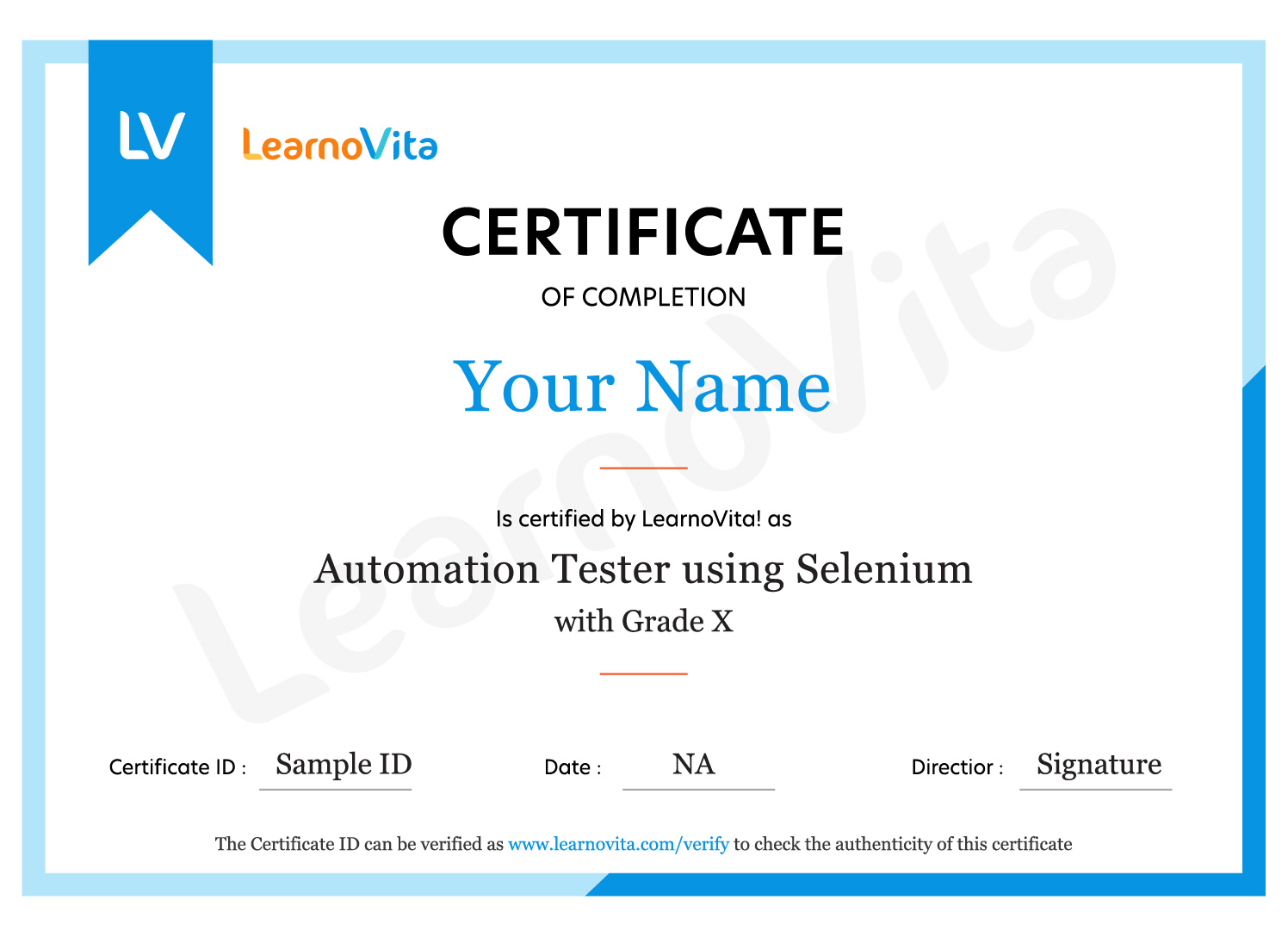
SCCM certification preparation helps professionals improve their expertise in application distribution, software patching, endpoint configuration, operating system deployment, compliance monitoring, and infrastructure administration. These technical capabilities support career progression in Windows system administration, enterprise endpoint management, IT infrastructure operations, and technical support. Continuous practical learning and experience with Microsoft Configuration Manager can further strengthen long-term career development.

MNC Recognized course
complete certification
Intership
complete certification
Placement
complete certification

Our learners
transformed their careers

35 Laks
Highest Salary Offered
50%
Average Salary Hike
30K+
Placed in MNC's
15+
Year's in Training
Our Alumni
Alumni

A majority of our alumni

fast-tracked into managerial careers.

Get inspired by their progress in the Career Growth Report.

Our Student Successful Story

checkimage Regular 1:1 Mentorship From Industry Experts checkimage Live Classes checkimage Career Support

How are the SCCM Course with LearnoVita Different?

Feature

LearnoVita

Other Institutes

Affordable Fees

Competitive Pricing With Flexible Payment Options.

Higher SCCM Fees With Limited Payment Options.

Live Class From ( Industry Expert)

Well Experienced Trainer From a Relevant Field With Practical SCCM Training

Theoretical Class With Limited Practical

Updated Syllabus

Updated and Industry-relevant SCCM Course Curriculum With Hands-on Learning.

Outdated Curriculum With Limited Practical Training.

Hands-on projects

Real-world SCCM Projects With Live Case Studies and Collaboration With Companies.

Basic Projects With Limited Real-world Application.

Certification

Industry-recognized SCCM Certifications With Global Validity.

Basic SCCM Certifications With Limited Recognition.

Placement Support

Strong Placement Support With Tie-ups With Top Companies and Mock Interviews.

Basic Placement Support

Industry Partnerships

Strong Ties With Top Tech Companies for Internships and Placements

No Partnerships, Limited Opportunities

Batch Size

Small Batch Sizes for Personalized Attention.

Large Batch Sizes With Limited Individual Focus.

Additional Features

Lifetime Access to SCCM Course Materials, Alumni Network, and Hackathons.

No Additional Features or Perks.

Training Support

Dedicated Mentors, 24/7 Doubt Resolution, and Personalized Guidance.

Limited Mentor Support and No After-hours Assistance.

SCCM Course FAQs

Yes, you can explore our training approach before enrolling. However, to maintain the quality and effectiveness of our interactive sessions, participation in live classes is restricted to registered students. If you cannot attend a live demo, you can watch a pre-recorded session conducted by the same trainer. This allows you to understand the teaching methodology, instructor expertise, course structure, and level of student interaction.
LearnoVita trainers are experienced industry professionals currently working with well-established organizations. Each instructor possesses approximately 9 to 12 years of hands-on IT industry experience. Their practical knowledge and professional expertise help learners gain valuable technical skills through effective, industry-oriented training.
  • LearnoVita supports job seekers throughout their career journey by helping them identify employment opportunities, connect with recruiters, and prepare for successful job placements.
  • After completing an eligible career-oriented training program, students can access our placement support services. We provide 100% placement assistance and have established professional connections with more than 650 leading multinational companies.
  • Our dedicated Placement Cell helps candidates prepare for recruitment opportunities with reputed organizations, including Oracle, HP, Wipro, Accenture, Google, IBM, Tech Mahindra, Amazon, CTS, TCS, HCL, Infosys, MindTree, and Mphasis, among others.
  • Our placement achievements are reflected in the Placed Students' List available on our website. During the previous year, more than 5,400 students secured employment opportunities in India and abroad.
  • To improve interview readiness, we organize professional development activities such as mock interviews, communication practice, and presentation skills training. With a reported 85% placement record, our Placement Cell continues to guide eligible candidates throughout their job search.
  • Students can also use the student portal to access job notifications, learning resources, training videos, recorded sessions, and frequently asked interview questions from leading MNCs.
Upon successful completion of the training program, LearnoVita provides a course completion certificate that helps showcase your technical knowledge and newly acquired skills. LearnoVita also offers access to certification pathways through its authorized examination center associations with Oracle, Microsoft, Pearson VUE, and PSI, along with its authorized SAP CRM partnership. Additionally, our technical specialists guide learners interested in obtaining nationally recognized certifications in specialized IT fields.
Yes, LearnoVita incorporates practical, industry-relevant projects into its SCCM training program. These projects are designed to help you apply theoretical concepts, strengthen technical abilities, and understand real-world implementation scenarios. By completing multiple hands-on assignments, you gain practical exposure that helps prepare you for professional responsibilities and provides experience comparable to six months of intensive industry practice.
LearnoVita offers several flexible learning options to accommodate different schedules, preferences, and career objectives. Students can choose from live instructor-led online classes, self-paced learning, classroom training, one-to-one coaching, fast-track programs, customized corporate training, and other online learning options. Each training format is structured to provide a convenient and effective learning experience, helping participants develop the SCCM skills required to achieve their professional goals.
LearnoVita provides flexible learning support to ensure that missing a class does not affect your progress. You can make up for missed sessions through three convenient options: reschedule the class within the course duration according to your availability, access the online class presentations and recorded videos, or attend the same topic in another available live batch. These options help you stay updated with the complete course syllabus.
If you need further information about the SCCM training program, enrollment process, course curriculum, or other services, feel free to contact our support team at contact@learnovita.com. We will be happy to assist you with your queries.
Registering for the SCCM training program at LearnoVita is simple and convenient. You can complete the enrollment process directly through our official website or visit any of our branches across India to receive personalized assistance from our training representatives.
Yes. Once you complete the enrollment process, you can access the student portal, which provides lifetime access to available course materials, instructional videos, study resources, and frequently asked interview questions from leading multinational companies. These resources allow you to revisit important concepts and continue learning at your convenience.
LearnoVita maintains small training batches to ensure personalized attention and effective interaction between trainers and students. This learning environment allows participants to ask questions, clarify technical doubts, and understand complex SCCM concepts more effectively. Each SCCM training batch typically consists of just 5 to 6 participants, enabling a more focused and interactive learning experience.
The average annual salary of an SCCM professional in India generally ranges between ₹5 LPA and ₹6 LPA. Actual compensation may vary depending on factors such as technical expertise, years of experience, job responsibilities, certifications, and the organization.
view More view Less
Career Assistance
  • Build a Powerful Resume for Career Success
  • Get Trainer Tips to Clear Interviews
  • Practice with Experts: Mock Interviews for Success
  • Crack Interviews & Land Your Dream Job
100% JOB GUARANTEE

Global Quality Training
At The Lowest Fees & Expert Trainer

AVAILABLE IN:
India Canada USA Singapore UAE Australia EU Germany

Need custom pricing?

4.9/5 from 50k+ students
Acte Technologies WhatsApp
Call Us! Chat With Us